Looking Beyond the Dell WD19 180W USB-C Docking? 6 Alternatives Worth a Look
As an Amazon Associate we earn from qualifying purchases. Links on this page are affiliate links.
The Dell WD19 180W USB-C docking station delivers 130W power delivery and dual display support via HDMI and DisplayPort. You might look for dell wd19 180w USB c docking alternatives if you need Thunderbolt speeds, remote management features, or a different physical footprint. This dock lacks Thunderbolt connectivity and offers only Gigabit Ethernet, which may limit some users.
The 6 alternatives listed here share key specs like 130W charging and dual monitor outputs. We selected them because their specifications overlap with the original, ensuring they can replace the Dell unit in most setups. Some options add Thunderbolt 4 for faster data transfer, while others provide triple display support. All listed docks maintain the core functionality you likely rely on, such as reliable power delivery and multiple video outputs, while offering distinct advantages in connectivity or form factor.
Comparing Dell Dock Alternatives
Dell USB-C Docking Station with 130W Power Delivery
This Dell WD19S model offers the same 130W power delivery and dual display support as the original. It uses USB-C, HDMI, and DisplayPort for connectivity. The physical dimensions are nearly identical, measuring 3.5 by 8.1 by 1.1 inches. You get a similar weight of 1.28 pounds. This dock is a practical choice if you want dual monitors and strong charging without Thunderbolt speeds. It serves users who need reliable performance for standard laptop setups. The lack of Thunderbolt keeps the hardware simpler and often more affordable. It is a solid alternative for those who do not need high-speed data transfer or video out from a Thunderbolt port.
Dell Pro Thunderbolt 4 Dock with 130W Charging
The Dell SD25TB4 Smart Dock steps up to Thunderbolt 4 connectivity. It supports four 4K UHD displays, which is a significant upgrade from the dual display limit of the original. You get 130W power delivery and Gigabit Ethernet. The dimensions are slightly different at 3.54 by 8.07 by 1.39 inches. This dock is designed for professionals who need remote management features and high bandwidth. It is ideal for multi-monitor workstations requiring stable, high-resolution outputs. If you need to connect multiple high-res screens or require Thunderbolt 4 speeds for peripherals, this is the better choice. It sacrifices some simplicity for advanced enterprise features and greater display capability.
Dell 180W USB-C Docking Station
This Dell dock provides 130W power delivery and dual display outputs via HDMI and DisplayPort. It mirrors the core functionality of the original model. The connectivity options are identical, using USB-C for the host interface. The weight is 1.3 pounds, which is very close to the original. This model is suitable for users who need robust power and dual screens without Thunderbolt requirements. It is a straightforward option for standard office setups. You get the same essential features without extra complexity. It is a good fit if you want a reliable docking solution that charges your laptop heavily while supporting two external monitors. The lack of Thunderbolt keeps it focused on basic video and power needs.
Dell USB-C Dual Monitor Dock
The Dell WD19S Dual Monitor Dock focuses on reliable dual display support and 130W charging. It connects via USB-C and includes HDMI and DisplayPort outputs. The weight is 2 pounds, which is heavier than the original. This dock is designed for users who need consistent performance for dual monitor setups. It does not include Thunderbolt speeds. It is a solid choice for those who prioritize display stability and charging power. The slightly larger weight may indicate a different internal build. It suits users who want a dedicated dual monitor solution without the need for high-speed data transfer protocols. It is a practical option for standard laptop docking needs.
Dell Thunderbolt 3 Dock 130W
The Dell WD19TBS Thunderbolt 3 Dock offers triple monitor support, which exceeds the dual display limit of the original. It provides 130W power delivery and Thunderbolt 3 connectivity. The dimensions are larger at 3.5 by 11.2 by 1.1 inches, and it weighs 3 pounds. This dock is built for professionals who need high-speed data transfer and multiple high-resolution screens. It is ideal for fixed workstations where display quality and power are priorities. If you need to connect three monitors or require Thunderbolt 3 speeds for external storage, this is the superior choice. It sacrifices portability for greater capability and faster data rates.
Dell 130W USB-C Docking Station
This Dell WD19 dock provides dual-display support and 130W charging via USB-C. It uses HDMI and DisplayPort for video output. The dimensions are 3.5 by 8.1 by 1.1 inches, matching the original closely. The weight is 1.29 pounds. This model is suitable for users who do not need Thunderbolt speeds or audio jacks. It offers solid performance for standard dual monitor setups. You get reliable power delivery and video output without extra features. It is a good fit for those who want a straightforward docking station. The lack of Thunderbolt keeps the focus on basic video and charging needs. It is a practical alternative for users who prioritize simplicity and essential functionality.
Quick picks
Our 7 picks
Dell WD19 180W USB-C Docking Station
Best for: Dual monitor setups with high power needs
- Host Interface
- USB-C
- Power Delivery
- 130W
- Video Ports
- HDMI, DisplayPort 1.4, USB-C
- Ethernet Speed
- Gigabit Ethernet
- Dimensions
- 8.1 × 3.5 × 1.1 inches
- Weight
- 3.1 pounds
View on Amazon: Dell WD19 180W USB-C Docking Station Affiliate link
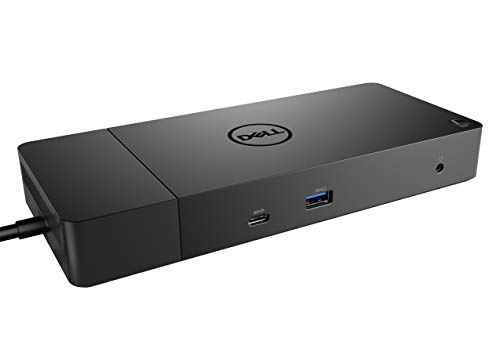
The Dell WD19 180W dock connects your laptop to dual displays via DisplayPort and HDMI. It delivers 130W of power delivery to keep your machine charged. The unit includes a Gigabit Ethernet port and multiple USB-A and USB-C ports for peripherals. It measures 8.1 by 3.5 by 1.1 inches. This setup suits users needing a reliable dual-monitor workstation with strong charging capabilities.
Pros
- 130W power delivery for laptop charging
- Dual display support via DisplayPort and HDMI
- Gigabit Ethernet connectivity
- Multiple USB-A and USB-C ports
Cons
- No Thunderbolt support for high-speed data
- No built-in Wi-Fi module
- Requires separate AC power adapter
Good fit if
- You need to connect two external monitors
- You require 130W power delivery for your laptop
- You want a wired Gigabit Ethernet connection
Skip if
- You need Thunderbolt 3 or 4 speeds
- You want wireless Wi-Fi connectivity
- You need a compact portable setup
Verdict: Dell WD19 180W USB-C Dock fits users who need dual displays and strong power delivery without Thunderbolt requirements.

Dell USB-C Docking Station with 130W Power Delivery
Best for: Dual monitor setups with USB-C laptops
- Host Interface
- USB-C
- Power Delivery
- 130W
- Video Ports
- HDMI, DisplayPort
- Connectivity
- USB-C, HDMI, DisplayPort
- Dimensions
- 1.1 × 3.5 × 8.1 inches
- Weight
- 1.28 pounds
View on Amazon: Dell USB-C Docking Station with 130W Power Delivery Affiliate link
The Dell WD19S is a docking station built around a USB-C host interface. It delivers up to 130W of power delivery to your laptop. You get dual display support through HDMI and DisplayPort outputs. The unit measures 8.1 inches long and weighs 1.28 pounds. It fits well if you need a reliable secondary screen setup without complex configuration.
Pros
- 130W power delivery for compatible laptops
- Supports dual displays via HDMI and DisplayPort
- Compact 1.1-inch depth design
- Standard USB-C host connection
Cons
- No Thunderbolt 4 support for faster data speeds
- Limited to HDMI and DisplayPort video outputs
- Heavier than some slim USB-C adapters
Good fit if
- You want a simple plug-and-play dual monitor setup
- Your laptop supports USB-C video output
- You need 130W charging for your device
Skip if
- You require Thunderbolt 4 bandwidth
- You need more than two external displays
- You want a wireless docking solution
Verdict: Dell WD19S 180W USB-C Dock is a solid choice for users who need dual monitors and strong charging power without the cost of Thunderbolt hardware.

Dell Pro Thunderbolt 4 Dock with 130W Charging
Best for: Multi-monitor workstations needing remote management
- Host Interface
- Thunderbolt 4
- Display Support
- Up to 4
- Max Resolution
- 4K
- Power Delivery
- Up to 130W
- Video Ports
- HDMI 2.1, DP 1.4, USB-C, Thunderbolt 4
- Ethernet Speed
- 2.5GbE
View on Amazon: Dell Pro Thunderbolt 4 Dock with 130W Charging Affiliate link
This docking station supports up to four 4K displays via HDMI 2.1, DisplayPort 1.4, and Thunderbolt 4. It delivers 130W of power to compatible laptops. The unit includes a 2.5GbE port for fast wired networking. You can manage it remotely using Wi-Fi and Intel AMT. It features WPA3 encryption and DMA protection for business security. The design uses recycled materials and fits compactly on your desk.
Pros
- Supports up to four 4K monitors simultaneously
- Provides up to 130W USB-C power delivery
- Includes 2.5GbE Ethernet for high-speed networking
- Allows remote management via Wi-Fi and Intel AMT
Cons
- Heavier at 1.28 pounds compared to standard docks
- No mention of a 3.5mm audio jack
- Requires Thunderbolt 4 host for full functionality
Good fit if
- You need to drive four 4K displays at once
- You require 130W charging for high-power laptops
- You want remote IT management capabilities
Skip if
- You only need a single display connection
- Your laptop lacks Thunderbolt 4 support
- You prefer a lighter, more portable dock
Verdict: Dell SD25TB4 Thunderbolt 4 Smart Dock fits professionals who need four 4K screens and remote management. It suits users with Thunderbolt 4 laptops who want high power delivery and network speed.
Dell 180W USB-C Docking Station
Best for: Users needing 130W power and dual displays
- Host Interface
- USB-C
- Power Delivery
- 130W
- Video Ports
- DisplayPort, HDMI, USB-C
- Ethernet Speed
- Gigabit Ethernet
- Dimensions
- 3.5 × 8.1 × 1.1 inches
- Weight
- 1.3 pounds
View on Amazon: Dell 180W USB-C Docking Station Affiliate link
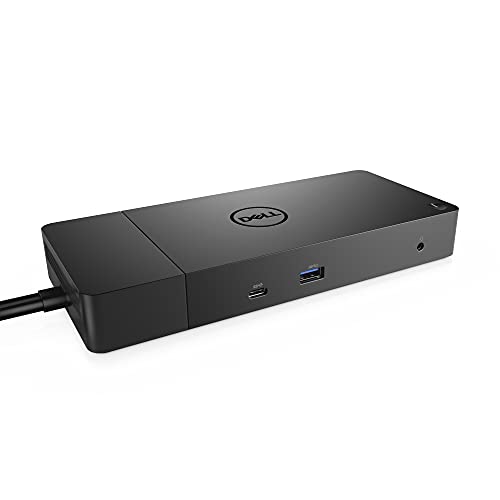
The Dell WD19 180W is a docking station that delivers 130W of power delivery to your laptop. It connects via USB-C and provides dual display support through two DisplayPort 1.4 outputs and one HDMI port. It also includes Gigabit Ethernet and multiple USB-A ports. This setup suits users who need reliable connectivity and strong power delivery for their mobile workstation.
Pros
- 130W Power Delivery for compatible laptops
- Dual display support via DisplayPort and HDMI
- Gigabit Ethernet for wired internet
- Multiple USB-A and USB-C ports
Cons
- No Thunderbolt support for higher bandwidth
- No built-in webcam or microphone array
- Heavy at 1.3 pounds for portability
Good fit if
- You need 130W power delivery for your laptop
- You require dual monitor connectivity via DisplayPort
- You want a wired Gigabit Ethernet connection
Skip if
- You need Thunderbolt 4 speeds and daisy-chaining
- You require a built-in webcam for video calls
- You prioritize a lightweight, portable dock
Verdict: Dell WD19 180W USB-C Dock fits users who need robust 130W power delivery and dual display outputs via DisplayPort and HDMI without requiring Thunderbolt speeds.

Dell USB-C Dual Monitor Dock
Best for: dual monitor setups with 130W charging needs
- Host Interface
- USB-C
- Display Support
- Dual
- Power Delivery
- 130W
- Ethernet Speed
- Gigabit Ethernet
- Connectivity
- USB-C, HDMI, DisplayPort
- Dimensions
- 3.5 × 1.1 × 8.1 inches
View on Amazon: Dell USB-C Dual Monitor Dock Affiliate link
This Dell WD19S dock supports dual monitors via DisplayPort and HDMI while delivering 130W of power delivery to your laptop. It connects through a single USB-C host interface and includes Gigabit Ethernet for wired networking. The unit weighs 2 pounds and measures 8.1 by 3.5 by 1.1 inches. It suits users needing reliable dual display output and strong charging capabilities for compatible Dell laptops.
Pros
- Supports dual monitor configurations via two DisplayPort 1.4 ports and one HDMI port
- Provides 130W power delivery to charge connected laptops
- Includes Gigabit Ethernet RJ45 port for stable wired internet
- Features USB-C 3.1 Gen 2 and multiple USB-A 3.1 ports
Cons
- Heavier at 2 pounds compared to lighter alternatives
- Lacks Thunderbolt certification for higher bandwidth data transfer
- No 3.5mm audio output port, only a combo headset jack
Good fit if
- You need to run two external displays from a single cable connection
- You require 130W power delivery to charge a high-performance laptop
- You prefer wired Gigabit Ethernet over wireless connections
Skip if
- You need Thunderbolt 4 speeds for high-bandwidth peripherals
- You require a dedicated 3.5mm headphone output jack
- You want a lightweight dock under 1 pound
Verdict: Dell WD19S 180W Dual Monitor Dock is a solid choice for users who need reliable dual display support and strong 130W charging for their Dell laptops without needing Thunderbolt speeds.

Dell Thunderbolt 3 Dock 130W
Best for: Triple monitor setups with high power needs
- Host Interface
- Thunderbolt 3, USB-C
- Display Support
- Up to 3
- Max Resolution
- 5K
- Power Delivery
- 130W
- Video Ports
- Dual DisplayPort, HDMI
- Connectivity
- USB-C, HDMI, DisplayPort, Thunderbolt 3
View on Amazon: Dell Thunderbolt 3 Dock 130W Affiliate link
The Dell WD19TBS is a Thunderbolt 3 docking station designed for high-end display setups. It delivers 130W of power delivery to charge your laptop while connected. The dock supports up to three displays, including a single 5K or dual 4K monitors. It features dual DisplayPort and HDMI outputs for flexible connectivity. This unit suits users who need robust video performance and secure manageability for their workspace.
Pros
- Thunderbolt 3 and USB-C host interface for high-speed data transfer
- Supports up to three displays with up to 5K resolution
- 130W power delivery to charge compatible laptops
- VESA mountable for a clean, clutter-free desk setup
Cons
- No 3.5mm audio ports for direct headphone connection
- Heavier build at 3 pounds compared to standard USB-C docks
- Requires Thunderbolt 3 compatible laptop for full functionality
Good fit if
- You need to drive multiple high-resolution monitors
- You require 130W power delivery for your laptop
- You want to mount the dock behind a monitor
Skip if
- You need built-in 3.5mm audio jacks
- Your laptop lacks Thunderbolt 3 support
- You prefer a lightweight, portable docking solution
Verdict: The Dell WD19TBS Thunderbolt 3 Dock fits professionals who need triple-monitor support and fast charging. It is ideal for fixed workstations where display quality and power delivery are priorities.

Dell 130W USB-C Docking Station
Best for: Dual monitors and 130W charging needs
- Host Interface
- USB-C
- Power Delivery
- 130W
- Video Ports
- HDMI, DisplayPort
- Connectivity
- USB-C, HDMI, DisplayPort
- Dimensions
- 3.5 × 8.1 × 1.1 inches
- Weight
- 1.29 pounds
View on Amazon: Dell 130W USB-C Docking Station Affiliate link
This is the Dell WD19 docking station, a renewed unit featuring a 180W power adapter and 130W power delivery output. It connects via USB-C and provides video through HDMI and DisplayPort for dual displays. The black unit measures 3.5 x 8.1 x 1.1 inches and weighs 1.29 pounds. It suits users needing reliable dual-monitor support and high-speed charging for compatible laptops.
Pros
- 130W power delivery for fast laptop charging
- Supports dual displays via HDMI and DisplayPort
- Compact physical footprint at 3.5 x 8.1 x 1.1 inches
- USB-C host interface for simple connectivity
Cons
- Sold as a renewed item, not new
- No Thunderbolt certification for maximum bandwidth
- Lacks a 3.5mm audio jack on the dock
Good fit if
- You need dual monitors with HDMI and DisplayPort
- You want 130W power delivery for your laptop
- You prefer a compact USB-C docking solution
Skip if
- You require Thunderbolt 4 speeds
- You need built-in audio output
- You insist on brand-new inventory
Verdict: Dell WD19 180W USB-C Dock offers solid dual-display support and strong charging for users who do not need Thunderbolt speeds or audio jacks.
Specifications side by side
| Spec | Dell WD19 180W USB-C Docking Station | Dell USB-C Docking Station with 130W Power Delivery | Dell Pro Thunderbolt 4 Dock with 130W Charging | Dell 180W USB-C Docking Station | Dell USB-C Dual Monitor Dock | Dell Thunderbolt 3 Dock 130W | Dell 130W USB-C Docking Station |
|---|---|---|---|---|---|---|---|
| Host Interface | USB-C | USB-C | Thunderbolt 4 | USB-C | USB-C | Thunderbolt 3, USB-C | USB-C |
| Display Support | not stated | not stated | Up to 4 | not stated | Dual | Up to 3 | not stated |
| Max Resolution | not stated | not stated | 4K | not stated | not stated | 5K | not stated |
| Power Delivery | 130W | 130W | Up to 130W | 130W | 130W | 130W | 130W |
| Video Ports | HDMI, DisplayPort 1.4, USB-C | HDMI, DisplayPort | HDMI 2.1, DP 1.4, USB-C, Thunderbolt 4 | DisplayPort, HDMI, USB-C | not stated | Dual DisplayPort, HDMI | HDMI, DisplayPort |
| Ethernet Speed | Gigabit Ethernet | not stated | 2.5GbE | Gigabit Ethernet | Gigabit Ethernet | not stated | not stated |
| Resolution | not stated | not stated | 4K UHD | not stated | not stated | not stated | not stated |
| Connectivity | USB-C, HDMI, DisplayPort | USB-C, HDMI, DisplayPort | USB-C, HDMI, DisplayPort, Thunderbolt 4 | USB-C, HDMI, DisplayPort | USB-C, HDMI, DisplayPort | USB-C, HDMI, DisplayPort, Thunderbolt 3 | USB-C, HDMI, DisplayPort |
| Dimensions | 8.1 × 3.5 × 1.1 inches | 1.1 × 3.5 × 8.1 inches | 8.07 × 3.54 × 1.39 inches | 3.5 × 8.1 × 1.1 inches | 3.5 × 1.1 × 8.1 inches | 3.5 × 11.2 × 1.1 inches | 3.5 × 8.1 × 1.1 inches |
| Weight | 3.1 pounds | 1.28 pounds | 1.28 pounds | 1.3 pounds | 2 pounds | 3 pounds | 1.29 pounds |
| Size | 8.1 x 3.5 x 1.1 inches | not stated | Talla única | not stated | not stated | not stated | 3.5 x 8.1 x 1.1 inches |
| Color | black | Black | Black/White | black | black | Black | black |
| Model | WD19 180W | WD19 | SD25TB4 | DELL DOCK-WD19 180W | not stated | WD19TBS-cr | WD19 |
Frequently asked questions
Can I use these docks with non-Dell laptops?
Yes, most listed options work with various brands. They rely on standard USB-C or Thunderbolt connections rather than proprietary Dell software. You simply need a laptop with a compatible port to receive video signals and power delivery. The physical connection remains universal across different manufacturers.
Do I need Thunderbolt for dual monitors?
No, Thunderbolt is not required for dual displays. Several listed docks, such as the WD19 series, support dual monitors using standard USB-C, HDMI, and DisplayPort outputs. You get reliable dual-screen performance without paying for the higher bandwidth that Thunderbolt provides for other peripherals.
Which dock supports three monitors?
The Dell Thunderbolt 3 Dock 130W supports triple monitor setups. It uses its Thunderbolt 3 connectivity to drive three displays simultaneously. This model is ideal if you need more than two screens and have a laptop with a Thunderbolt 3 port for connection.
Is 130W power delivery enough for all laptops?
130W covers most modern laptops and ultrabooks. The listed docks provide this specific wattage for charging. High-performance gaming laptops or workstations with very large batteries might require more power. Check your laptop's original charger specifications to ensure 130W meets its maximum power draw needs.
Can I manage these docks remotely?
Only the premium Thunderbolt 4 Smart Dock supports remote management. It is designed for IT departments to configure and update dock settings without physical access. Other listed models, including the standard WD19 and WD19S, do not offer remote management capabilities through their firmware.
What is the difference between USB-C and Thunderbolt docks?
Thunderbolt docks offer higher data transfer speeds and support daisy-chaining devices. USB-C docks provide standard connectivity for video and power. The Thunderbolt 4 and Thunderbolt 3 models listed include this faster protocol. Standard USB-C docks are sufficient for basic dual-monitor and charging tasks.
Do these docks have audio output?
The provided specifications do not list audio jacks for most models. The Dell WD19 180W is noted for supporting displays and power without audio jacks. You may need to use your laptop speakers or connect external audio via USB or Bluetooth for sound output.