Best Portable Monitors for Gaming: 15 Spec-Based Picks
As an Amazon Associate we earn from qualifying purchases. Links on this page are affiliate links.
Finding the best portable monitors for gaming requires matching panel speed, display resolution, and carry weight to your setup. We compared 15 displays using specifications published directly on their official listings.
The MNN 15.6-Inch 1080p Portable Monitor takes the top spot by pairing a 1080p IPS panel with USB-C and HDMI connectivity in a 1.53-pound frame. This guide helps you decide which refresh rate, screen dimensions, and port options deliver the right performance for your console or laptop.
Quick picks
The best fit for you
- You want a lightweight display for standard console gaming MNN 15.6-Inch 1080p Portable Monitor It weighs 1.53 pounds and features a 1080p IPS panel with a 60Hz refresh rate.
- You need high refresh rates for mobile laptop gaming ARZOPA 16.1-Inch 144Hz Portable Monitor Its 16.1-inch panel delivers a 144Hz refresh rate to display high frame rates on the go.
- You want the largest portable screen on the list ARZOPA 17.3" 1080p IPS Portable Monitor Its 17.3-inch 1080p IPS panel provides maximum screen size in a 3.55-pound frame.
- You want the lightest portable monitor for travel gaming Yxk 15.6-Inch 1080p Portable Monitor At 1.37 pounds, this 15.6-inch 1080p IPS display adds the least weight to your travel bag.
Our 15 picks

MNN 15.6-Inch 1080p Portable Monitor
Best for: Everyday portable 1080p console and laptop gaming
- Use
- Gaming (what this guide is about)
- Screen Size
- 15.6"
- Resolution
- 1920*1080
- Refresh Rate
- 60Hz
- Panel Type
- IPS
- Connectivity
- USB-C, HDMI
The MNN 15.6" FHD 60Hz Portable Monitor provides a 1080p IPS display designed for on-the-go setups. For gaming, you get a 1920x1080 resolution, a standard 60Hz refresh rate, and HDR mode support. At 1.53 pounds and 0.3 inches thick, it packs dual full-featured USB-C ports and an HDMI input. This screen suits you if you need a lightweight external display for consoles or laptops without carrying dedicated power bricks.
Pros
- Dual full-featured USB-C ports alongside HDMI connectivity
- Weighs 1.53 pounds with a slim 0.3-inch profile
- Full HD 1920x1080 IPS screen with 178-degree viewing angles
- Includes a PU leather smart cover that doubles as a stand
Cons
- Refresh rate capped at 60Hz
- Glossy screen finish can cause reflections
Good fit if
- You need a lightweight 1.53-pound second screen for travel gaming.
- You connect via single-cable USB-C or standard HDMI.
- You play standard 60Hz console or laptop games.
Skip if
- You require high refresh rates above 60Hz for competitive gaming.
- You prefer a matte, non-reflective screen coating.
Verdict: MNN 15.6" FHD 60Hz Portable Monitor delivers reliable 1080p IPS visuals and versatile connectivity in an ultra-portable 1.53-pound package. It gives you an easy secondary gaming display when standard 60Hz output matches your hardware.

Sceptre 22-Inch 144Hz Gaming Monitor
Best for: compact desktop gaming setups needing 144Hz
- Use
- Gaming (what this guide is about)
- Screen Size
- 22"
- Resolution
- 1080p
- Refresh Rate
- Up to 144Hz
- Connectivity
- HDMI, DisplayPort
- Weight
- 7 pounds
This Sceptre display provides a 22-inch 1080p FHD screen paired with a 144Hz refresh rate for gaming setups. For connectivity, you get dedicated HDMI and DisplayPort inputs alongside integrated audio speakers. Its minimal bezel design and Blue-Light Shift technology support long gaming sessions. At 7 pounds, it serves you well as a compact desk-based gaming monitor if you prioritize a fast refresh rate over ultra-portable travel designs.
Pros
- Up to 144Hz refresh rate
- DisplayPort and HDMI inputs
- Built-in audio speakers
- Blue-Light Shift technology
Cons
- Weighs 7 pounds
- No USB-C connectivity listed
Good fit if
- You want a 144Hz refresh rate for smoother gameplay.
- You connect your gaming system using HDMI or DisplayPort.
- You prefer having built-in speakers on your screen.
Skip if
- You require single-cable USB-C video input.
- You need a lightweight screen under 7 pounds for travel.
Verdict: Sceptre 22-Inch 144Hz Gaming Monitor delivers high-refresh 1080p visuals and multiple display inputs for compact spaces. Its 7-pound weight makes it better suited to a dedicated desk setup than a travel bag.

Acer 27-Inch 100Hz IPS Monitor
Best for: desktop gaming setups needing a larger screen
- Use
- Gaming, Office (what this guide is about)
- Screen Size
- 27"
- Resolution
- 1920 x 1080
- Refresh Rate
- 100Hz
- Panel Type
- IPS
- Connectivity
- 1 x HDMI 1.4, 1 x VGA
The Acer 27-Inch 100Hz IPS Gaming Monitor gives you a full-sized 27-inch display designed for desktop setups. It pairs a 1920 x 1080 resolution with a 100Hz refresh rate, AMD FreeSync support, and a 1ms VRB response time over HDMI. At 11.9 pounds, it suits you if you want a stationary screen with VESA mounting capability rather than a compact travel panel.
Pros
- 100Hz refresh rate over HDMI
- AMD FreeSync and 1ms VRB response time
- 100 x 100mm VESA mount compliant
- IPS panel with 1920 x 1080 resolution
Cons
- Weighs 11.9 pounds, limiting portability
- No USB-C or DisplayPort inputs listed
- Peak brightness capped at 250 nits
Good fit if
- You want a stationary 27-inch screen with a 100Hz refresh rate and FreeSync.
- You need VESA 100 x 100mm mounting support for a monitor arm.
- You connect primarily using HDMI or VGA.
Skip if
- You need a lightweight portable monitor for travel.
- You require USB-C connectivity or DisplayPort inputs.
Verdict: Acer 27-Inch 100Hz IPS Gaming Monitor offers a large screen, 100Hz refresh rate, and FreeSync for desk-bound gaming setups. Its 11.9-pound weight means you trade travel convenience for display area.

SANSUI 27-Inch 1440p 260Hz Fast IPS Monitor
Best for: high-refresh desktop gaming setups
- Use
- Gaming (what this guide is about)
- Screen Size
- 27"
- Resolution
- 2560 x 1440P
- Refresh Rate
- 260Hz
- Panel Type
- Fast IPS
- Connectivity
- 2 x Display Port 1.4, 2 x HDMI 2.0
This 27-inch gaming monitor delivers a 2560 x 1440 resolution on a Fast IPS panel. You get refresh rates up to 260Hz via DisplayPort 1.4 and 144Hz over HDMI 2.0, along with FreeSync Premium support. At 11.2 pounds, it functions as a stationary desk display rather than a travel screen. It suits you if you want high-speed competitive gaming performance with 98% DCI-P3 color coverage at your desk setup.
Pros
- 2560 x 1440 resolution on a Fast IPS panel
- Up to 260Hz refresh rate through DisplayPort 1.4
- 1ms MPRT response time with FreeSync Premium support
- Wide color coverage with 98% DCI-P3 and 130% sRGB
Cons
- Heavy weight of 11.2 pounds limits portability
- HDMI 2.0 connections are capped at 144Hz
- No USB-C connectivity included
Good fit if
- You want 1440p resolution at up to 260Hz for desktop gaming.
- You need wide color gamut coverage reaching 98% DCI-P3.
- You use DisplayPort 1.4 outputs to achieve maximum frame rates.
Skip if
- You need a lightweight portable monitor for travel.
- You require USB-C single-cable video input.
- You plan to run 260Hz over HDMI cables.
Verdict: SANSUI 27-Inch 1440p 260Hz Gaming Monitor delivers top-tier speed and sharp 1440p visuals for fixed desk spaces. Its 11.2-pound weight and DisplayPort reliance trade travel convenience for desktop-grade refresh rates.

Sceptre 24-Inch 100Hz Gaming Monitor
Best for: budget stationary desktop gaming setups
- Use
- Gaming (what this guide is about)
- Screen Size
- 24"
- Resolution
- 1920 x 1080
- Refresh Rate
- 100Hz
- Connectivity
- DisplayPort, HDMI 2.0
- Color Gamut
- 100% sRGB
The Sceptre 24-Inch 100Hz Gaming Monitor gives you a 1920 x 1080 resolution display paired with a 100Hz refresh rate. It includes AMD FreeSync, 100% sRGB coverage, two HDMI ports, and one DisplayPort connection. Weighing 5.8 pounds with desktop dimensions, it suits you if you need a stationary gaming setup with built-in speakers and VESA mount capability.
Pros
- 100Hz refresh rate with AMD FreeSync support
- 100% sRGB color gamut coverage
- Multiple video inputs with one DisplayPort and two HDMI ports
- Built-in speakers and VESA wall mount compatibility
Cons
- No USB-C connectivity listed
- Desk-bound form factor weighing 5.8 pounds with a 7.66-inch depth stand
- 100Hz refresh rate is lower than standard 144Hz gaming panels
Good fit if
- You want a stationary 24-inch 1080p desktop screen with integrated speakers.
- You connect your gaming setup using DisplayPort or HDMI.
- You plan to mount your display using a standard VESA pattern.
Skip if
- You require a slim, portable monitor powered through a single USB-C cable.
- You want refresh rates above 100Hz for high-speed competitive gaming.
Verdict: Sceptre 24-Inch 100Hz Gaming Monitor provides reliable 1080p output with AMD FreeSync and versatile display inputs. Its 5.8-pound weight and desktop footprint make it a stationary screen rather than a travel display.

ARZOPA 16.1-Inch 144Hz Portable Monitor
Best for: high-refresh-rate portable gaming on laptops and consoles
- Use
- Gaming (what this guide is about)
- Screen Size
- 16.1"
- Resolution
- 1080P FHD
- Refresh Rate
- 144Hz
- Panel Type
- IPS
- Connectivity
- USB Type-C, Mini HDMI
The ARZOPA 16.1-Inch 144Hz Portable Gaming Monitor gives you a 1080p IPS display built for high frame rates on the go. Its 144Hz refresh rate delivers smooth motion for fast-paced games, while the 106% sRGB color gamut provides accurate color reproduction. It connects via USB-C or Mini HDMI and features an integrated tilt stand, making it a practical travel display if you play games on a laptop or handheld console.
Pros
- 144Hz refresh rate for smooth gaming visuals
- 106% sRGB color gamut coverage on an IPS panel
- Built-in adjustable tilt kickstand
- Two full-function USB Type-C ports and Mini HDMI connectivity
Cons
- Lacks FreeSync or adaptive sync support
- Limited to 1080p resolution
- Uses Mini HDMI rather than a full-size HDMI port
Good fit if
- You want a 144Hz refresh rate display for portable gaming
- You need a built-in kickstand that supports landscape and portrait modes
- You connect via USB Type-C or Mini HDMI to laptops or consoles
Skip if
- You require FreeSync or adaptive sync technology
- You prefer a display resolution higher than 1080p
Verdict: ARZOPA 16.1-Inch 144Hz Portable Gaming Monitor pairs a fast 144Hz refresh rate with a 106% sRGB color gamut and an integrated kickstand. It is a solid portable display for high-frame-rate gaming if you do not need adaptive sync.

ForHelp 15.6-Inch FHD Aluminum Portable Monitor
Best for: portable 1080p console and laptop gaming
- Use
- Gaming (what this guide is about)
- Screen Size
- 15.6"
- Resolution
- 1920*1080
- Panel Type
- IPS
- Connectivity
- 2x Type-C, 1x Mini HDMI
- Weight
- 1.52 lb
View on Amazon: ForHelp 15.6-Inch FHD Aluminum Portable Monitor
The ForHelp 15.6-Inch 1080p Portable Monitor gives you a compact 1080p IPS display designed for portable gaming setups. It features a 1920x1080 resolution matte screen with 178-degree viewing angles, an aluminum alloy chassis weighing 1.52 pounds, and integrated dual speakers. With two full-featured USB-C ports and a mini-HDMI connection, it suits you if you need a lightweight secondary screen for console or laptop gaming.
Pros
- Full HD 1920x1080 IPS matte panel with 178-degree viewing angles
- Lightweight 1.52-pound aluminum alloy build with 0.3-inch thickness
- Two full-featured USB-C ports and one Mini HDMI port
- Integrated dual speakers and HDR mode support
Cons
- No high refresh rate listed in specifications
- Uses Mini HDMI instead of a standard full-size HDMI port
- Included smart cover offers only two fixed angle positions
Good fit if
- You want a lightweight 1.52-pound 1080p screen for portable console or laptop play.
- You need dual USB-C ports alongside Mini HDMI connectivity for versatile inputs.
- You prefer a matte IPS panel to reduce reflections during travel.
Skip if
- You require high refresh rates above 60Hz for fast-paced competitive gaming.
- You want a full-size HDMI port without needing a mini-HDMI cable.
Verdict: ForHelp 15.6-Inch 1080p Portable Monitor delivers core 1080p visuals, dual USB-C connectivity, and stereo sound in a slim 1.52-pound aluminum frame. It serves as a straightforward secondary display for mobile gaming setups without extra bulk.

WGK 15.6" 1080p Portable Monitor with Built-In Stand
Best for: portable gaming setups requiring an integrated kickstand
- Use
- Travel, Gaming (what this guide is about)
- Screen Size
- 15.6"
- Resolution
- 1920*1080P
- Panel Type
- IPS
- Connectivity
- 2x USB-C, 1x Mini HDMI
- Weight
- 2.7 pounds
View on Amazon: WGK 15.6" 1080p Portable Monitor with Built-In Stand
The WGK 15.6" portable monitor pairs a 1080p IPS panel with an integrated kickstand for console or laptop gaming on the go. You get dual USB-C ports, a mini HDMI input, HDR support, and two built-in speakers. It weighs 2.7 pounds and supports both landscape and portrait orientations. This display suits you if you need a self-supporting secondary screen for gaming setups without packing an extra folding cover or stand.
Pros
- Built-in adjustable kickstand for stable tabletop setup
- Full HD 1080p IPS panel with 178-degree viewing angles
- Dual USB-C ports and mini HDMI connectivity
- VESA mountable chassis with two built-in speakers
Cons
- Weighs 2.7 pounds, heavier than many travel monitors
- Requires external 5V 2A power when connected to low-power devices
Good fit if
- You want an integrated kickstand rather than a magnetic folding case.
- You connect gaming devices through USB-C or mini HDMI.
- You plan to switch between horizontal and vertical orientations.
Skip if
- You require a screen resolution higher than 1080p.
- You want a sub-two-pound display for ultralight travel.
- You need a full-sized HDMI port without using adapter cables.
Verdict: WGK 15.6" 1080p Kickstand Portable Monitor delivers straightforward Full HD gaming visuals with an adjustable integrated stand and flexible dual-port connectivity. It gives you a reliable secondary screen for consoles and laptops without requiring extra mounting hardware.

KYY 15.6-Inch 1080p Portable Monitor
Best for: lightweight 60Hz portable console and laptop gaming
- Use
- Gaming (what this guide is about)
- Screen Size
- 15.6"
- Resolution
- 1920 x 1080
- Refresh Rate
- 60Hz
- Panel Type
- IPS
- Connectivity
- USB-C, Mini-HDMI
The KYY 15.6-inch portable monitor delivers a 1080p Full HD resolution on an IPS panel running at a standard 60Hz refresh rate. It weighs 1.7 pounds and measures 0.3 inches thick, making it easy to pack alongside a console or laptop. Dual USB-C ports and a mini-HDMI port give you straightforward connections for consoles like the Switch or PS4. This display suits you if you need a lightweight, single-screen travel setup for 60 fps gaming.
Pros
- 1080p IPS panel with 178-degree viewing angles
- Weighs 1.7 pounds with a 0.3-inch thickness
- Dual USB-C and mini-HDMI connectivity
- Includes foldable smart cover that doubles as a stand
Cons
- 60Hz refresh rate does not support high-frame-rate gaming
- Uses mini-HDMI rather than a full-size HDMI port
Good fit if
- You play console games locked at 60Hz on systems like Switch or PS4.
- You need a lightweight 1.7-pound display for portable setups.
- You want direct plug-and-play USB-C or mini-HDMI connections.
Skip if
- You need a high-refresh-rate panel above 60Hz for fast-paced titles.
- You require a full-size HDMI connection without specialized cables.
Verdict: KYY 15.6-Inch 1080p 60Hz Portable Monitor delivers a compact, travel-ready IPS display for standard 60 fps gaming on laptops and consoles. Its dual USB-C ports and included stand cover keep setup minimal wherever you play.

Sceptre 24-Inch Curved 180Hz Gaming Monitor
Best for: stationary desktop gaming setups requiring 180Hz
- Use
- Gaming (what this guide is about)
- Screen Size
- 24"
- Resolution
- 1080p
- Refresh Rate
- 180Hz
- Connectivity
- HDMI, DisplayPort
- Color Gamut
- 100% sRGB
This Sceptre 24-inch curved monitor delivers 1080p resolution with a 180Hz refresh rate for fast-paced gaming. It features two HDMI ports, two DisplayPort inputs, and AMD FreeSync support to reduce screen tearing. Weighing 7 pounds with a 6.5-inch depth, it suits desktop setups rather than travel bags. Built-in speakers, custom FPS and RTS modes, and a VESA mount give you a dedicated station for your gaming sessions.
Pros
- Up to 180Hz refresh rate with AMD FreeSync support
- Four video inputs with two HDMI and two DisplayPort connections
- Integrated speakers and dedicated audio out jack
- 100% sRGB color gamut coverage
Cons
- Weighs 7 pounds and measures 6.5 inches deep
- No USB-C connectivity included
Good fit if
- You want a high 180Hz refresh rate with AMD FreeSync for competitive gaming.
- You need multiple inputs to connect up to four HDMI and DisplayPort sources.
- You plan to mount your display using standard VESA patterns.
Skip if
- You need a lightweight display designed to fit inside a laptop bag.
- You require single-cable USB-C video connectivity.
Verdict: Sceptre 24-Inch Curved 180Hz Gaming Monitor provides smooth 180Hz visuals and versatile video inputs for fixed gaming desks. Its 7-pound weight and 6.5-inch depth make it better suited for stationary stations than mobile travel.
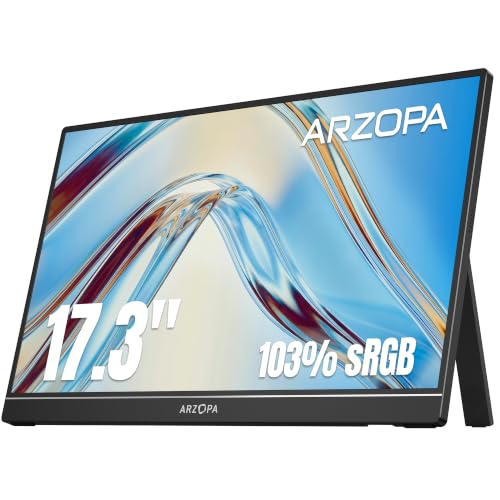
ARZOPA 17.3" 1080p IPS Portable Monitor
Best for: large-screen portable console and laptop gaming
- Use
- Gaming (what this guide is about)
- Screen Size
- 17.3"
- Resolution
- 1080P FHD
- Panel Type
- IPS
- Connectivity
- Type-C, Mini HDMI
- Color Gamut
- 103% sRGB
This ARZOPA display gives you a spacious 17.3-inch screen for mobile gaming setups. It features a 1080p IPS panel with 103% sRGB coverage for accurate colors, along with a built-in stand that supports landscape and portrait orientations. You can connect consoles or laptops using the USB-C or Mini HDMI ports with single-cable power delivery on supported devices. It suits you if you prioritize maximum display area over ultra-compact travel size.
Pros
- Spacious 17.3-inch IPS panel with 103% sRGB color gamut
- Built-in stand supports both landscape and portrait orientations
- Single-cable USB-C connection for power and video
- Dual input options with USB-C and Mini HDMI ports
Cons
- Weighs 3.55 pounds, making it heavier than 15.6-inch alternatives
- High refresh rate is not specified in published specs
- Uses Mini HDMI rather than a standard full-size HDMI port
Good fit if
- You want a large 17.3-inch screen for gaming on consoles or laptops.
- You need an integrated stand that rotates between landscape and portrait views.
- You prefer a single USB-C cable setup for video and power.
Skip if
- You need a lightweight screen under three pounds for everyday travel.
- You require a verified high refresh rate panel for competitive gaming.
Verdict: ARZOPA 17.3-Inch 1080p IPS Portable Monitor gives console and laptop gamers an expansive display with solid color coverage and an integrated kickstand. Its 3.55-pound weight makes it best suited for stationary travel setups rather than ultra-light packing.

Yxk 15.6-Inch 1080p Portable Monitor
Best for: 60Hz portable console gaming on the go
- Use
- Travel, Gaming (what this guide is about)
- Screen Size
- 15.6"
- Resolution
- 1920*1080P
- Refresh Rate
- 60Hz
- Panel Type
- IPS
- Connectivity
- 2x Type-C, 1x Mini HDMI
The Yxk 15.6-Inch 1080p 60Hz Portable Monitor provides an external 1920x1080 IPS display for mobile gaming setups. It features a standard 60Hz refresh rate, two full-featured USB-C ports, and a mini HDMI input to connect with Switch, Xbox, or PlayStation consoles. Weighing 1.37 pounds with integrated dual speakers and HDR support, it serves you well if you need an ultralight secondary display for casual gaming during travel.
Pros
- Weighs 1.37 pounds for portable travel use
- Dual full-featured USB-C ports and mini HDMI connectivity
- 1080p IPS panel with 178-degree viewing angles
- Integrated dual speakers and HDR support
Cons
- 60Hz refresh rate caps frame rates below modern gaming standards
- Requires mini HDMI cables or adapters for standard HDMI sources
Good fit if
- You need an ultralight 1.37-pound display for travel gaming.
- You play standard 60Hz console games on Nintendo Switch, PlayStation, or Xbox.
Skip if
- You require refresh rates above 60Hz for fast-paced competitive games.
- You want full-sized HDMI ports without dealing with mini HDMI connections.
Verdict: Yxk 15.6-Inch 1080p 60Hz Portable Monitor is a straightforward, lightweight display suited for 60 fps console and laptop travel gaming. Its combination of USB-C connectivity, built-in speakers, and an IPS panel covers core portable needs.

InnoView 16-Inch 144Hz Portable Monitor
Best for: 16:10 high-refresh mobile gaming
- Use
- Travel, Gaming (what this guide is about)
- Screen Size
- 16"
- Resolution
- 1920x1200
- Refresh Rate
- 144Hz
- Panel Type
- IPS
- Connectivity
- USB-C, Standard HDMI
The InnoView 16-Inch 144Hz Portable Monitor is a mobile gaming display built with a 1920x1200 resolution and a 16:10 aspect ratio. It features an IPS panel with a 144Hz refresh rate, FreeSync support, and a built-in crosshair overlay. With dual USB-C ports, a standard HDMI port, and a weight of 1.73 pounds, you get smooth visuals and extra vertical space for portable consoles or laptops.
Pros
- 144Hz refresh rate with FreeSync support
- 1920x1200 resolution provides a taller 16:10 aspect ratio
- Full-size standard HDMI port alongside dual USB-C ports
- Lightweight build at 1.73 pounds
Cons
- Refresh rate capped at 120Hz when using HDMI
- Wall power adapter is not included
Good fit if
- You want a 144Hz refresh rate over USB-C for fast-paced gaming.
- You prefer the taller 16:10 workspace of a 1920x1200 display.
- You want standard HDMI connectivity without carrying specialized mini adapters.
Skip if
- You need full 144Hz output exclusively through an HDMI connection.
- You want a display package that includes a dedicated power adapter.
Verdict: InnoView 16-Inch 144Hz Portable Monitor delivers fluid high-refresh gameplay and extra vertical room through its 16:10 IPS panel. It is a capable choice for travel gaming, provided you supply your own power brick and use USB-C for peak refresh speeds.

MSI 24-Inch 144Hz FHD IPS Monitor
Best for: Stationary desktop gaming setups needing 144Hz motion
- Use
- Gaming, Office (what this guide is about)
- Screen Size
- 23.8"
- Resolution
- 1920x1080
- Refresh Rate
- 144Hz
- Panel Type
- IPS
- Connectivity
- HDMI 2.0, D-Sub (VGA)
The MSI 24-Inch 144Hz IPS Monitor gives you a 23.8-inch Full HD screen designed for desk-based gaming setups. Its 144Hz refresh rate and FreeSync support deliver smooth motion without screen tearing, while the IPS panel provides wide 178-degree viewing angles and a 1500:1 contrast ratio. Because it weighs 9.5 pounds and relies on HDMI 2.0 or VGA inputs, you get a stationary gaming display rather than a slim travel screen.
Pros
- 144Hz refresh rate with FreeSync support
- IPS panel with 1500:1 contrast ratio and 178-degree viewing angles
- VESA 100x100mm mounting support and tilt-adjustable stand
- HDMI 2.0 with HDMI-CEC and legacy VGA connectivity
Cons
- Weighs 9.5 pounds, limiting mobility compared to slim portable monitors
- Lacks USB-C video input
- No DisplayPort connection included
Good fit if
- You want a 144Hz refresh rate with FreeSync for a stationary gaming desk.
- You need both modern HDMI 2.0 and legacy VGA video inputs.
- You plan to mount your monitor using a standard VESA 100x100mm arm.
Skip if
- You need a lightweight monitor to pack inside a laptop bag.
- You rely on a single-cable USB-C video connection.
- You require a DisplayPort input for your gaming setup.
Verdict: MSI 24-Inch 144Hz IPS Monitor delivers fluid 144Hz visual performance and wide viewing angles for fixed desk gaming. It trades mobile portability and USB-C connectivity for a larger 23.8-inch screen and VESA mounting flexibility.

KOORUI 24-Inch Curved 180Hz Gaming Monitor
Best for: high-refresh curved desktop gaming setups
- Use
- Gaming (what this guide is about)
- Screen Size
- 24"
- Refresh Rate
- 180Hz
- Connectivity
- 2 x HDMI 2.0, 1 x DisplayPort 1.2
- Color Gamut
- 99% sRGB
- Weight
- 6.8 pounds
The KOORUI 24-Inch Curved Gaming Monitor provides a dedicated gaming display with a 1500R curve and a 180Hz refresh rate. It pairs 1080p resolution with a 1ms MPRT response time and Adaptive Sync to prevent screen tearing during fast gameplay. With 99% sRGB coverage, a 3000:1 contrast ratio, and DisplayPort plus dual HDMI inputs, it suits you if you need a high-refresh stationary screen for competitive desktop or console gaming.
Pros
- 180Hz refresh rate with 1ms MPRT response time
- 1500R curved 1080p panel with Adaptive Sync
- 3000:1 contrast ratio and 99% sRGB color coverage
- DisplayPort 1.2 and dual HDMI 2.0 inputs
Cons
- No built-in speakers
- No USB-C connectivity listed
- Weighs 6.8 pounds with a fixed curved chassis
Good fit if
- You want a fast 180Hz refresh rate for competitive action titles.
- You prefer a curved 1500R screen with a 3000:1 contrast ratio.
- You connect your system via DisplayPort or HDMI.
Skip if
- You require integrated speakers for audio output.
- You need single-cable USB-C video connectivity for a laptop.
- You want an ultra-slim flat display for frequent travel.
Verdict: KOORUI 24-Inch 180Hz Curved Gaming Monitor delivers fluid high-frame-rate performance and deep contrast for your desk. Its 6.8-pound curved profile and port selection make it best suited for fixed gaming stations rather than mobile travel.
Specifications side by side
| Spec | MNN 15.6-Inch 1080p Portable Monitor | Sceptre 22-Inch 144Hz Gaming Monitor | Acer 27-Inch 100Hz IPS Monitor | SANSUI 27-Inch 1440p 260Hz Fast IPS Monitor | Sceptre 24-Inch 100Hz Gaming Monitor | ARZOPA 16.1-Inch 144Hz Portable Monitor | ForHelp 15.6-Inch FHD Aluminum Portable Monitor | WGK 15.6" 1080p Portable Monitor with Built-In Stand | KYY 15.6-Inch 1080p Portable Monitor | Sceptre 24-Inch Curved 180Hz Gaming Monitor | ARZOPA 17.3" 1080p IPS Portable Monitor | Yxk 15.6-Inch 1080p Portable Monitor | InnoView 16-Inch 144Hz Portable Monitor | MSI 24-Inch 144Hz FHD IPS Monitor | KOORUI 24-Inch Curved 180Hz Gaming Monitor |
|---|---|---|---|---|---|---|---|---|---|---|---|---|---|---|---|
| Screen Size | 15.6" | 22" | 27" | 27" | 24" | 16.1" | 15.6" | 15.6" | 15.6" | 24" | 17.3" | 15.6" | 16" | 23.8" | 24" |
| Resolution | 1920*1080 | 1080p | 1920 x 1080 | 2560 x 1440P | 1920 x 1080 | 1080P FHD | 1920*1080 | 1920*1080P | 1920 x 1080 | 1080p | 1080P FHD | 1920*1080P | 1920x1200 | 1920x1080 | not specified |
| Refresh Rate | 60Hz | Up to 144Hz | 100Hz | 260Hz | 100Hz | 144Hz | not specified | not specified | 60Hz | 180Hz | not specified | 60Hz | 144Hz | 144Hz | 180Hz |
| Panel Type | IPS | not specified | IPS | Fast IPS | not specified | IPS | IPS | IPS | IPS | not specified | IPS | IPS | IPS | IPS | not specified |
| Connectivity | USB-C, HDMI | HDMI, DisplayPort | 1 x HDMI 1.4, 1 x VGA | 2 x Display Port 1.4, 2 x HDMI 2.0 | DisplayPort, HDMI 2.0 | USB Type-C, Mini HDMI | 2x Type-C, 1x Mini HDMI | 2x USB-C, 1x Mini HDMI | USB-C, Mini-HDMI | HDMI, DisplayPort | Type-C, Mini HDMI | 2x Type-C, 1x Mini HDMI | USB-C, Standard HDMI | HDMI 2.0, D-Sub (VGA) | 2 x HDMI 2.0, 1 x DisplayPort 1.2 |
| Color Gamut | not specified | not specified | not specified | DCI-P3 98%, sRGB 130% | 100% sRGB | 106% sRGB | not specified | not specified | not specified | 100% sRGB | 103% sRGB | not specified | not specified | not specified | 99% sRGB |
| Aspect Ratio | not specified | not specified | not specified | not specified | not specified | not specified | not specified | not specified | not specified | not specified | not specified | not specified | 16:10 | not specified | not specified |
| Weight | 1.53 pounds | 7 pounds | 11.9 pounds | 11.2 pounds | 5.8 lbs | 3.13 lbs | 1.52 lb | 2.7 pounds | 1.7lb | 7 lbs | 3.55 lbs | 1.37 pounds | 1.73 lbs | 9.5 pounds | 6.8 pounds |
| Features | HDR | Built-in Speakers | not specified | not specified | Built-in Speakers | not specified | not specified | Built-in Speakers, VESA Mountable, Kickstand | not specified | Built-in Speakers | not specified | Built-in Speakers, VESA Mountable, Kickstand | not specified | VESA Mountable, HDR | not specified |
| Use | Gaming | Gaming | Gaming, Office | Gaming | Gaming | Gaming | Gaming | Travel, Gaming | Gaming | Gaming | Gaming | Travel, Gaming | Travel, Gaming | Gaming, Office | Gaming |
| Size | 15.6" 1080P | 22 inches | 27-Inch | 27.01 | not specified | 16.1" | 15.6"1080p | 15.6 Inch 1080p | 15.6" Single | 24 | 17.3 Inch | 15.6 | 16 Inch | not specified | 24inch 180Hz/FHD/Curved |
| Slot Count | not specified | not specified | not specified | not specified | not specified | not specified | not specified | not specified | 1 Slot | not specified | not specified | not specified | not specified | not specified | not specified |
| Dimensions | 14.5 × 8.85 × 0.3 inches | 7 × 19.9 × 15.5 inches | 7.9 × 24.5 × 18 inches | 5.63 × 27 × 19.3 inches | 7.66 × 21.3 × 17.2 inches | 14 × 8.66 × 0.37 inches | 16.9 × 1.96 × 11.4 inches | 16.9 × 11.4 × 1.96 inches | 8.85 × 14.5 × 0.35 inches | 6.5 × 21.6 × 16 inches | 3.94 × 1.97 × 0.5 inches | 0.5 × 14 × 8.89 inches | 0.6 × 14.1 × 9.55 inches | 7.13 × 21.3 × 15.7 inches | 21.1 × 16.5 × 9.02 inches |
| Color | Matte black | Machine Black | Black | Black | Machine Black | Black | 15.6"1080p | Black | Black | Machine Black | Black | black | Black | Black | Black |
| Model | 15 | E225W-FW144G | UM.HK2AA.E02 | ESA-G27F6Q PRO | E248W-FW100T | Z1FC | F156P1 | W156F1 | K3 | C248B-FWT168.A1 | A1M | Y1562 | INVPM401 | PRO MP243L E14 | 24E6CA |
Is a Dedicated Gaming Monitor Worth It?
Choosing a display built for gaming gives you hardware optimized for motion clarity and multi-platform connectivity. Specifications across these models include refresh rates reaching up to 260Hz, FreeSync support, HDR processing, and 1500R curved panels. They also integrate DisplayPort, HDMI, or USB-C interfaces alongside built-in speakers for direct console and PC connections. If you need fluid frame rates and broad display inputs, these dedicated gaming specifications provide tangible daily advantages.
Worth it if
- You connect to consoles or PCs using HDMI, DisplayPort, or USB-C video feeds.
- You want panel features like FreeSync, HDR, or refresh rates above 60Hz.
Skip it if
- You only require a basic secondary screen for office tasks at standard 60Hz.
- You prioritize light travel bags and want to avoid stationary screens weighing up to 11.9 pounds.
You can pair your portable screen with the best headphones for gaming by comparing driver size, frequency response, and connection latency specs.
How We Picked Gaming Displays
You can find the right gaming display by looking at verified manufacturer data. We selected these 15 models from Amazon listings that explicitly state gaming use in their title or feature list. To give you clear comparisons, we include only one size or variant per product family. We focus on published specifications such as panel type, refresh rate, and display resolution. We do not physically handle or test the monitors.
We list products in stock first, then by Amazon sales rank (better-selling products first). This order highlights widely chosen models that are ready to ship. Stock status updates on the page at least daily, so you always see current availability when choosing a display.
How to Choose the Best Gaming Monitor
-
Form Factor and Carry Weight
Check the physical weight and dimensions before buying a gaming screen for travel. True portable displays weigh under four pounds and fit into standard laptop bags. The ForHelp 15.6-Inch monitor weighs 1.52 pounds, making it easy to pack for mobile play. Stationary desk monitors weigh between 5.8 and 11.9 pounds and require permanent desk space. If you plan to travel with your gaming console or laptop, select a model under two pounds. Choose heavier desktop monitors only if your setup remains permanently in one gaming room.
-
Select Matching Video Inputs
Inspect the video input ports to ensure compatibility with your gaming hardware. Portable screens typically rely on USB-C and HDMI connections for quick laptop or handheld console setups. In contrast, fixed desktop screens often feature DisplayPort, standard HDMI, or legacy VGA ports. The SANSUI 27-Inch display relies on DisplayPort for high-bandwidth connectivity from stationary desktop graphics cards. Verify what video outputs your source device provides before selecting a monitor. If your system relies purely on USB-C video output, confirm the monitor includes a compatible USB-C port to avoid needing extra adapter hardware.
-
Target Panel Resolution
Choose a display resolution that aligns with your graphics hardware and target screen size. Standard 1080p Full HD resolution runs efficiently across handheld consoles and budget laptops on 15.6-inch to 24-inch panels. If you want sharper detail on a larger screen, step up to a 2K 1440p display. The VILVA 17.3-Inch monitor provides 2560x1440 resolution for crisp gaming images on the go. Running games at 1440p demands significantly more GPU power than 1080p. Stick with 1080p if your portable gaming device cannot sustain stable frame rates at higher pixel counts.
-
Evaluate Panel Surface Shape
Decide whether a flat panel or curved display fits your gaming posture and viewing distance. Flat IPS panels maintain consistent viewing angles and pack flat into backpacks or sleeves without risk of warping. Curved panels deliver an immersive wrap-around visual field when viewed dead-center from a fixed distance. The KOORUI 24-Inch monitor features a 1500R curvature tailored for desk immersion. However, curved glass increases depth and makes packing impractical. If you require a travel-ready monitor, stick with flat panels. Choose curved screens exclusively for dedicated desk spaces where viewing position never shifts.
-
Check Mounting and Stands
Review the mounting and support options to match your gaming desk or travel environment. Portable models frequently provide an integrated kickstand or folding case stand, allowing instant deployment on flat tables. The WGK 15.6-Inch monitor features an adjustable kickstand along with VESA mount holes for installation flexibility. If you plan to attach your gaming screen to an adjustable monitor arm, confirm the listing specifies VESA mount compatibility. For travel gaming on hotel desks or folding tables, an integrated kickstand provides reliable upright stability without adding separate mounting brackets or clunky bases.
-
Verify Built-In Audio Hardware
Check whether the monitor includes integrated speakers if you want sound without extra gear. Integrated speakers handle gaming audio directly over HDMI or DisplayPort connections, eliminating the need to pack desktop speakers or wear headphones during long sessions. The Sceptre 22-Inch monitor lists built-in speakers as a native feature. If a display lacks audio hardware entirely, you must route game sound through external headphones, Bluetooth devices, or separate speakers connected to your console. Check the spec sheet for built-in audio support before buying if you prefer an all-in-one audiovisual setup.
Frequently asked questions
Can you power a portable gaming monitor using only a USB-C connection?
Yes, many portable monitors run over a single USB-C cable if your host device delivers sufficient power and video signals. Models like the Yxk 15.6-Inch and ForHelp 15.6-Inch include USB-C ports alongside HDMI. For displays with higher draw or specific needs, such as the InnoView 16-Inch, you must supply your own power brick while using USB-C to achieve peak refresh speeds.
Do portable gaming monitors have built-in speakers?
Several portable gaming monitors include integrated audio, though hardware configurations vary. The Yxk 15.6-Inch and WGK 15.6" explicitly feature built-in speakers for direct sound output without external gear. Conversely, dedicated high-refresh desktop options like the SANSUI 27-Inch 280Hz monitor omit integrated audio entirely. You will need separate headphones or external speakers when connecting hardware to displays that lack integrated sound.
How do you prop up a portable monitor during gaming sessions?
Portable gaming monitors rely on integrated kickstands, folding cover stands, or mounting brackets. The ARZOPA 16.1-Inch and WGK 15.6" feature built-in kickstands that pull out directly from the chassis. Other options like the KYY 15.6-Inch utilize an included stand cover to support the display. If you prefer arm mounting, displays like the WGK 15.6" and Yxk 15.6-Inch include VESA mount compatibility.
What video inputs do portable gaming monitors typically use?
Most portable gaming monitors rely on USB-C and HDMI ports to receive display signals from consoles and laptops. The MNN 15.6-Inch, ForHelp 15.6-Inch, and Yxk 15.6-Inch all feature both USB-C and HDMI connections. In contrast, stationary desktop gaming displays like the Sceptre 22-Inch and Sceptre 24-Inch use standard HDMI and DisplayPort inputs to connect directly to desktop graphics cards.
Why do some gaming monitors use IPS panels?
IPS panels provide consistent color accuracy and wide viewing angles, keeping visuals clear even when viewed off-center. Portable gaming screens like the MNN 15.6-Inch, ARZOPA 17.3", and Yxk 15.6-Inch utilize IPS technology to maintain image quality during travel gaming. Larger desktop screens, including the Acer 27-Inch and MSI 24-Inch, also deploy IPS panels for uniform visuals across wider desk setups.
What is the difference between portable gaming monitors and compact desktop monitors?
The primary distinction comes down to carry weight, physical dimensions, and power needs. Portable monitors like the Yxk 15.6-Inch weigh 1.37 pounds with a 0.5-inch profile designed for laptop bags. Fixed desktop monitors like the Sceptre 22-Inch weigh 7 pounds and have a 7-inch depth, requiring dedicated desk placement and standard wall power rather than mobile bus-powered operation.
Can you use a portable gaming monitor with gaming consoles?
Yes, you can connect gaming consoles to portable displays that feature compatible HDMI or USB-C inputs. Displays like the MNN 15.6-Inch and WGK 15.6" include HDMI ports that accept direct console feeds. You should ensure the panel resolution matches your target output, with options like the ForHelp 15.6-Inch providing a standard 1080p Full HD picture for console gaming setups.