Dell Docking Stations: 15 Picks Ranked by Specs
As an Amazon Associate we earn from qualifying purchases. Links on this page are affiliate links.
Finding the best dell docking stations requires matching your setup to specific port, display, and power specifications. Dell offers hardware ranging from a compact 1.6-ounce travel hub to heavier desktop units in black and black-and-white designs with USB-C, USB-A, and Thunderbolt interfaces.
The Dell Pro USB-C 100W Docking Station leads the list because it supports quad-display setups alongside 100W power delivery. This guide evaluates 15 products based strictly on the specifications published on their listings so you can find the right match for your desk.
Quick picks
Our 15 picks

Dell Pro USB-C 100W Docking Station
Best for: quad-display setups needing 100W charging
- Host Interface
- USB-C
- Power Delivery
- 100W
- Video Ports
- DisplayPort, HDMI
- Connectivity
- USB-C, HDMI, DisplayPort
- Dimensions
- 8.07 × 3.54 × 1.39 inches
- Weight
- 1.21 pounds
This Dell docking station connects to your laptop via USB-C and supplies up to 100W of power delivery. It features DisplayPort and HDMI video outputs with native support for up to four external displays. A reversible host cable routes left or right to suit your desk layout. It suits you if you need multi-monitor expansion and single-cable charging for mainstream laptops.
Pros
- Provides up to 100W USB-C power delivery
- Supports up to four external displays via DisplayPort and HDMI
- Ambidextrous USB-C cable routes left or right
- Standby mode reduces power consumption by up to 72%
Cons
- Power delivery capped at 100W
- No built-in 3.5mm audio ports listed in specifications
Good fit if
- You need to drive up to four external monitors from one dock.
- You want 100W single-cable charging for a USB-C laptop.
- You need flexible dock placement with left or right cable routing.
Skip if
- You require more than 100W power delivery for power-heavy laptops.
- You need integrated 3.5mm headphone or microphone jacks.
Verdict: Dell Pro USB-C 100W Laptop Dock delivers extensive display connectivity with quad-screen output and 100W power delivery. It provides clean desk integration through its ambidextrous host cable design.

Dell Pro Thunderbolt 4 Dock with 130W Charging
Best for: quad 4K multi-display Thunderbolt workstations
- Host Interface
- Thunderbolt 4
- Display Support
- Up to 4
- Max Resolution
- 4K
- Power Delivery
- Up to 130W
- Video Ports
- HDMI 2.1, DP 1.4, USB-C, Thunderbolt 4
- Ethernet Speed
- 2.5GbE
View on Amazon: Dell Pro Thunderbolt 4 Dock with 130W Charging
This Thunderbolt 4 docking station connects up to four 4K displays to your laptop using HDMI 2.1, DisplayPort 1.4, USB-C, and Thunderbolt 4. You get 130W power delivery for Dell laptops and 96W for non-Dell systems. Built-in 2.5GbE provides fast wired networking. The station also offers daisy chaining for up to six devices. It suits power users who run complex multi-display workstations and need high-bandwidth peripheral connectivity.
Pros
- Supports up to four 4K displays simultaneously
- 130W power delivery for Dell laptops and 96W for non-Dell
- Thunderbolt 4 connectivity with daisy chaining for up to six devices
- Includes 2.5GbE high-speed Ethernet
Cons
- Charging output drops to 96W on non-Dell systems
- Maximum supported resolution tops out at 4K
Good fit if
- You need to drive up to four 4K monitors from one host device.
- You use a Dell laptop that accepts 130W USB-C power delivery.
- You require 2.5GbE wired networking alongside Thunderbolt 4 speeds.
Skip if
- You use a non-Dell laptop that requires more than 96W of power.
- You require monitor resolutions higher than 4K.
Verdict: Dell Pro Thunderbolt 4 Dock delivers extensive multi-display support with quad 4K output and 130W charging. It fits demanding workstations that require Thunderbolt 4 bandwidth and 2.5GbE connectivity.

Dell USB-C Docking Station with 130W Power Delivery
Best for: high-power USB-C dual DisplayPort setups
- Host Interface
- USB-C
- Power Delivery
- 130W
- Video Ports
- HDMI, DisplayPort
- Connectivity
- USB-C, HDMI, DisplayPort
- Dimensions
- 1.1 × 3.5 × 8.1 inches
- Weight
- 1.28 pounds
View on Amazon: Dell USB-C Docking Station with 130W Power Delivery
This USB-C docking station provides up to 130W power delivery to your connected machine. It features video connectivity through dual DisplayPort and single HDMI outputs. The unit measures 8.1 by 3.5 by 1.1 inches and weighs 1.28 pounds. It fits your desk if you need solid charging capacity and standard multi-monitor video outputs directly through a USB-C host interface.
Pros
- 130W power delivery via USB-C
- Video ports include HDMI and dual DisplayPort
- Compact footprint at 8.1 by 3.5 inches
Cons
- Lacks Thunderbolt host connectivity
- No audio jacks listed in specifications
Good fit if
- You need up to 130W power delivery over USB-C.
- You use monitors with DisplayPort or HDMI cables.
Skip if
- You require Thunderbolt data speeds or connectivity.
- You need a dock with specified 3.5mm audio ports.
Verdict: Dell WD19S 130W USB-C Dock supplies 130W power delivery alongside dual DisplayPort and HDMI outputs. It serves desk setups that prioritize reliable charging and multi-monitor video connectivity.
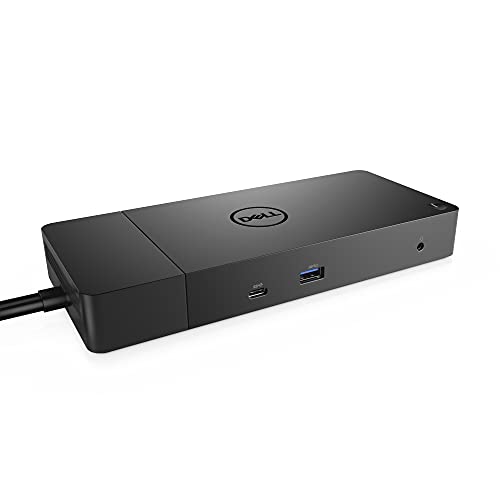
Dell 180W USB-C Docking Station
Best for: high-wattage laptop charging and multi-monitor setups
- Host Interface
- USB-C
- Power Delivery
- 130W
- Video Ports
- DisplayPort, HDMI, USB-C
- Ethernet Speed
- Gigabit Ethernet
- Dimensions
- 3.5 × 8.1 × 1.1 inches
- Weight
- 1.3 pounds
This Dell docking station connects through a standard USB-C interface to deliver up to 130W of power to your laptop using its 180W adapter. It gives you dual DisplayPort 1.4 ports, one HDMI output, and a multifunction USB-C display connection. You also get Gigabit Ethernet, three USB-A ports, and dedicated audio outputs. It suits you if you run multiple external monitors and need high-wattage charging for power-hungry laptops.
Pros
- Delivers up to 130W power delivery via a 180W AC adapter
- Features two DisplayPort 1.4 ports and one HDMI port
- Includes dedicated combo audio and audio-out jacks
- Provides Gigabit Ethernet and a USB-C 3.1 Gen 2 port
Cons
- Host connection relies on standard USB-C rather than Thunderbolt
- Three USB-A ports operate at USB 3.1 Gen 1 speeds
- Included USB-C host cable is limited to 3.3 feet
Good fit if
- You need up to 130W power delivery for your USB-C laptop.
- You connect displays using standard DisplayPort or HDMI cables.
- You want wired Gigabit Ethernet and analog audio connections on your desk.
Skip if
- You require Thunderbolt bandwidth for high-throughput peripherals.
- You need faster USB 3.2 Gen 2 transfer rates on your USB-A accessories.
Verdict: Dell USB-C Dock with 130W Power Delivery provides robust laptop charging and comprehensive display connectivity for your desktop workspace. It is a solid choice when you need steady wired networking, dual DisplayPort outputs, and plenty of power.

Dell WD19 90W Docking Station
Best for: workspaces needing 90W USB-C laptop power
- Host Interface
- USB-C
- Power Delivery
- 90W
- Video Ports
- DisplayPort, HDMI, USB-C
- Ethernet Speed
- Gigabit Ethernet
- Dimensions
- 3.5 × 1.1 × 8.1 inches
- Weight
- 2.25 pounds
This Dell USB-C docking station links your laptop to desk peripherals using a single USB-C host interface. You get 90W of power delivery from its included 130W power adapter, which charges compatible systems while in use. Video options include two DisplayPort 1.4 outputs, one HDMI 2.0B port, and a USB-C multifunction DisplayPort connection. It suits you if you need wired Gigabit Ethernet, dedicated audio jacks, and multi-monitor display outputs.
Pros
- 90W host power delivery via 130W AC adapter
- Dual DisplayPort 1.4 ports and one HDMI 2.0B port
- USB-C 3.1 Gen 2 and USB-A 3.1 with PowerShare
- Integrated Gigabit Ethernet RJ45 and audio jacks
Cons
- Maximum power delivery capped at 90W
- No Thunderbolt host interface listed
Good fit if
- You need up to 90W USB-C pass-through power for your laptop.
- You run monitors using DisplayPort 1.4 or HDMI 2.0B inputs.
- You require wired Gigabit Ethernet and 3.5mm audio ports.
Skip if
- You need more than 90W charging capacity for high-draw systems.
- You require a dedicated Thunderbolt host connection.
Verdict: Dell USB-C Dock with 90W Power Delivery supplies versatile display connectivity, Gigabit Ethernet, and 90W charging through a single USB-C cable. It provides essential desktop expansion for compatible USB-C laptops.

Dell Thunderbolt 3 Docking Station
Best for: high-power Thunderbolt 3 multi-monitor laptop setups
- Host Interface
- Thunderbolt
- Power Delivery
- 130W
- Video Ports
- DisplayPort, HDMI, USB-C, Thunderbolt 3
- Ethernet Speed
- Gigabit Ethernet
- Dimensions
- 3.5 × 8.1 × 1.1 inches
- Weight
- 3.15 pounds
This Dell docking station connects to your laptop using Thunderbolt 3 and supplies up to 130W of power delivery via its included 180W adapter. It features two DisplayPort 1.4 ports, one HDMI 2.0b port, a multifunction USB-C port, and a dedicated Thunderbolt 3 port for high-bandwidth displays. It suits you if you need wired Gigabit Ethernet, dedicated audio outputs, and broad peripheral connectivity at your desk.
Pros
- Up to 130W Power Delivery with included 180W power adapter
- Thunderbolt 3, HDMI 2.0b, and two DisplayPort 1.4 outputs
- Three USB-A 3.1 ports, including one with PowerShare
- Gigabit Ethernet RJ45 port for wired networking
- Dedicated combo headset jack and rear audio output
Cons
- Uses Thunderbolt 3 rather than newer Thunderbolt 4
- USB-A ports are 5 Gbps Gen 1 rather than 10 Gbps Gen 2
Good fit if
- You need up to 130W Power Delivery to charge your laptop.
- You run multiple external monitors via DisplayPort, HDMI, or Thunderbolt 3.
- You require wired Gigabit Ethernet and dedicated 3.5 mm audio jacks.
Skip if
- You require a dock with native Thunderbolt 4 connectivity.
- You need 10 Gbps USB-A ports for fast external storage.
Verdict: Dell Thunderbolt Dock with 130W Power Delivery provides strong charging capability and extensive display connectivity through a Thunderbolt 3 connection. It delivers a comprehensive desktop interface for multiple monitors, wired network access, and audio peripherals.

Dell Universal Triple 4K Display Dock
Best for: mixed USB-C and USB-A multi-monitor desks
- Host Interface
- USB-C, USB-A
- Display Support
- Up to 3
- Max Resolution
- 4K
- Dimensions
- 3.1 × 3.1 × 1.2 inches
- Weight
- 13.4 ounces
This universal dock from Dell links to your laptop via USB-C or standard USB-A. It supports up to three 4K UHD displays alongside peripherals like a keyboard, mouse, and audio gear. Measuring 3.1 by 3.1 by 1.2 inches and weighing 13.4 ounces, it keeps a compact desktop footprint. This setup works well if you switch between newer USB-C systems and older USB-A laptops while running multi-monitor workstations.
Pros
- Dual host support for USB-C and USB-A
- Supports up to three 4K UHD displays
- Compact footprint at 3.1 by 3.1 by 1.2 inches
- Lightweight build at 13.4 ounces
Cons
- Specific video port types not detailed in specs
- Power delivery wattage not specified in data
Good fit if
- You need to connect to laptops with either USB-C or legacy USB-A ports.
- You want to run up to three 4K displays from a single hub.
- You need a small dock measuring 3.1 by 3.1 inches to save desk space.
Skip if
- You need verified host charging wattage listed in the specifications.
- You require exact DisplayPort or HDMI port types detailed upfront.
Verdict: Dell Universal USB-C and USB-A Triple 4K Dock delivers triple-screen 4K output across both USB-C and USB-A host devices. Its compact size makes it a flexible multi-monitor hub for mixed laptop environments.
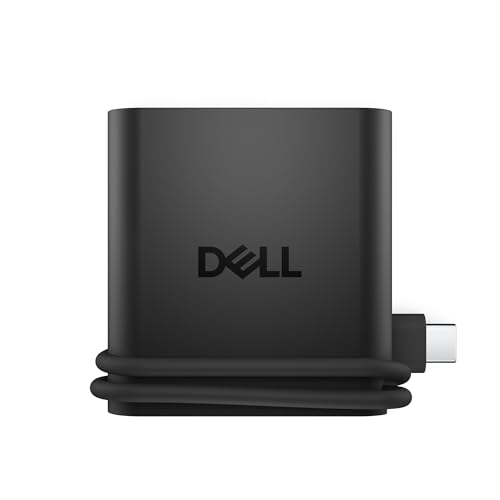
Dell 4-in-1 USB-C Travel Hub
Best for: travel setups needing a 4K HDMI display
- Host Interface
- USB-C
- Max Resolution
- 4K
- Port Count
- 4
- Video Ports
- HDMI
- Connectivity
- USB-C, HDMI, USB-A
- Use
- Travel
This compact USB-C adapter gives you four total ports in a 1.6-ounce pocketable chassis. It pairs two USB-C ports and one USB-A port with a single 4K HDMI video output for an external display. Built-in Smart Power Management regulates power draw dynamically across your connected hardware. Measuring 2.36 by 2.24 inches, it suits you if you need a lightweight video and peripheral connection on the road.
Pros
- Weighs 1.6 ounces with a 0.6-inch thickness
- Supports 4K video output via HDMI
- Smart Power Management dynamically rebalances power across ports
- Includes two USB-C ports and one USB-A port
Cons
- Limited to a single HDMI video output
- Total port count is limited to four
- No DisplayPort or Ethernet connections listed
Good fit if
- You need a pocket-sized 1.6-ounce adapter for travel.
- You want to connect a single 4K monitor over HDMI.
- You require two USB-C ports and one USB-A port on the go.
Skip if
- You need multiple display outputs.
- You require wired Ethernet or DisplayPort connectivity.
- You need more than four total ports.
Verdict: Dell Pro 4-in-1 USB-C Travel Hub is a pocket-sized 1.6-ounce dock designed for single 4K HDMI display setups on the move.

Dell Performance Dual USB-C Dock
Best for: Dell workstations needing high-wattage dual-cable charging
- Host Interface
- Dual USB-C
- Power Delivery
- 210W (90W to Non-Dell Systems)
- Dimensions
- 1.1 × 3.5 × 8.1 inches
- Weight
- 1.28 pounds
This black docking station uses a dual USB-C host interface and includes a 240W power adapter. It delivers up to 210W of power delivery to supported systems, dropping to 90W for non-Dell computers. The chassis measures 8.1 by 3.5 by 1.1 inches and weighs 1.28 pounds. Its modular design allows future connectivity upgrades. It suits you if you run power-heavy laptops needing high-wattage charging alongside connected external displays.
Pros
- Supplies up to 210W power delivery with the included 240W adapter
- Dual USB-C host interface supports high-power workstation connections
- Modular architecture enables upgradeable connectivity and power modules
- Weighs 1.28 pounds with an 8.1 by 3.5 by 1.1-inch footprint
Cons
- Power delivery drops to 90W on non-Dell systems
- Requires dual USB-C ports on the host computer for full power delivery
Good fit if
- You use a compatible Dell workstation that requires up to 210W power input.
- You have dual USB-C ports available on your laptop.
- You want a modular design that supports component upgrades.
Skip if
- You use a non-Dell laptop requiring more than 90W power delivery.
- You only have a single USB-C port on your host laptop.
Verdict: Dell Performance Dual USB-C Dock provides high-output 210W power delivery through its dual USB-C interface for demanding workstations. Its modular chassis offers upgradeable connectivity while taking up minimal desk space.

Dell Triple Display USB 3.0 Dock
Best for: triple-monitor setups on USB-A laptops
- Host Interface
- USB 3.0
- Display Support
- Triple
- Max Resolution
- 2048 x 1152 @ 60Hz
- Video Ports
- DisplayPort, HDMI
- Dimensions
- 20.7 × 15 × 11.2 inches
- Weight
- 10.1 ounces
This dock connects to your laptop via a standard USB 3.0 interface to drive up to three external screens. For video output, it provides one DisplayPort and two HDMI ports, alongside an included HDMI-to-DVI adapter. You also get three USB 3.0 ports, two USB 2.0 ports, an RJ-45 network port, and audio output. It suits you if you need three monitors running from a laptop with standard USB Type-A connections.
Pros
- Supports up to three external displays across DisplayPort and HDMI
- Provides five USB Type-A ports (three USB 3.0 and two USB 2.0)
- Includes an HDMI-to-DVI adapter in the box
- Features a dedicated RJ-45 network jack and 3.5 mm audio connection
Cons
- Uses a legacy USB 3.0 Type-A host connection without laptop charging
- Lists a maximum resolution of 2048 x 1152 at 60Hz
Good fit if
- You need to run three external displays from one dock.
- You connect via a standard USB 3.0 Type-A port.
- You use external screens with HDMI, DisplayPort, or DVI inputs.
Skip if
- You require a single-cable USB-C connection that charges your laptop.
- You need native support for resolutions higher than 2048 x 1152 at 60Hz across all screens.
Verdict: Dell USB 3.0 Triple Display Dock provides multi-monitor connectivity for laptops limited to USB 3.0 Type-A ports. It outputs to three displays across DisplayPort and HDMI while supplying five standard USB ports.

Dell Thunderbolt Dock 130W Power Delivery
Best for: Thunderbolt laptops needing high wattage and 5K
- Host Interface
- Thunderbolt
- Max Resolution
- 5K
- Power Delivery
- 130W
- Dimensions
- 2.5 × 11.4 × 12 inches
- Weight
- 3.1 pounds
This Dell Thunderbolt docking station powers your laptop with up to 130W of Power Delivery over a single connection. It supports up to three displays, handling a single 5K screen or dual 4K monitors via its Thunderbolt host connection. With IT features like MAC address pass-through and PXE boot built in, it suits you if you run high-resolution monitors and need robust charging capability for compatible notebooks.
Pros
- Supplies up to 130W Power Delivery to compatible systems
- Supports a single 5K display or dual 4K monitors over Thunderbolt
- Handles up to three external displays simultaneously
- Includes enterprise management tools like PXE Boot and MAC Address pass-through
Cons
- Integrated 0.8-meter host cable cannot be detached or extended
- VESA mounting bracket requires a separate optional purchase
- Desk footprint weighs 3.1 pounds
Good fit if
- You need up to 130W Power Delivery to charge your laptop over Thunderbolt.
- You run high-resolution setups requiring dual 4K or single 5K display output.
- You require network management tools like PXE Boot and Wake-on-LAN.
Skip if
- You need a detachable host cable longer than 0.8 meters.
- You require an out-of-the-box VESA mounting solution without buying extra accessories.
Verdict: Dell Thunderbolt Dock 130W Power Delivery provides high-wattage charging alongside 5K or dual-4K video output over a Thunderbolt link. It delivers solid multi-display connectivity and network manageability for high-power workstation setups.
Dell USB-C Dock with 2.5GbE Ethernet
Best for: multi-monitor desks needing 2.5GbE wired networking
- Host Interface
- USB-C
- Display Support
- Up to 4
- Max Resolution
- WQHD (3440x1440)
- Power Delivery
- Up to 100W
- Video Ports
- HDMI 2.1, DP 1.4, USB-C
- Ethernet Speed
- 2.5GbE
This Dell USB-C docking station expands your laptop setup with high-speed networking and broad display connectivity. It features a 2.5GbE Ethernet port, video support for up to four WQHD displays at 3440x1440 resolution via HDMI 2.1, dual DisplayPort 1.4, and USB-C, along with six USB 3.2 Gen 2 ports. Supplying up to 100W to Dell systems and 96W to other laptops, it suits you if you need wired network bandwidth and multi-screen workflows.
Pros
- Fast 2.5GbE RJ45 Ethernet port
- Supports up to four WQHD displays simultaneously
- Six USB 3.2 Gen 2 ports across USB-A and USB-C
- Delivers up to 100W to Dell systems and 96W to other hosts
Cons
- Maximum resolution is capped at WQHD (3440x1440)
- Power delivery drops to 96W on non-Dell systems
Good fit if
- You require a high-speed 2.5GbE wired network connection.
- You plan to connect up to four WQHD monitors using HDMI, DisplayPort, and USB-C.
- You want six high-speed USB 3.2 Gen 2 ports for accessories.
Skip if
- You need display resolutions higher than WQHD (3440x1440).
- You need more than 100W of charging power for high-draw laptops.
Verdict: Dell Pro USB-C Dock with 2.5GbE provides fast wired networking alongside four-display output and 100W host power delivery. It gives you comprehensive desktop peripheral expansion if your monitors top out at WQHD resolution.

Dell USB-C Dock 90W Power Delivery
Best for: 90W laptop setups needing multiple display connections
- Power Delivery
- 90W
- Video Ports
- DisplayPort, HDMI, USB-C
- Ethernet Speed
- Gigabit
- Dimensions
- 1.1 × 8.1 × 3.5 inches
- Weight
- 1.29 pounds
This Dell docking station connects to your laptop via USB-C, supplying up to 90W of power delivery. You get multiple video outputs, including two DisplayPort 1.4 connections, one HDMI 2.0b port, and a multifunction USB-C DisplayPort. It also provides a Gigabit Ethernet RJ45 port and three USB-A ports. It suits you if you need a stationary hub to drive external monitors and charge a 90W laptop.
Pros
- Supplies 90W power delivery for laptop charging
- Provides two DisplayPort 1.4 and one HDMI 2.0b output
- Includes a Gigabit Ethernet RJ45 port
- Offers USB-C 3.1 Gen 2 and USB-A 3.1 connectivity
Cons
- Maximum power delivery is limited to 90W
- Weighs 1.29 pounds, making it bulky for travel
Good fit if
- You need 90W USB-C charging for your laptop workstation.
- You plan to connect displays using DisplayPort or HDMI.
- You require a wired Gigabit Ethernet network connection.
Skip if
- You require more than 90W of power delivery for your machine.
- You need a lightweight adapter rather than a 1.29-pound desktop unit.
Verdict: Dell USB-C Dock 90W provides dedicated DisplayPort, HDMI, and Gigabit Ethernet ports alongside 90W power delivery. It serves as a practical desktop foundation if your laptop power requirements stay within 90W.
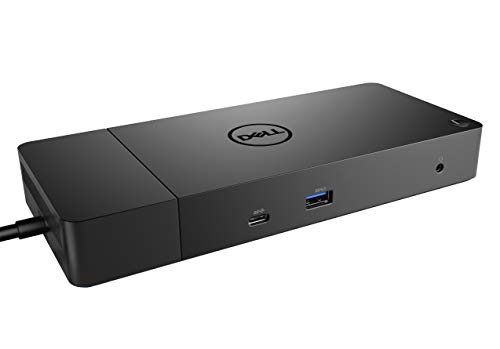
Dell WD19 180W USB-C Docking Station
Best for: multi-monitor desks requiring 130W Power Delivery
- Host Interface
- USB-C
- Power Delivery
- 130W
- Video Ports
- DisplayPort, HDMI, USB-C
- Ethernet Speed
- Gigabit
- Dimensions
- 8.1 × 3.5 × 1.1 inches
- Weight
- 1.29 pounds
The Dell WD19 180W USB-C Dock connects to your laptop using an attached 3.3-foot USB-C cable and supplies up to 130W of Power Delivery via its included 180W AC adapter. For video, you get two DisplayPort 1.4 outputs, one HDMI port, and one USB-C multifunction DisplayPort. It suits you if you need wired Gigabit Ethernet, multiple audio jacks, and standard USB connections for an everyday multi-display desk setup.
Pros
- Supplies up to 130W Power Delivery via included 180W adapter
- Provides dual DisplayPort 1.4 and one HDMI connection
- Includes Gigabit Ethernet RJ45 network port
- Offers separate combo headset jack and audio line-out port
Cons
- Uses standard USB-C host interface instead of Thunderbolt
- Integrated 3.3-foot cable restricts dock placement distance
Good fit if
- You need 130W Power Delivery for your host laptop
- You run monitors using DisplayPort or HDMI connections
- You want physical audio ports and wired Gigabit Ethernet
Skip if
- You need Thunderbolt host speeds for your peripherals
- You need a compact travel dock without an external power brick
Verdict: Dell WD19 180W USB-C Dock provides 130W host charging alongside dual DisplayPort and HDMI video outputs for your workstation. It delivers essential Gigabit Ethernet, multiple USB ports, and dual audio jacks through a single USB-C connection.
Dell WD19S USB-C Dock
Best for: Dell laptops needing 130W power delivery
- Host Interface
- USB-C
- Max Resolution
- 3840 x 2160 - 60 Hz
- Power Delivery
- 130W Dell, 90W non-Dell
- Video Ports
- 2 DisplayPort, 1 HDMI
- Ethernet Speed
- Ethernet 1000
- Dimensions
- 3.54 × 8.07 × 1.14 inches
This Dell USB-C dock delivers up to 130W of power to compatible Dell laptops and 90W to non-Dell systems. You get three video outputs with two DisplayPort connections and one HDMI port, supporting resolutions up to 3840 x 2160 at 60 Hz over DisplayPort 1.4. It suits your workspace if you need reliable wired Ethernet, multiple USB-A and USB-C ports, and high wattage charging for demanding Dell hardware.
Pros
- Delivers up to 130W to Dell laptops and 90W to non-Dell systems
- Three video outputs: two DisplayPort and one HDMI
- Supports 3840 x 2160 at 60 Hz via DisplayPort 1.4
- Gigabit Ethernet and five downstream USB ports
Cons
- No 3.5mm audio ports included
- Non-Dell systems capped at 90W power delivery
- Resolution restricted to 3840 x 2160 at 30 Hz on DisplayPort 1.2
Good fit if
- You use a Dell laptop that accepts up to 130W charging over USB-C.
- You connect external screens using DisplayPort or HDMI.
- You require gigabit Ethernet and multiple USB-A and USB-C ports.
Skip if
- You require an integrated 3.5mm audio port on your docking station.
- You charge a non-Dell laptop that demands more than 90W.
- You connect via DisplayPort 1.2 and need 4K at 60 Hz.
Verdict: Dell WD19S USB-C Dock 180W provides solid 130W power delivery and triple-display connectivity for Dell laptops. It eliminates audio jacks in favor of essential video, data, and networking connections.
Specifications side by side
| Spec | Dell Pro USB-C 100W Docking Station | Dell Pro Thunderbolt 4 Dock with 130W Charging | Dell USB-C Docking Station with 130W Power Delivery | Dell 180W USB-C Docking Station | Dell WD19 90W Docking Station | Dell Thunderbolt 3 Docking Station | Dell Universal Triple 4K Display Dock | Dell 4-in-1 USB-C Travel Hub | Dell Performance Dual USB-C Dock | Dell Triple Display USB 3.0 Dock | Dell Thunderbolt Dock 130W Power Delivery | Dell USB-C Dock with 2.5GbE Ethernet | Dell USB-C Dock 90W Power Delivery | Dell WD19 180W USB-C Docking Station | Dell WD19S USB-C Dock |
|---|---|---|---|---|---|---|---|---|---|---|---|---|---|---|---|
| Host Interface | USB-C | Thunderbolt 4 | USB-C | USB-C | USB-C | Thunderbolt | USB-C, USB-A | USB-C | Dual USB-C | USB 3.0 | Thunderbolt | USB-C | not specified | USB-C | USB-C |
| Display Support | not specified | Up to 4 | not specified | not specified | not specified | not specified | Up to 3 | not specified | not specified | Triple | not specified | Up to 4 | not specified | not specified | not specified |
| Max Resolution | not specified | 4K | not specified | not specified | not specified | not specified | 4K | 4K | not specified | 2048 x 1152 @ 60Hz | 5K | WQHD (3440x1440) | not specified | not specified | 3840 x 2160 - 60 Hz |
| Power Delivery | 100W | Up to 130W | 130W | 130W | 90W | 130W | not specified | not specified | 210W (90W to Non-Dell Systems) | not specified | 130W | Up to 100W | 90W | 130W | 130W Dell, 90W non-Dell |
| Port Count | not specified | not specified | not specified | not specified | not specified | not specified | not specified | 4 | not specified | not specified | not specified | not specified | not specified | not specified | not specified |
| Video Ports | DisplayPort, HDMI | HDMI 2.1, DP 1.4, USB-C, Thunderbolt 4 | HDMI, DisplayPort | DisplayPort, HDMI, USB-C | DisplayPort, HDMI, USB-C | DisplayPort, HDMI, USB-C, Thunderbolt 3 | not specified | HDMI | not specified | DisplayPort, HDMI | not specified | HDMI 2.1, DP 1.4, USB-C | DisplayPort, HDMI, USB-C | DisplayPort, HDMI, USB-C | 2 DisplayPort, 1 HDMI |
| Ethernet Speed | not specified | 2.5GbE | not specified | Gigabit Ethernet | Gigabit Ethernet | Gigabit Ethernet | not specified | not specified | not specified | not specified | not specified | 2.5GbE | Gigabit | Gigabit | Ethernet 1000 |
| Resolution | not specified | 4K UHD | not specified | not specified | not specified | not specified | 4K UHD | 4K UHD | not specified | 4K UHD | not specified | not specified | not specified | not specified | not specified |
| Connectivity | USB-C, HDMI, DisplayPort | USB-C, HDMI, DisplayPort, Thunderbolt 4 | USB-C, HDMI, DisplayPort | USB-C, HDMI, DisplayPort | USB-C, HDMI, DisplayPort | not specified | USB-C, USB-A | USB-C, HDMI, USB-A | not specified | not specified | not specified | USB-C, HDMI, DisplayPort, Ethernet | not specified | USB-C, HDMI, DisplayPort | USB-C |
| Use | not specified | not specified | not specified | not specified | not specified | not specified | not specified | Travel | not specified | not specified | not specified | not specified | not specified | not specified | not specified |
| Dimensions | 8.07 × 3.54 × 1.39 inches | 8.07 × 3.54 × 1.39 inches | 1.1 × 3.5 × 8.1 inches | 3.5 × 8.1 × 1.1 inches | 3.5 × 1.1 × 8.1 inches | 3.5 × 8.1 × 1.1 inches | 3.1 × 3.1 × 1.2 inches | 2.36 × 2.24 × 0.6 inches | 1.1 × 3.5 × 8.1 inches | 20.7 × 15 × 11.2 inches | 2.5 × 11.4 × 12 inches | 1.39 × 3.54 × 8.07 inches | 1.1 × 8.1 × 3.5 inches | 8.1 × 3.5 × 1.1 inches | 3.54 × 8.07 × 1.14 inches |
| Weight | 1.21 pounds | 1.28 pounds | 1.28 pounds | 1.3 pounds | 2.25 pounds | 3.15 pounds | 13.4 ounces | 1.6 ounces | 1.28 pounds | 10.1 ounces | 3.1 pounds | 1.21 pounds | 1.29 pounds | 1.29 pounds | 1.3 pounds |
| Color | Black | Black/White | Black | black | black | Black | Black | Black | Black | Black | black | Black | Black | black | Black |
| Model | WD25 | SD25TB4 | WD19 | DELL DOCK-WD19 180W | WD19 130W | WD19TB | D6000S | DA225 | WD19DC | D3100 | WD19TBS | WD25 | WD19S 130W | WD19 180W | DELL-WD19S180W-cr |
| Size | not specified | Talla única | not specified | not specified | not specified | not specified | not specified | DA225 | 8.07" x 3.54" x 1.14" | Triple Display | not specified | Standard | (Pack of 1) | 8.1 x 3.5 x 1.1 inches | not specified |
Understanding the Dell Docking Station Lineup
If you run multi-monitor workstations, Dell divides its lineup by video bandwidth and power delivery. The Dell Pro Thunderbolt 4 Dock with 130W Charging handles quad 4K displays and provides 2.5GbE networking for high-bandwidth setups. For standard USB-C laptops requiring extensive screen space, the Dell Pro USB-C 100W Docking Station supports quad displays alongside 100W power delivery.
For mixed environments or legacy systems, universal models bridge differing connection types. The Dell Universal Triple 4K Display Dock outputs triple 4K video across both USB-C and USB-A laptops. If you prioritize portability over stationary multi-display hubs, the Dell 4-in-1 USB-C Travel Hub delivers single 4K HDMI output for mobile use.
Where Dell Docking Stations Fit
This selection suits users who need dedicated desktop hubs or portable connectivity. Physical sizes range from the pocket-sized DA225 at 2.24 by 2.36 inches up to large desktop docks measuring over 11 inches wide and 3 pounds in weight. Dell uses square and rectangular profiles without curved designs. None of the listed models include lighting options like RGB accents, nor do they offer alternate colors beyond black and black-and-white. You will also find no integrated storage enclosures or wireless charging surfaces in this group. The lineup focuses entirely on wired passthrough for displays, networking, and host charging.
If you need a desktop typing tool, specifications for the best redragon mechanical keyboards cover switch actuation forces, rollover ratings, and physical form factors.
How to Choose Dell Docking Stations
-
Check Laptop Power Delivery
Match host laptop wattage to dock power delivery specifications. Dell models provide varied power levels ranging from 90W up to 130W or 210W. High-performance laptops require greater wattage to avoid battery drain during heavy tasks. Standard ultraportables operate properly on 90W or 100W delivery. If you deploy dual-cable performance workstations, docks like the Dell Performance Dual USB-C Dock supply high-wattage charging over a specialized dual USB-C connection. Review your laptop charger rating before picking dock wattage.
-
Verify Host Connection Interface
Verify whether your laptop relies on USB Type-A, USB-C, or Thunderbolt connectivity. Docks utilize different host protocols that dictate throughput and peripheral compatibility. Legacy laptops lacking modern USB-C ports cannot accept native Type-C video or charging signals. For older systems carrying only Type-A connectors, the Dell Triple Display USB 3.0 Dock offers multi-monitor output and standard USB ports. Ensure your system port type physically aligns with the docking station host cable and supports appropriate video passthrough.
-
Check Display Bandwidth Needs
Look closely at your monitor resolution and display count requirements. Standard USB-C docks handle routine dual-screen workflows but may drop output resolution when driving additional screens. High-resolution setups demanding single 5K or dual-4K video output require the higher throughput of Thunderbolt connections. The Dell Thunderbolt Dock 130W Power Delivery provides that level of high-resolution bandwidth for workstation monitors. Check that your target refresh rates and resolution figures match the maximum video output limits published across the dock video ports.
-
Evaluate Wired Network Speeds
Consider your local network speed requirements when choosing a docking station. Basic office tasks and general web browsing function well with standard Gigabit Ethernet. Heavy network file transfers and local server access benefit from higher wired bandwidth. Choosing a model with a 2.5GbE Ethernet port doubles standard throughput over compatible infrastructure. The Dell Pro USB-C Dock with 2.5GbE Ethernet provides this higher network ceiling alongside multi-display support. Match your network interface card spec to your office switch to ensure full bandwidth utilization.
-
Inspect Audio Jack Availability
Pay attention to audio port configurations across Dell dock iterations. Certain updated models remove 3.5mm headphone jacks entirely to focus purely on video, USB data, and wired networking. The Dell WD19S USB-C Dock eliminates integrated audio jacks, requiring you to route sound through monitor outputs, wireless headsets, or direct laptop jacks. If you rely on wired desktop speakers or analog headsets plugged into your central hub, check the spec list to confirm integrated 3.5mm jacks exist before finalizing your choice.
-
Account for Portability Needs
Decide between a permanent desktop dock and a mobile adapter. Full-sized desktop docking stations weigh over one to three pounds and require dedicated desk space alongside large external power bricks. For working on the go or carrying accessories between sites, portable hubs save substantial bag space. The Dell 4-in-1 USB-C Travel Hub weighs just 1.6 ounces and fits in a pocket while supplying HDMI output and USB ports. Assess whether your workflow demands fixed multi-monitor routing or lightweight single-screen mobility.
Frequently asked questions
Which Dell docking stations support legacy USB-A laptops?
The Dell Triple Display USB 3.0 Dock (D3100) and Dell Universal Triple 4K Display Dock (D6000S) support USB-A connections. Model D3100 connects through standard USB 3.0 Type-A ports, driving three displays via DisplayPort and HDMI while offering five USB ports. The D6000S works across both USB-C and USB-A hosts to output triple 4K resolution across your monitors.
What is the difference between Dell WD19 and WD19S docking stations?
Audio connectivity is the primary distinction between these models. The Dell WD19 includes dual audio jacks alongside its display outputs and data ports. In contrast, the Dell WD19S eliminates dedicated 3.5mm audio jacks from its chassis, focusing strictly on video outputs, USB data ports, and Gigabit Ethernet networking for your desktop setup.
Can you run dual 4K monitors or a 5K display from a Dell Thunderbolt dock?
Yes, the Dell Thunderbolt Dock 130W Power Delivery (WD19TBS) supports 5K resolution or dual-4K video output over its high-bandwidth Thunderbolt link. This model supplies 130W power delivery to keep your host laptop charged while outputting high-resolution video feeds. It also incorporates integrated network manageability for connected workstation environments.
Which Dell dock provides dual-cable charging for high-power workstations?
The Dell Performance Dual USB-C Dock (WD19DC) utilizes a dual USB-C interface to output 210W of power delivery to compatible workstations. This dual-cable connection ensures demanding systems receive adequate operational power. The unit features a modular chassis design that allows connectivity upgrades while maintaining a desktop footprint of 8.07 by 3.54 by 1.14 inches.
Does Dell offer a docking station with 2.5GbE Ethernet?
Yes, Dell includes 2.5GbE networking on the Dell Pro Thunderbolt 4 Dock (SD25TB4) and the Dell USB-C Dock with 2.5GbE Ethernet (WD25). The WD25 model combines this multi-gigabit wired connection with 100W host power delivery and four-screen display output at up to WQHD resolution, giving you high-speed network performance.
What is the best Dell dock option for travel setups?
The Dell 4-in-1 USB-C Travel Hub (DA225) is designed specifically for portable workspaces. Weighing only 1.6 ounces and measuring 2.24 by 2.36 inches with a 0.6-inch thickness, it fits easily into a travel bag. The hub connects via USB-C to deliver a single 4K HDMI video output alongside USB-A and USB-C peripheral ports.
How many monitors can you connect to the Dell Pro USB-C 100W Dock?
You can connect up to four displays to the Dell Pro USB-C 100W Docking Station (WD25). The dock provides HDMI, DisplayPort, and USB-C connectivity options for multi-screen arrangements. It also supplies 100W power delivery to your host laptop and incorporates an ambidextrous host cable design to simplify placement on your desk.