Best Portable Monitors for Travel in 2026: 15 Picks Ranked by Specs
As an Amazon Associate we earn from qualifying purchases. Links on this page are affiliate links.
Finding the right portable monitor for travel depends on balancing display size against pack weight and connectivity. This guide ranks 15 models based strictly on the specifications published on their listings.
The SANSUI 15.6-Inch 1080p Portable Monitor leads the list because its 2.1-pound build pairs a 1200:1 contrast IPS panel with both USB-C and Mini HDMI inputs. Use these specs to compare weight, panel sizes, and connection types so you can decide which setup fits your mobile workflow.
Quick picks
The best fit for you
- You need a balanced second screen for everyday travel. SANSUI 15.6-Inch 1080p Portable Monitor Its 15.6-inch 1080p IPS panel pairs 1200:1 contrast with USB-C and Mini HDMI ports at 2.09 pounds.
- You want high refresh rates for gaming while traveling. ForHelp 17.3-Inch 144Hz HDR Portable Monitor This screen features a 144Hz refresh rate and a large 17.3-inch 1080p IPS panel.
- You prefer interactive touchscreen controls during your mobile work. InnoView 15.6" Touchscreen Portable Monitor It delivers 10-point touch interaction and a 1200:1 contrast ratio across a 15.6-inch panel.
- You want the lightest monitor for your travel bag. KTC 15.6-Inch 1080p IPS Portable Monitor The 15.6-inch IPS screen weighs 1.32 pounds and outputs 300 cd/m² brightness over USB-C.
Our 15 picks

SANSUI 15.6-Inch 1080p Portable Monitor
Best for: lightweight laptop setups during everyday travel
- Use
- Travel (what this guide is about)
- Screen Size
- 15.6"
- Resolution
- 1920x1080
- Panel Type
- IPS
- Connectivity
- USB-C, Mini HDMI, 3.5mm Audio
- Weight
- 2.09 lbs
The SANSUI 15.6-Inch 1080P Portable Monitor gives you a secondary Full HD display designed for mobile work. It features an IPS panel with a 1200:1 contrast ratio, dual USB-C ports, and a Mini HDMI input. At 2.1 pounds and 0.43 inches thick without its cover, it fits easily into standard laptop bags. It suits you if you need a lightweight, dual-speaker screen with an included two-angle stand cover for mobile multitasking.
Pros
- Weighs 2.1 lbs and measures 0.43 inches thick without cover
- 1080p IPS panel with 1200:1 contrast ratio and 178° viewing angle
- Includes PU leather cover with 24° and 37° tilt stand positions
- Dual USB Type-C ports, Mini HDMI, and 3.5mm audio jack
Cons
- No power adapter included in the box
- Screen brightness is limited to 250 nits
- Requires a separate 45W+ PD adapter and cable for pass-through device charging
Good fit if
- You want a lightweight 2.1-pound screen with an included folding stand cover.
- You need both USB-C and Mini HDMI connection options for your laptop or console.
- You prioritize a 1200:1 contrast IPS display for travel productivity.
Skip if
- You need a display brighter than 250 nits for high-glare environments.
- You require an included wall charger in the box.
Verdict: SANSUI 15.6-Inch 1080P Portable Monitor is a slim, 2.1-pound travel display that balances a 1200:1 contrast IPS panel with versatile USB-C and Mini HDMI connectivity. It provides functional second-screen workspace as long as you supply your own power adapter when needed.

InnoView 15.6" IPS Portable Monitor with Kickstand
Best for: travel setups needing a built-in kickstand
- Use
- Travel (what this guide is about)
- Screen Size
- 15.6"
- Resolution
- 1080P
- Panel Type
- IPS
- Connectivity
- 2 Type-C, 1 standard HDMI
- Weight
- 1.5 lbs
View on Amazon: InnoView 15.6" IPS Portable Monitor with Kickstand
The InnoView 15.6-Inch Portable Monitor gives you a 1080p IPS display built for working on the move. At 1.5 pounds and 0.26 inches thick, it packs flat into backpacks without adding bulk. The integrated 90-degree kickstand eliminates the need for separate cases or folios to keep it upright. With two full-featured USB-C ports and a standard HDMI port, you get straightforward dual-screen productivity across laptops, consoles, and mobile devices.
Pros
- Weighs 1.5 pounds with a slim 0.26-inch profile
- Integrated stand adjusts viewing angles up to 90 degrees
- Dual full-featured USB-C ports plus standard HDMI
- 1200:1 contrast ratio IPS panel with HDR support
Cons
- Does not include a protective carrying bag
- May require external power if connected device output is low
Good fit if
- You need a 1.5-pound secondary display that travels easily.
- You prefer a built-in kickstand over a folding magnetic cover.
- You want direct standard HDMI and USB-C connectivity without dongles.
Skip if
- You need a bundled sleeve or carry case included in the box.
- You want a resolution higher than standard 1080p FHD.
Verdict: InnoView 15.6-Inch Portable Monitor with Built-in Stand delivers straightforward dual-display capability with an integrated kickstand and 1.5-pound travel profile. It is a practical second screen for travel setups requiring standard HDMI and USB-C inputs.

Orfibz 14.2-Inch Laptop Screen Extender
Best for: travelers needing a lightweight dual-screen setup
- Use
- Travel (what this guide is about)
- Screen Size
- 14.2"
- Resolution
- 1080p FHD
- Panel Type
- IPS
- Connectivity
- USB-C, HDMI, USB-A
- Weight
- 1.87 lbs
This 14.2-inch laptop screen extender mounts directly to 14- to 17.3-inch laptops, adding a secondary 1080p FHD IPS panel. At 1.87 pounds and 0.27 inches thick, it travels easily without adding bulk to your bag. The display delivers 300 nits of brightness and swivels up to 226 degrees across portrait, extend, and mirror modes. It suits you if you need multi-screen multitasking on the road without installing third-party drivers.
Pros
- Weighs 1.87 lbs with a 0.27-inch thickness
- 1080p FHD IPS screen with 300 nits brightness
- Adjustable hinge rotates from 0 to 226 degrees
- Driver-free connectivity with included USB-C and HDMI cables
Cons
- Requires dual-cable connection if your laptop lacks full-function USB-C
- Incompatible with laptops smaller than 14 inches
Good fit if
- You carry a 14- to 17.3-inch laptop and want a screen that clips directly to it.
- You need 0 to 226 degrees of display rotation for portrait or mirror viewing.
- You prefer plug-and-play setup without software or driver installation.
Skip if
- You use an ultraportable laptop smaller than 14 inches.
- You want a standalone desktop portable monitor that does not mount to the lid.
Verdict: Orfibz 14.2" FHD Dual Screen Laptop Extender adds a 1080p IPS display to your 14- to 17.3-inch laptop at under 2 pounds. It provides a flexible 226-degree viewing angle for travel setups without requiring driver installations.

ForHelp 17.3-Inch 144Hz HDR Portable Monitor
Best for: travelers wanting high refresh rate portable gaming
- Use
- Travel, Gaming (what this guide is about)
- Screen Size
- 17.3"
- Resolution
- 1920 x 1080
- Refresh Rate
- 144Hz
- Panel Type
- IPS
- Connectivity
- Mini HDMI, 2x Type-C
View on Amazon: ForHelp 17.3-Inch 144Hz HDR Portable Monitor
The ForHelp 17.3" 144Hz Portable Monitor gives you a 17.3-inch 1080p IPS display with a fast 144Hz refresh rate. It weighs 2.12 pounds and tapers to 0.2 inches thick at its thinnest edge. You connect using either the mini HDMI port or two full-featured USB-C connections. It includes a magnetic stand cover and cables. This setup suits you if you want a larger high-refresh travel screen for mobile gaming and extra desktop space.
Pros
- 144Hz refresh rate on a 1080p IPS display
- Expansive 17.3-inch screen size weighing 2.12 pounds
- Dual full-featured USB-C ports and mini HDMI connection
- Includes magnetic PU cover, wall charger, and connection cables
Cons
- 1080p resolution provides lower pixel density on a 17.3-inch panel
- Larger 17.3-inch footprint takes up more space in a travel bag
Good fit if
- You want a 144Hz refresh rate for smoother motion and gaming on the go.
- You prefer a larger 17.3-inch screen area instead of standard 15.6-inch displays.
- You need plug-and-play USB-C connectivity with cables and charger included in the box.
Skip if
- You want a resolution higher than 1080p on a display of this size.
- You need an ultralight display weighing well under two pounds for compact bags.
Verdict: ForHelp 17.3" 144Hz Portable Monitor delivers high-refresh visual performance on an expansive 17.3-inch screen for your mobile workstation. It combines dual USB-C ports and mini HDMI in a 2.12-pound profile.

InnoView 15.6" Touchscreen Portable Monitor
Best for: travelers wanting responsive touchscreen laptop expansion
- Use
- Travel (what this guide is about)
- Screen Size
- 15.6"
- Resolution
- 1080P
- Refresh Rate
- 60Hz
- Panel Type
- IPS
- Connectivity
- Type-C, HDMI
This 15.6-inch portable monitor pairs a 1080p IPS panel with a 10-point touchscreen and a 60Hz refresh rate. It delivers a 1200:1 contrast ratio and connects via standard HDMI or dual full-function USB-C ports. An included protective sleeve doubles your transit protection alongside a 90-degree adjustable stand. It suits mobile professionals who need direct finger navigation on a secondary screen while traveling.
Pros
- 10-point touchscreen support via single USB-C cable
- 1200:1 contrast ratio with HDR and 178-degree viewing angles
- Dual full-featured USB-C ports plus a standard HDMI port
- Includes protective travel sleeve with 90-degree adjustable stand
Cons
- External 15W power adapter is not included in the box
- Requires three separate cables for touch when using HDMI
- Touch input unsupported on game consoles and iOS devices
Good fit if
- You want 10-point touch functionality using a single USB-C connection.
- You prioritize higher contrast and wide viewing angles on an IPS panel.
- You need a bundled protective sleeve that integrates an adjustable stand.
Skip if
- You intend to use touchscreen features with gaming consoles or iOS hardware.
- You do not already own a 15W or higher USB power brick.
Verdict: InnoView 15.6-Inch Touchscreen Portable Monitor provides responsive 10-point touch and solid 1200:1 contrast for travel setups. It delivers strong utility for laptop users who have full-featured USB-C ports.

ZUMWALT 16-Inch 1200p Portable Monitor
Best for: travelers wanting portrait-to-landscape rotation
- Use
- Travel (what this guide is about)
- Screen Size
- 16.1"
- Resolution
- 1920x1200
- Panel Type
- IPS
- Connectivity
- USB-C, HDMI
- Aspect Ratio
- 16:10
The ZUMWALT 16.1-Inch 1200P Portable Monitor gives you a 16:10 workspace on the road with its 1920x1200 IPS display. Weighing 1.48 pounds with a 0.31-inch profile, it packs easily alongside your laptop. A detachable magnetic stand enables full 360-degree rotation between landscape and portrait views. Connected via a single USB-C cable or HDMI, it suits travelers who need extra vertical screen real estate for documents and code without adding heavy bulk.
Pros
- Detachable magnetic stand supports full 360-degree rotation
- 16:10 aspect ratio provides 1920x1200 vertical resolution
- Lightweight 1.48-pound chassis with 0.31-inch slim profile
- Single USB-C connection carries power and video signal
Cons
- Peak brightness capped at 300 nits
- No integrated battery included
- No touchscreen support listed
Good fit if
- You frequently switch between portrait and landscape orientations while working.
- You want a 16:10 aspect ratio display weighing under 1.5 pounds for travel.
- You prefer a single-cable USB-C video and power setup for your laptop.
Skip if
- You need a high-brightness panel exceeding 300 nits for outdoor environments.
- You require touchscreen capability or stylus support.
Verdict: ZUMWALT 16.1-Inch 1200P Portable Monitor delivers flexible 360-degree rotation and a taller 16:10 screen in a lightweight 1.48-pound travel frame. It is an efficient secondary display for travelers who regularly alternate between reading tall documents and reviewing wide spreadsheets.

WGK 15.6" 1080p Portable Monitor with Built-In Stand
Best for: travelers wanting an integrated kickstand and speakers
- Use
- Travel, Gaming (what this guide is about)
- Screen Size
- 15.6"
- Resolution
- 1920*1080P
- Panel Type
- IPS
- Connectivity
- 2x USB-C, 1x Mini HDMI
- Weight
- 2.7 pounds
View on Amazon: WGK 15.6" 1080p Portable Monitor with Built-In Stand
The WGK 15.6-inch display gives you a 1080p IPS panel with an integrated kickstand for mobile work. It weighs 2.7 pounds and connects to your laptop through dual USB-C ports or a Mini HDMI port. The screen supports horizontal and vertical orientations alongside VESA mounting. It suits you if you need a standalone secondary display with built-in audio and an adjustable stand for travel.
Pros
- Integrated kickstand for angle adjustments without a separate case
- Dual USB-C ports and Mini HDMI port for flexible input options
- VESA mountable design with dual built-in speakers
- 1080p IPS panel with 178-degree viewing angles and HDR support
Cons
- Weighs 2.7 pounds, which is heavier than many portable options
- May require an external 5V/2A power supply if laptop battery output is low
- Uses Mini HDMI rather than a standard full-size HDMI port
Good fit if
- You want a built-in kickstand rather than a folding folio cover.
- You need VESA mounting compatibility alongside dual USB-C connectivity.
- You switch between horizontal landscape and vertical portrait orientations.
Skip if
- You want an ultra-light travel monitor weighing under two pounds.
- You require a full-sized HDMI port without using mini-sized cables.
Verdict: WGK 15.6-Inch 1080P Monitor with Kickstand delivers flexible positioning and versatile USB-C and Mini HDMI connectivity for your portable setup. Its 2.7-pound build and VESA support make it a practical second screen if you do not mind carrying moderate pack weight.

SMISEACOW 15.6" Triple Screen Extender
Best for: travelers wanting stacked triple-display setups
- Use
- Travel (what this guide is about)
- Screen Size
- 15.6"
- Resolution
- 1920×1080
- Refresh Rate
- 60Hz
- Panel Type
- IPS
- Connectivity
- USB-C, HDMI, USB-A
The SMISEACOW 15.6-Inch Triple Screen Extender adds two 1080p IPS displays to your mobile setup using a vertically stacked, foldable design. It delivers 330 cd/m² brightness and 100% sRGB color coverage at a standard 60Hz refresh rate. It suits you if you need a multi-window workstation for travel that connects via USB-C or HDMI without taking up extensive horizontal desk space.
Pros
- Dual 15.6-inch 1080p IPS panels in a vertically stacked layout
- 100% sRGB color gamut and 330 cd/m² brightness
- Supports 75x75mm VESA mounting
- USB-C, HDMI, and USB-A connectivity
Cons
- Standard 60Hz refresh rate rather than higher gaming speeds
- Folded thickness of 0.95 inches adds bulk compared to single portable displays
Good fit if
- You need two extra 15.6-inch screens without taking up wide horizontal desk space.
- You require 100% sRGB color coverage and 330 cd/m² brightness for travel work.
Skip if
- You prefer a slim single monitor that packs thinner than 0.95 inches.
- You need high refresh rates above 60Hz for gaming.
Verdict: SMISEACOW 15.6-Inch Triple Screen Extender provides two additional 1080p panels in a vertically stacked layout with full sRGB coverage for productivity anywhere. Its foldable frame and multiple display modes make it a capable choice for multi-window travel setups.

Yxk 15.6-Inch 1080p Portable Monitor
Best for: lightweight travel setups needing basic dual-screen connectivity
- Use
- Travel, Gaming (what this guide is about)
- Screen Size
- 15.6"
- Resolution
- 1920*1080P
- Refresh Rate
- 60Hz
- Panel Type
- IPS
- Connectivity
- 2x Type-C, 1x Mini HDMI
The Yxk 15.6-Inch 1080p Portable Monitor gives you a 1080p FHD IPS panel running at 60Hz. It weighs 1.37 pounds and measures 0.5 inches thick, making it easy to pack into a travel bag. Two full-featured USB-C ports and a mini HDMI port let you connect laptops and consoles. It suits you if you need a lightweight dual-screen setup with built-in speakers and kickstand support while traveling.
Pros
- Weighs 1.37 pounds for easy travel
- Two full-featured USB-C ports and one mini HDMI port
- IPS display with 178-degree viewing angles and HDR support
- Built-in speakers and integrated kickstand
Cons
- Standard 60Hz refresh rate is not optimized for high-frame gaming
- Uses mini HDMI rather than full-sized HDMI
- Resolution capped at 1080p FHD
Good fit if
- You want a lightweight 15.6-inch screen weighing under 1.5 pounds for travel.
- You need plug-and-play connectivity via dual USB-C or mini HDMI.
- You plan to mount the display using VESA hardware.
Skip if
- You need a high refresh rate above 60Hz.
- You require a higher display resolution than 1080p.
- Your laptop lacks DP Alt-Mode USB-C or mini HDMI compatibility.
Verdict: Yxk 15.6-Inch 1080p Portable Monitor delivers lightweight 1080p productivity with versatile USB-C and mini HDMI connections for travelers. Its built-in kickstand and low weight make it an uncomplicated secondary screen on the road.

Cocopar 15.6-Inch FHD VESA Portable Monitor
Best for: dual-screen travel setups needing single-cable USB-C power
- Use
- Travel (what this guide is about)
- Screen Size
- 15.6"
- Resolution
- 1080p
- Refresh Rate
- 60Hz
- Panel Type
- IPS
- Connectivity
- USB-C, HDMI
The Cocopar 15.6-Inch 1080p Portable Monitor provides a second screen for mobile setups. It weighs 1.5 pounds on its own and 2.4 pounds with the included magnetic stand cover. You get a 1080p IPS panel running at 60Hz with 85% sRGB coverage. Two full-featured USB-C ports and an HDMI port allow single-cable connectivity and power pass-through. It suits you if you need a lightweight dual-screen workspace during business trips.
Pros
- Weighs 1.5 pounds without the cover and measures 0.2 inches thin at its slimmest point
- Dual full-featured USB-C ports support display and power pass-through
- 1080p IPS screen with 85% sRGB color gamut and 178-degree viewing angles
- Includes magnetic smart stand case and built-in speakers
Cons
- Weight increases to 2.4 pounds when carrying the smart stand case
- Standard 60Hz refresh rate rather than faster gaming refresh rates
- Features two VESA holes rather than a standard four-hole mounting pattern
Good fit if
- You want a single USB-C cable setup that supports power pass-through charging.
- You need a 1080p IPS travel display that weighs 1.5 pounds unshielded.
- You use HDMI or USB-C DP Alt Mode video outputs on your laptop.
Skip if
- You require higher than a 60Hz refresh rate for fast-motion content.
- You want a monitor with a full four-hole VESA pattern.
Verdict: Cocopar 15.6-Inch 1080p Portable Monitor is a practical travel display that pairs a 1.5-pound 1080p panel with versatile dual USB-C pass-through connections.

Screnex 15.6-Inch Triple Screen Extender
Best for: freestanding triple-screen mobile desk setups
- Use
- Travel (what this guide is about)
- Screen Size
- 15.6"
- Resolution
- 1080P FHD
- Panel Type
- IPS
- Connectivity
- USB-C, HDMI
- Weight
- 3.9 lbs
The Screnex 15.6-Inch Triple Screen Extender adds two 1080p IPS displays to your mobile workstation using a freestanding aluminum frame. Because it rests on its own base behind your laptop rather than clamping to the lid, it avoids putting stress on your display hinges. At 3.9 pounds with two 0.16-inch-thin panels, it suits you if you need a multi-screen workspace in hotels or cafes without hanging extra weight directly on your machine.
Pros
- Freestanding stand avoids clamping directly onto laptop screen hinges
- Dual 15.6-inch 1080p IPS panels with 178-degree viewing angles
- Runs over two USB-C cables on laptops with dual full-function ports
- Includes carry case, power adapter, and multiple connection cables
Cons
- Weighs 3.9 pounds, making it heavier than single travel monitors
- Requires an extra H5-T cable and driver setup for M1 through M3 MacBooks
Good fit if
- You want a three-screen setup that does not place mechanical stress on your laptop lid.
- You have a laptop with two full-function USB-C ports for a direct two-cable hookup.
- You work from fixed temporary desks such as hotel rooms or shared offices.
Skip if
- You want an ultralight single travel monitor to minimize pack weight.
- You use an M1, M2, or M3 MacBook and want to avoid proprietary cables or drivers.
Verdict: Screnex 15.6-Inch Triple Screen Extender delivers a stable three-display setup without stressing laptop hinges, making it a capable productivity tool if you can manage its 3.9-pound weight. It is an effective multi-display option for travelers setting up extended desk sessions.

Synnov 15.6-Inch Triple Screen Laptop Extender
Best for: triple-screen mobile multitasking on compatible laptops
- Use
- Travel (what this guide is about)
- Screen Size
- 15.6"
- Resolution
- 1080P FHD
- Panel Type
- IPS
- Connectivity
- USB-C, HDMI
- Weight
- 4 lbs
View on Amazon: Synnov 15.6-Inch Triple Screen Laptop Extender
The Synnov 15.6-Inch Triple Screen Extender turns your laptop into a three-display setup on the road. It provides two 1080p FHD IPS panels that fold against your machine without clips. At 4 pounds and 0.87 inches thick when folded, it adds multi-display capability to laptops sized 12 to 17.3 inches. It suits you if you need extensive screen real estate for multitasking away from a permanent desk.
Pros
- Dual 15.6-inch 1080p FHD IPS panels with 178-degree viewing angles
- No-clip aluminum alloy frame fits 12-inch to 17.3-inch laptops
- Includes built-in metal stand, cables, power adapter, and leather carry bag
- Supports mirror, extend, and portrait display configurations
Cons
- Weighs 4 pounds, adding noticeable weight to a travel bag
- Requires at least one full-featured USB-C port to connect
- Incompatible with base M1, M2, and M3 MacBook models
Good fit if
- You want a three-screen setup that fits laptops between 12 and 17.3 inches.
- You prefer an integrated metal stand rather than hanging brackets directly off your laptop lid.
- You carry a compatible Windows, Linux, Android, or multi-display macOS device.
Skip if
- You use a base Apple M1, M2, or M3 MacBook.
- You want a single lightweight travel display under 2 pounds.
Verdict: Synnov 15.6-Inch Triple Screen Extender expands compatible laptops into a full three-display workstation using a sturdy aluminum stand design.
KTC 15.6-Inch 1080p IPS Portable Monitor
Best for: travelers needing a lightweight dual-USB-C screen
- Use
- Travel (what this guide is about)
- Screen Size
- 15.6"
- Resolution
- 1080P
- Refresh Rate
- 60Hz
- Panel Type
- IPS
- Weight
- 1.32 pounds
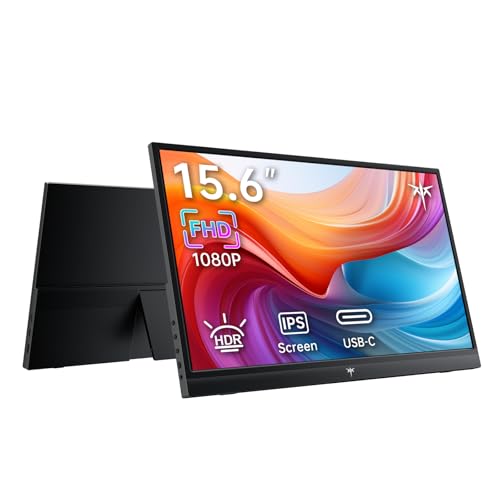
The KTC 15.6-Inch FHD Portable Monitor gives you a 1080p IPS secondary display built for mobile work. It delivers 300 cd/m² brightness, a 1000:1 contrast ratio, and a standard 60Hz refresh rate. At 1.32 pounds and 0.46 inches thick, it packs flat into backpacks. Two full-featured USB-C ports and a mini HDMI input let you connect laptops, phones, or consoles easily.
Pros
- Weighs 1.32 pounds with a 0.46-inch slim profile
- Two full-featured USB-C ports and one mini HDMI port
- 1080p IPS panel with 300 cd/m² brightness and 1000:1 contrast ratio
- Supports duplicate, extend, and second screen display modes
Cons
- Refresh rate capped at standard 60Hz
- Mini HDMI port requires a specialized cable rather than full-size HDMI
- No built-in battery listed in specifications
Good fit if
- You need a lightweight 1.32-pound display to carry in a laptop bag.
- You want dual USB-C ports for direct single-cable connection options.
- You use standard productivity software that works well at 1080p resolution.
Skip if
- You require a high-refresh display beyond 60Hz.
- You need a monitor with an integrated rechargeable battery.
Verdict: KTC 15.6-Inch FHD Portable Monitor balances a lightweight 1.32-pound chassis with dual USB-C connectivity for mobile productivity. Its 300 cd/m² IPS panel offers dependable brightness and color consistency for everyday dual-screen tasks.

Macsecor 14.1-Inch Laptop Screen Extender
Best for: travel dual-screen setups on 13-16 inch laptops
- Use
- Travel (what this guide is about)
- Screen Size
- 14.1"
- Resolution
- 1920x1080
- Panel Type
- IPS
- Connectivity
- USB-C, HDMI
- Weight
- 1.87 pounds
The Macsecor 14.1-Inch Laptop Screen Extender mounts directly to your computer using an adjustable sliding arm. At 1.87 pounds, this portable display adds a 1080p Full HD IPS screen without requiring a separate desktop stand. It connects via USB-C or HDMI and fits laptops between 13 and 16 inches. The display rotates up to 225 degrees for angle adjustment. It suits traveling professionals who need dual-screen productivity in compact mobile work environments.
Pros
- Weighs 1.87 pounds for mobile setups
- Sliding support arm fits 13-inch to 16-inch laptops
- Screen rotates from 0 to 225 degrees
- Plug-and-play USB-C and HDMI connectivity without drivers
Cons
- May require external power if laptop USB-C output is insufficient
- Not compatible with laptops smaller than 13 inches or larger than 16 inches
- Folded unit measures 2.5 inches thick
Good fit if
- You use a 13-inch to 16-inch laptop and want an attached dual-screen setup.
- You need flexible viewing angles up to 225 degrees for sharing content.
- You want driver-free connectivity over USB-C or HDMI.
Skip if
- You own a laptop outside the 13-inch to 16-inch size range.
- You prefer a standalone desktop monitor rather than a clamp-on extender.
- You require display resolutions higher than 1080p.
Verdict: Macsecor 14.1-Inch Laptop Screen Extender provides an attached multi-screen solution that adds minimal weight to your travel bag. Its wide rotational range and flexible display modes make it a practical companion for mobile work.

WCV 15.6" 1080P Portable Monitor with Kickstand
Best for: lightweight travel setups needing an integrated kickstand
- Use
- Travel, Gaming (what this guide is about)
- Screen Size
- 15.6"
- Resolution
- 1920*1080P
- Panel Type
- IPS
- Connectivity
- 2 Type-C, 1 MINI HDMI
- Weight
- 1.37 lbs
View on Amazon: WCV 15.6" 1080P Portable Monitor with Kickstand
The WCV 15.6-Inch 1080p Portable Monitor with Kickstand delivers a full HD IPS display designed for mobile work. Weighing 1.37 pounds, it slips easily into travel bags alongside your laptop. It features two full-function USB-C ports, a mini HDMI input, HDR support, and an integrated kickstand. This display suits you if you need a lightweight second screen for laptop multitasking, presentations, or console gaming.
Pros
- Weighs 1.37 lbs for travel portability
- 1080p IPS panel with 178-degree viewing angles
- Two full-featured USB-C ports and one mini HDMI port
- Built-in kickstand and dual integrated speakers
Cons
- Uses mini HDMI rather than a standard full-size port
- Lacks touchscreen functionality
Good fit if
- You prioritize carrying minimal weight at 1.37 lbs
- You want a built-in kickstand for quick orientation without extra accessories
- You connect using USB-C DisplayPort Alt Mode or Thunderbolt
Skip if
- You need touchscreen navigation for your workflow
- You require standard full-size HDMI without mini adapters
Verdict: WCV 15.6-Inch 1080p Portable Monitor with Kickstand offers an ultra-lightweight 1.37-pound footprint and built-in stand for mobile dual-screen setups. It provides reliable utility for travel productivity and console gaming.
Specifications side by side
| Spec | SANSUI 15.6-Inch 1080p Portable Monitor | InnoView 15.6" IPS Portable Monitor with Kickstand | Orfibz 14.2-Inch Laptop Screen Extender | ForHelp 17.3-Inch 144Hz HDR Portable Monitor | InnoView 15.6" Touchscreen Portable Monitor | ZUMWALT 16-Inch 1200p Portable Monitor | WGK 15.6" 1080p Portable Monitor with Built-In Stand | SMISEACOW 15.6" Triple Screen Extender | Yxk 15.6-Inch 1080p Portable Monitor | Cocopar 15.6-Inch FHD VESA Portable Monitor | Screnex 15.6-Inch Triple Screen Extender | Synnov 15.6-Inch Triple Screen Laptop Extender | KTC 15.6-Inch 1080p IPS Portable Monitor | Macsecor 14.1-Inch Laptop Screen Extender | WCV 15.6" 1080P Portable Monitor with Kickstand |
|---|---|---|---|---|---|---|---|---|---|---|---|---|---|---|---|
| Screen Size | 15.6" | 15.6" | 14.2" | 17.3" | 15.6" | 16.1" | 15.6" | 15.6" | 15.6" | 15.6" | 15.6" | 15.6" | 15.6" | 14.1" | 15.6" |
| Resolution | 1920x1080 | 1080P | 1080p FHD | 1920 x 1080 | 1080P | 1920x1200 | 1920*1080P | 1920×1080 | 1920*1080P | 1080p | 1080P FHD | 1080P FHD | 1080P | 1920x1080 | 1920*1080P |
| Refresh Rate | not specified | not specified | not specified | 144Hz | 60Hz | not specified | not specified | 60Hz | 60Hz | 60Hz | not specified | not specified | 60Hz | not specified | not specified |
| Panel Type | IPS | IPS | IPS | IPS | IPS | IPS | IPS | IPS | IPS | IPS | IPS | IPS | IPS | IPS | IPS |
| Connectivity | USB-C, Mini HDMI, 3.5mm Audio | 2 Type-C, 1 standard HDMI | USB-C, HDMI, USB-A | Mini HDMI, 2x Type-C | Type-C, HDMI | USB-C, HDMI | 2x USB-C, 1x Mini HDMI | USB-C, HDMI, USB-A | 2x Type-C, 1x Mini HDMI | USB-C, HDMI | USB-C, HDMI | USB-C, HDMI | not specified | USB-C, HDMI | 2 Type-C, 1 MINI HDMI |
| Color Gamut | not specified | not specified | not specified | not specified | not specified | not specified | not specified | 100% sRGB | not specified | 85% sRGB | not specified | not specified | not specified | not specified | not specified |
| Aspect Ratio | not specified | not specified | not specified | 16:9 | not specified | 16:10 | not specified | not specified | not specified | not specified | not specified | not specified | not specified | not specified | not specified |
| Weight | 2.09 lbs | 1.5 lbs | 1.87 lbs | 2.12 lbs | not specified | 1.48 lbs | 2.7 pounds | not specified | 1.37 pounds | 1.5 lbs | 3.9 lbs | 4 lbs | 1.32 pounds | 1.87 pounds | 1.37 lbs |
| Features | not specified | HDR, Kickstand | not specified | Built-in Speakers, HDR | Kickstand, Touchscreen | Kickstand, 360° Rotation | Built-in Speakers, VESA Mountable, Kickstand | not specified | Built-in Speakers, VESA Mountable, Kickstand | Built-in Speakers, VESA Mountable, Kickstand | not specified | not specified | not specified | not specified | Kickstand |
| Use | Travel | Travel | Travel | Travel, Gaming | Travel | Travel | Travel, Gaming | Travel | Travel, Gaming | Travel | Travel | Travel | Travel | Travel | Travel, Gaming |
| Display Support | not specified | not specified | not specified | not specified | not specified | not specified | not specified | not specified | not specified | not specified | not specified | Triple Monitor | not specified | not specified | not specified |
| Size | 15.6 | 15.6 Inches | 17.3 Inch | 17.3 Inch | 15.6 Inches | not specified | 15.6 Inch 1080p | 15.6"- Triple Screen Extender | 15.6 | 15.6 | 17.3 Inch | 17.3 Inch | FHD 60Hz IPS | 14.1" Dual Screen | 15.6 |
| Dimensions | 0.59 × 14.3 × 9.21 inches | 0.26 × 14 × 8.7 inches | 5 × 4 × 0.4 inches | not specified | 1 × 1 × 1 inches | 12 × 7 × 1 inches | 16.9 × 11.4 × 1.96 inches | 14 × 0.95 × 8.8 inches | 0.5 × 14 × 8.89 inches | 0.2 × 14.1 × 8.8 inches | 2.5 × 13 × 17 inches | 9.4 × 15 × 0.87 inches | 0.46 × 14.1 × 8.78 inches | 15 × 10.3 × 2.5 inches | 15 × 1.49 × 9.38 inches |
| Color | Black | Dark grey | 14.2" Black | 17.3"1080p | Black | 16.1" Matte black | Black | 15.6"-black | black | Black | Silver | Sliver | Black | Frosted Black | Black |
| Model | ES-P156T1F | US-001-05B | A3 | 17.3 inch | INVPM001 | S4 | W156F1 | Laptop Screen Extender 15.6 M4 | Y1562 | Y156FH7S | P7 | P7 | H15F9 | A4 | WCV156P1 |
Is a travel monitor worth it?
Travel-designated monitors focus on mobile deployment across remote workspaces. These displays use 1080p panels measuring between 14.1 and 17.3 inches, with profiles as thin as 0.2 inches. Connectivity relies on USB-C or HDMI ports, letting you run a secondary screen directly from your laptop.
Some models include integrated kickstands or mount directly to your laptop chassis. Choosing a travel display means selecting hardware that packs flat without separate desk arms, though multi-panel extenders add up to 4 pounds to your bag.
Worth it if
- You work away from a permanent desk and need a compact 1080p screen that slides into a laptop bag.
- You have a laptop with full-featured USB-C or HDMI ports capable of outputting video on the go.
- You want an integrated kickstand or direct-mounting frame that deploys without external desktop mounts.
Skip it if
- You work exclusively at a stationary desk and prefer larger displays with dedicated mounting hardware.
- You require display resolutions higher than standard 1080p FHD for your workflow.
- You want to keep your carry weight under two pounds while running a multi-screen extender setup.
If your dual-screen setup requires off-grid power, you can compare continuous wattage output specifications among the best generators for travel.
How We Picked Travel Monitors
To select displays for this guide, we identify portable monitors where the listing states travel use in the title or feature list. We include only one size or variant per product family so you see a clear range of options. All details come directly from published specifications and feature lists. Products are not physically handled.
We arrange the 15 options for 2026 with products in stock first, then by Amazon sales rank. You can use published specifications such as screen size, weight, and connectivity to compare how easily each display fits into your travel bag and laptop setup.
Key Specifications for Choosing Travel Monitors
-
Verify Port Types and Cabling
Examine your laptop ports before choosing a travel monitor. Many models feature both USB-C and Mini HDMI inputs. A full-featured USB-C port delivers audio, video, and operational power through a single cable, reducing desktop cord clutter. If your source device uses HDMI, you must carry a dedicated HDMI cable plus a separate USB cable for power. The Cocopar 15.6-Inch monitor includes dual USB-C ports with pass-through capability, which lets you route power through the screen directly into your connected laptop during long work sessions.
-
Match Refresh Rate to Tasks
Check the refresh rate specification to suit your primary travel activities. Standard office work, document editing, and web browsing run smoothly at 60Hz while minimizing power consumption from your laptop battery. If your travel routine includes fast-paced gaming or media previewing, look for a higher refresh rate to eliminate motion blur and ghosting. The ForHelp 17.3-Inch display operates at 144Hz, providing fluid visual transitions. Verify that your host device and connection cables support video output above 60Hz before selecting a high-refresh travel screen.
-
Evaluate Touchscreen Input Needs
Determine whether your workflow requires direct panel interaction. Touch-enabled displays let you swipe through presentations, sign documents, and pinch to zoom without reaching for an external mouse. However, touch data transmission requires a compatible USB-C data channel or an extra USB cable connection alongside standard video cords. The InnoView Touchscreen Portable Monitor offers responsive 10-point capacitive touch functionality. You should confirm that your operating system natively supports external multi-touch displays to ensure the touch digitizer registers gestures accurately without requiring third-party drivers.
-
Inspect Integrated Kickstands and Mounts
Look closely at how each monitor supports itself on unstable hotel desks or cafe tables. Displays with built-in kickstands deploy quickly without requiring origami-style folio covers that can slip or collapse under pressure. If you plan to use an arm or desktop stand in your travel base, look for standard VESA mounting patterns on the rear casing. The WGK 15.6-Inch model incorporates both a sturdy built-in kickstand and VESA mounting holes, giving you stable positioning options without adding loose mounting accessories to your pack.
-
Compare Panel Contrast Specifications
Pay attention to panel specifications when you work in varied lighting conditions on the road. IPS technology provides consistent color and visibility when viewed from wide angles, which is vital when a screen sits off to one side of your laptop. A higher static contrast ratio separates deep blacks from bright highlights in dense spreadsheets or design documents. The SANSUI 15.6-Inch monitor delivers a 1200:1 contrast ratio, offering better depth than entry-level screens. Check these metrics if you frequently edit photos or view high-detail documents.
-
Assess Physical Dimensions and Packability
Measure the interior dimensions of your travel bag before picking a screen size. Diagonal panel measurements range from compact 14.1-inch units to expansive 17.3-inch surfaces. Larger screens offer more spreadsheet columns and window space, but their wider frames may not slide into standard 15-inch laptop sleeves. The Macsecor 14.1-Inch screen extender keeps overall dimensions modest for travelers using 13-inch to 16-inch laptops. Balance the viewable area against your travel luggage constraints so you do not need a secondary carrying case for your mobile display.
Frequently asked questions
Can you get a portable travel monitor with touchscreen support?
Yes, models like the InnoView 15.6-Inch Touchscreen Portable Monitor include 10-point touch functionality. You need a full-featured USB-C port on your laptop to enable the touch controls alongside video output. This display also features a 60Hz refresh rate, a 1200:1 contrast ratio, and an integrated kickstand for mobile desk setups.
Can a portable monitor handle gaming at high refresh rates?
Yes, select travel monitors offer high refresh rates beyond the standard 60Hz. The ForHelp 17.3-Inch Portable Monitor features a 144Hz refresh rate combined with a 1080p IPS panel and HDR support. It weighs 2.12 pounds and connects through dual USB-C and Mini HDMI ports, allowing you to run games from compatible consoles or gaming laptops on the move.
Can you rotate a portable monitor into portrait mode while traveling?
Yes, certain travel displays feature flexible hinges for vertical viewing. The ZUMWALT 16-Inch Portable Monitor provides 360-degree rotation so you can switch between portrait mode for documents and landscape orientation for wider layouts. It offers a 16:10 display ratio and weighs 1.48 pounds, including an integrated kickstand that holds the screen upright without extra mounting hardware.
How do triple-screen extenders work for mobile laptop setups?
Triple-screen extenders attach to or stand behind your laptop to deploy two extra panels simultaneously. Units like the Screnex 15.6-Inch Triple Screen Extender provide a freestanding frame weighing 3.9 pounds, while the SMISEACOW model uses a vertically stacked folding design. These multi-screen configurations connect via USB-C or HDMI ports, giving you three total active displays on one workstation.
Do portable laptop screen extenders require special software or drivers?
Most direct-connection travel displays do not require separate driver installations. The Orfibz 14.2-Inch Laptop Screen Extender connects directly to compatible 14- to 17.3-inch laptops without driver setup, delivering a secondary 1080p IPS screen with a 226-degree viewing angle. As long as your laptop hardware provides the required display signal over USB-C, the system recognizes the extra panel natively.
Can you mount a portable travel monitor to a VESA stand?
Yes, several travel monitors include standard VESA mounting patterns on their rear chassis. Models such as the WGK 15.6-Inch monitor, the Yxk 15.6-Inch display, and the Cocopar 15.6-Inch screen feature VESA mounting capability. This lets you attach the display to compatible arms or stands when you are working at a fixed desk rather than using the built-in kickstand.
Do portable travel monitors have integrated speakers?
Many travel monitors come equipped with built-in speakers for audio playback without external accessories. Displays such as the WGK 15.6-Inch, Yxk 15.6-Inch, and Cocopar 15.6-Inch monitors include integrated audio hardware alongside their 1080p video connections. These onboard speakers handle system sounds, video calls, or media directly over your existing USB-C or HDMI cable connection.