Best 15.6 Inches Portable Monitors in 2026: 15 Picks Ranked by Specs
As an Amazon Associate we earn from qualifying purchases. Links on this page are affiliate links.
A 156 inch portable monitor expands your visual workspace without adding bulk to your bag. We compared 15 models using only the specifications published on their product listings. The KYY 15.6-Inch 1080p Portable Monitor leads our list because it packs a 1080p IPS panel and dual USB-C ports into a 1.7-pound frame.
Whether you require 4K pixel density, built-in kickstands, or lightweight profiles, this breakdown covers the key hardware details. This guide helps you decide which display specs match your daily laptop travel and desk needs.
Quick picks
The best fit for you
- You need a balanced, lightweight screen for everyday travel. KYY 15.6-Inch 1080p Portable Monitor At 1.7 pounds, this 1080p IPS panel provides dual USB-C connectivity and an included stand cover.
- You need a high-resolution touchscreen for finger navigation. EVICIV 15.6" 4K Touchscreen Portable Monitor This 1.8-pound monitor pairs 4K UHD resolution with integrated 10-point multi-touch support.
- You want the lightest display to pack for travel. AYY 15.6-Inch 1080p Portable Monitor It weighs 1.21 pounds, making it the lightest 1080p 60Hz display on the list.
- You want two stacked screens in a single unit. InnoView 15.6-Inch Dual Foldable Portable Monitor The foldable chassis features two 15.6-inch displays with 315-degree rotation for dual-screen multitasking.
Our 15 picks

KYY 15.6-Inch 1080p Portable Monitor
Best for: everyday travel and laptop dual-screen setups
- Size
- 15.6 Inches (what this guide is about)
- Screen Size
- 15.6"
- Resolution
- 1920*1080
- Panel Type
- IPS
- Connectivity
- USB-C, Mini-HDMI
- Weight
- 1.7 pounds
This KYY display is a 15.6-inch portable monitor with a 1080p Full HD IPS panel and a 1.7-pound weight. It features two full-function USB Type-C ports and a mini-HDMI port for video input, alongside two built-in speakers. It includes a magnetic folding smart cover that doubles as a two-position stand. This setup suits you if you need a lightweight secondary screen for dual-display laptop work or mobile gaming.
Pros
- Weighs 1.7 pounds with a 0.35-inch profile
- Two full-function USB Type-C ports and mini-HDMI
- 1080p IPS screen with 178-degree viewing angles
- Includes magnetic cover with two stand grooves
Cons
- Uses mini-HDMI instead of full-size HDMI
- Smart cover offers only two fixed viewing angles
- No internal battery listed
Good fit if
- You want a lightweight 1.7-pound display for travel.
- You connect devices via USB-C or mini-HDMI.
- You need both landscape and portrait display orientations.
Skip if
- You need higher than 1080p resolution.
- You require touchscreen capability or built-in battery power.
- You want a built-in full-size HDMI port.
Verdict: KYY 15.6-Inch 1080P Portable Monitor delivers 1080p IPS visuals, dual USB-C connectivity, and an included stand cover in a 1.7-pound frame. It provides a balanced set of core display features for multi-screen laptop work.

InnoView 15.6-Inch 1080p Portable Monitor
Best for: Everyday dual-screen laptop multitasking on a desk
- Size
- 15.6 Inches (what this guide is about)
- Screen Size
- 15.6 Inch
- Resolution
- 1920*1080P
- Panel Type
- IPS
- Connectivity
- Type-C, HDMI
- Weight
- 2.65 pounds
This InnoView 15.6-inch portable display provides a 1080p Full HD IPS screen with dual USB-C ports and an HDMI input. It supports single-cable video and power pass-through when connected to compatible laptops. The unit includes built-in speakers and a folding cover that doubles as a two-position stand. At 2.65 pounds, it gives you a straightforward dual-display workspace for desk use and standard office or media tasks.
Pros
- Dual full-function USB-C ports with power pass-through
- Full HD 1080p IPS panel with 178-degree viewing angles
- Included PU leather cover doubles as an adjustable stand
- Built-in speakers for direct audio output
Cons
- Weighs 2.65 pounds
- Power cable for HDMI connection not included in the package
Good fit if
- You want a standard 1080p secondary display with single-cable USB-C connectivity.
- You need an included folding stand cover that supports both landscape and portrait use.
Skip if
- You require a 4K resolution screen for high-density graphic work.
- You want a lightweight travel display under two pounds.
Verdict: InnoView 15.6-Inch 1080P Portable Monitor delivers reliable dual-port USB-C connectivity and full HD viewing in a straightforward desk setup. Its integrated cover stand and pass-through charging make it a functional everyday productivity screen.

InnoView 15.6" 1080p Monitor with Built-In Stand
Best for: travel setups needing standard HDMI connectivity
- Size
- 15.6 Inches (what this guide is about)
- Screen Size
- 15.6"
- Resolution
- 1080P
- Panel Type
- IPS
- Connectivity
- 2 Type-C, 1 standard HDMI
- Weight
- 1.5 pounds
View on Amazon: InnoView 15.6" 1080p Monitor with Built-In Stand
The InnoView 15.6-Inch 1080P Monitor provides a secondary Full HD display for laptops and consoles. It features an IPS panel with a 1200:1 contrast ratio, standard HDMI, and dual full-function USB-C ports. An integrated 90-degree adjustable kickstand holds the screen upright without requiring a separate folio case. This setup suits you if you need an everyday secondary screen for travel, standard video connections, and simple OSD button navigation.
Pros
- Integrated kickstand adjusts up to 90 degrees
- Full-size standard HDMI port alongside dual USB-C ports
- 1200:1 contrast ratio IPS display with HDR support
- Includes dedicated storage sleeve
Cons
- Requires a separate 15W+ adapter if host device power output is insufficient
- Limited to standard 1080p resolution
Good fit if
- You prefer an integrated kickstand over a magnetic folding case.
- You want standard HDMI alongside USB-C without mini HDMI adapters.
- You need a lightweight 1080p panel for dual-screen travel productivity.
Skip if
- You need a 4K resolution display for detailed creative work.
- You lack a video output port supporting DP Alt-Mode or standard HDMI.
Verdict: InnoView 15.6-Inch 1080P Monitor with Built-In Stand delivers dependable Full HD viewing with an integrated hinge and standard HDMI connectivity. It eliminates the need for separate stands or mini HDMI adapters during travel.

Cocopar 15.6" 4K 60Hz Portable Monitor
Best for: creators needing 4K resolution and wide color coverage
- Size
- 15.6 Inches (what this guide is about)
- Screen Size
- 15.6"
- Resolution
- 4K UHD
- Refresh Rate
- 60Hz
- Connectivity
- USB-C, HDMI
- Color Gamut
- 145% sRGB
The Cocopar 15.6-Inch 4K UHD Portable Monitor is an external display built with a metal chassis and an integrated kickstand. It features a 4K UHD panel with a 1500:1 contrast ratio, 145% sRGB coverage, and 1064M colors. Connectivity includes two USB-C ports and one HDMI port alongside dual built-in speakers. This screen suits you if you need sharp resolution and wide color accuracy for travel or desktop setups.
Pros
- 4K UHD display with 145% sRGB color gamut and 1064M colors
- 1500:1 contrast ratio for deeper darks
- Built-in kickstand and VESA-mount compatibility
- Dual USB-C ports and HDMI connectivity
- Matte anti-glare screen with protective sleeve included
Cons
- Refresh rate capped at standard 60Hz
- Touchscreen functionality not supported
- Single-cable USB-C connection requires DP Alt Mode or Thunderbolt
Good fit if
- You need 4K resolution and wide color gamut coverage for creative work.
- You want built-in support for both desk kickstand use and VESA mounting.
- You prefer a matte screen finish to minimize reflections while traveling.
Skip if
- You require refresh rates above 60Hz for gaming.
- You need a touchscreen interface for navigation.
Verdict: Cocopar 15.6-Inch 4K UHD Portable Monitor provides sharp 4K visuals and broad 145% sRGB color reproduction inside a portable metal chassis. It delivers flexible connectivity and mounting options for detail-oriented visual setups.

Anyking 15.6-Inch Detachable Portable Monitor
Best for: flexible laptop mounting and standalone dual-screen setups
- Size
- 15.6 Inches (what this guide is about)
- Screen Size
- 15.6"
- Resolution
- FHD
- Panel Type
- IPS
- Connectivity
- USB-C, HDMI, USB
- Weight
- 2.84 lb
View on Amazon: Anyking 15.6-Inch Detachable Portable Monitor
This Anyking display is a 15.6-inch 1080p FHD IPS portable monitor that mounts directly to 13-inch to 17.3-inch laptops or detaches for standalone use. The screen alone weighs 1.52 pounds, while the full folding frame weighs 2.84 pounds. It supports single-cable USB-C video or HDMI connections with up to 100W PD power pass-through. You will find it suits mobile work when you need an attachable screen with flexible standalone viewing angles.
Pros
- Detachable 1.52 lb screen with included 360-degree stand
- Supports up to 100W USB-C PD pass-through charging
- Works via single USB-C cable or HDMI plus USB power
- Fits 13-inch to 17.3-inch laptop frames
Cons
- External power adapter not included in the box
- Resolution limited to 1080p FHD rather than 4K
- Total extender assembly adds 2.84 lb of carry weight
Good fit if
- You want a monitor that attaches to your laptop or detaches onto a 360-degree stand.
- You need USB-C pass-through charging up to 100W to minimize laptop ports used.
- You work on a laptop with a screen size between 13 inches and 17.3 inches.
Skip if
- You need a 4K resolution display for high-density editing.
- You want an included wall adapter in the box for high-wattage power delivery.
Verdict: Anyking 15.6-Inch Detachable Portable Monitor offers practical versatility by combining an attachable laptop mount with a standalone 1.52-pound screen and 100W pass-through charging. It provides a solid 1080p IPS second workspace for laptops measuring 13 to 17.3 inches.

VisionOwl 15.6" 4K UHD Portable Monitor
Best for: high-resolution travel setups and color-sensitive work
- Size
- 15.6 Inches (what this guide is about)
- Screen Size
- 15.6"
- Resolution
- 3840×2160
- Panel Type
- IPS
- Connectivity
- USB-C, HDMI
- Color Gamut
- 145% sRGB
This 15.6-inch portable monitor delivers a 3840x2160 4K UHD resolution IPS panel with 145% sRGB color gamut coverage. It features an integrated adjustable metal kickstand, 75x75mm VESA mounting holes, and built-in speakers in a 1.5-pound metal chassis. Connectivity includes full-featured USB-C and standard HDMI ports. You get a high-density travel display suited for detail-oriented tasks, content creation, and dual-screen laptop workflows where standard 1080p resolution falls short.
Pros
- 3840x2160 4K UHD IPS panel with 145% sRGB color coverage
- Built-in adjustable metal kickstand and 75x75mm VESA mount support
- Full-size standard HDMI port and dual USB-C ports
- Includes protective sleeve, power adapter, and three cables
Cons
- No built-in battery; requires external or host device power
- No touchscreen support listed
Good fit if
- You need 4K resolution and high sRGB color coverage on a portable screen.
- You prefer an integrated metal kickstand and VESA arm mounting options.
- You want standard HDMI alongside USB-C without using mini-HDMI adapters.
Skip if
- You need a touchscreen interface for navigation or drawing.
- You want a monitor with an internal rechargeable battery.
Verdict: VisionOwl 15.6" 4K UHD Portable Monitor pairs a sharp 3840x2160 IPS display with 145% sRGB coverage and an integrated metal stand. It is a solid choice if your mobile setup demands high pixel density and versatile mounting.

VisionOwl 15.6-Inch FHD Portable Monitor
Best for: travelers wanting full-size standard HDMI connectivity
- Size
- 15.6 Inches (what this guide is about)
- Screen Size
- 15.6 Inch
- Resolution
- 1080P
- Panel Type
- IPS
- Connectivity
- USB-C, HDMI
- Color Gamut
- 85% sRGB
The VisionOwl 15.6" monitor gives you a 1080p Full HD IPS display with an 85% sRGB color gamut. It features a full standard HDMI port alongside USB-C, avoiding fragile mini adapters when connecting game consoles or laptops. At 0.23 inches thin and 1.48 pounds, it fits easily into a backpack. This display suits mobile workers and console gamers who want straightforward connectivity with two-hole VESA mount support.
Pros
- Standard HDMI port eliminates need for mini HDMI adapters
- Thin 0.23-inch aluminum alloy chassis weighing 1.48 pounds
- Two rear VESA mounting holes support portrait and landscape orientations
- Single-cable power and display via USB-C
Cons
- Color coverage capped at 85% sRGB
- Rear mounting limited to two VESA holes instead of four
- Resolution tops out at 1080p Full HD
Good fit if
- You want a full-size HDMI port to hook up consoles or laptops without adapters.
- You mount your screen to an arm using two-hole VESA hardware.
- You travel frequently and want a slim 0.23-inch aluminum build.
Skip if
- You need 4K resolution or higher color fidelity than 85% sRGB.
- You require a standard four-hole VESA mounting plate.
Verdict: VisionOwl 15.6" 1080p Standard HDMI Monitor provides 1080p resolution and full-size HDMI connectivity in a 0.23-inch aluminum body. It gives you a reliable dual-screen travel setup without requiring mini-port adapters.

Upperizon 15.6-Inch 1080p 60Hz Portable Monitor
Best for: everyday travel productivity with VESA mount options
- Size
- 15.6 Inches (what this guide is about)
- Screen Size
- 15.6 inch
- Resolution
- 1920 x 1080P
- Refresh Rate
- 60 Hz
- Panel Type
- IPS
- Connectivity
- Two USB-C, One HDMI
View on Amazon: Upperizon 15.6-Inch 1080p 60Hz Portable Monitor
The Upperizon 15.6-Inch 1080p IPS Monitor gives you a 1080p Full HD display with an IPS panel, 300 nits of brightness, and 87% sRGB color coverage. It connects to your laptop via two full-featured USB-C ports or HDMI, and it includes pass-through charging. With dual VESA mounting holes and an included protective sleeve, this screen suits you if you want a reliable everyday second display for work or travel.
Pros
- 1080p IPS panel with 300 nits brightness and 1200:1 contrast ratio
- Dual full-featured USB-C ports with power pass-through and HDMI
- Two VESA mounting holes for landscape and portrait stands
- Includes three cables, a power adapter, and a sleeve case
Cons
- Only two VESA mounting holes instead of a standard four-hole pattern
- Standard 60Hz refresh rate is not built for high-frame-rate gaming
- 87% sRGB color gamut falls short of full 100% sRGB coverage
Good fit if
- You need a 1080p travel screen with dual USB-C and HDMI inputs.
- You plan to mount your portable screen using two-hole VESA hardware.
- You want an included sleeve case and power adapter in the box.
Skip if
- You need a 4K resolution screen for detailed creative work.
- You require a standard four-hole VESA mount for your monitor arm.
- You want a high-refresh display faster than 60Hz.
Verdict: Upperizon 15.6-Inch 1080p IPS Monitor delivers practical 1080p productivity with 300 nits brightness and versatile dual USB-C ports. Its aluminum build and bundled accessories make it a reliable travel display.
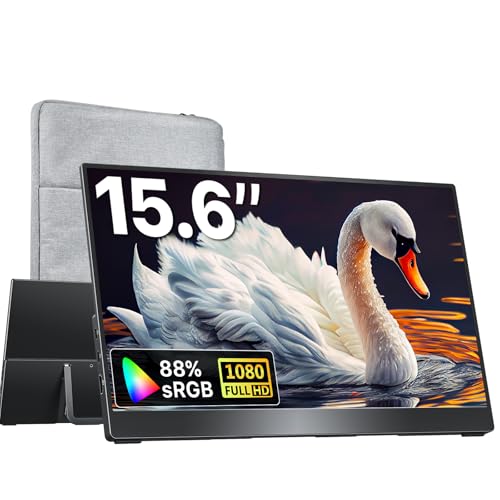
Kksmart 15.6-Inch 1080P Portable Monitor with Kickstand
Best for: everyday travel setups needing an integrated kickstand
- Size
- 15.6 Inches (what this guide is about)
- Screen Size
- 15.6inch
- Resolution
- 1080P
- Refresh Rate
- 60Hz
- Connectivity
- USB-C, HDMI
- Color Gamut
- 88% sRGB
View on Amazon: Kksmart 15.6-Inch 1080P Portable Monitor with Kickstand
The Kksmart 15.6-Inch 1080P Portable Monitor is an external travel screen weighing 1.5 pounds with a 0.4-inch profile. You get a 1080p resolution panel running at a 60Hz refresh rate with 88% sRGB color coverage and HDR support. It features an integrated kickstand, VESA mounting, dual USB-C ports, and an HDMI input. This display suits you if you need an easy-to-carry secondary display for travel setups.
Pros
- Weighs 1.5 lb with a slim 0.4-inch profile
- Built-in kickstand and VESA mount support
- Dual USB-C ports plus HDMI connectivity
- Includes built-in speakers and HDR support
Cons
- Standard 60Hz refresh rate limits high-frame-rate gaming
- 88% sRGB color gamut falls short of full wide-gamut coverage
- Single-cable setup requires host hardware with DP Alt Mode or Thunderbolt
Good fit if
- You want an integrated kickstand without carrying a separate folio cover.
- You need a lightweight 1.5-pound screen for travel with USB-C and HDMI gear.
- You plan to mount your portable screen using standard VESA hardware.
Skip if
- You require refresh rates above 60Hz for fast-paced gaming.
- You need 100% sRGB or wider color coverage for color-critical tasks.
- Your device USB-C port lacks DP Alt Mode or Thunderbolt display support.
Verdict: Kksmart 15.6-Inch 1080P Portable Monitor with Kickstand delivers essential 1080p desktop expansion at 1.5 pounds with flexible VESA and kickstand mounting. It provides practical daily dual-screen utility without extra weight in your bag.

Ingnok 15.6-Inch 1080p 60Hz Portable Monitor
Best for: lightweight travel setups and everyday mobile multitasking
- Size
- 15.6 Inches (what this guide is about)
- Screen Size
- 15.6"
- Resolution
- 1920x1080
- Refresh Rate
- 60Hz
- Panel Type
- IPS
- Connectivity
- USB-C
View on Amazon: Ingnok 15.6-Inch 1080p 60Hz Portable Monitor
The Ingnok 15.6-Inch 1080p Portable Monitor gives you a secondary 1080p Full HD display running at a standard 60Hz refresh rate. It features an IPS panel, an adjustable stand, and a lightweight 1.44-pound chassis that measures 0.31 inches thick. Powered over a single USB-C cable for both data and power, this screen suits you if you need a slim, lightweight travel display for multitasking with laptops and PCs.
Pros
- Weighs 1.44 pounds with a 0.31-inch slim profile
- Single-cable USB-C connection handles power and data
- Full HD 1920x1080 IPS panel at 60Hz
- Integrated adjustable stand for flexible viewing angles
Cons
- Resolution capped at standard 1080p instead of 4K
- Refresh rate limited to 60Hz
Good fit if
- You want a lightweight 1.44-pound secondary display for travel.
- You prefer a single USB-C cable setup for power and signal.
- You need an integrated stand that allows angle adjustments.
Skip if
- You require a 4K panel for high-density visual work.
- You want a refresh rate higher than 60Hz for fast gaming.
Verdict: Ingnok 15.6-Inch 1080p Portable Monitor is an ultra-slim, 1.44-pound display that delivers standard 1080p 60Hz visuals with single-cable USB-C convenience. Its integrated adjustable stand makes it a practical second screen for mobile productivity.

KYY 15.6-Inch Triple Screen Laptop Extender
Best for: multi-screen data analysis and coding setups
- Size
- 15.6 Inches (what this guide is about)
- Screen Size
- 15.6"
- Resolution
- 1080p FHD
- Refresh Rate
- 60Hz
- Panel Type
- IPS
- Connectivity
- USB-C
This multi-display unit from KYY expands your 12 to 17.3-inch laptop into a four-display setup using a single USB-C cable. You get 15.6-inch 1080p IPS panels operating at a 60Hz refresh rate with 400 nits of brightness. Its built-in aluminum alloy stand avoids putting physical weight on your laptop lid. It suits programmers and financial analysts who need simultaneous views across multiple dashboards or coding environments.
Pros
- Provides 400 nits panel brightness
- Integrated aluminum alloy stand prevents weight on the laptop hinge
- Single USB-C cable connection runs the display setup
- Screens support adjustment up to 360 degrees with automatic top-screen rotation
Cons
- Requires external driver installation for Android operation
- Linux compatibility is limited strictly to Ubuntu
- Display refresh rate is standard 60Hz
Good fit if
- You need multiple 15.6-inch 1080p displays running from a single USB-C cable.
- You use a 12 to 17.3-inch laptop running Windows, macOS, or Ubuntu.
- You want an integrated aluminum stand rather than screens clipping onto your laptop display.
Skip if
- You use a non-Ubuntu Linux distribution on your host machine.
- You need display refresh rates above 60Hz.
- You want a lightweight single auxiliary display rather than a multi-panel unit.
Verdict: KYY 15.6-Inch Triple Screen Laptop Extender provides multi-display capability with 400-nit 1080p panels and an independent aluminum stand. It connects via one USB-C cable for users needing simultaneous workspaces across Windows, macOS, or Ubuntu.

EVICIV 15.6" 4K Touchscreen Portable Monitor
Best for: 4K workflows requiring responsive multi-touch control
- Size
- 15.6 Inches (what this guide is about)
- Screen Size
- 15.6"
- Resolution
- 3840 x 2160
- Connectivity
- USB-C, Mini HDMI
- Color Gamut
- 125% sRGB
- Weight
- 1.8 lbs
View on Amazon: EVICIV 15.6" 4K Touchscreen Portable Monitor
This EVICIV 15.6-inch display combines a 3840 by 2160 4K UHD resolution with a 10-point capacitive touchscreen. It delivers 450 nits of peak brightness and covers 125% of the sRGB color space, connecting via USB-C or Mini HDMI. At 0.27 inches thick and 1.8 pounds, it includes 75 by 75 millimeter VESA holes, making it a capable second screen if you need precise touch interaction and sharp detail on the road.
Pros
- 3840 x 2160 4K UHD resolution
- 10-point capacitive touch function
- 450 nits peak brightness and 125% sRGB color coverage
- Slim 0.27-inch profile at 1.8 pounds
- 75 x 75 mm VESA mount compatibility
Cons
- Uses Mini HDMI rather than a full-size HDMI port
- No integrated kickstand listed in specifications
Good fit if
- You need 10-point touch navigation on a portable display.
- You require 4K resolution with 450 nits brightness and wide color coverage.
- You plan to mount your portable screen to a 75 x 75 mm VESA stand.
Skip if
- You only need standard 1080p resolution for basic office work.
- You want full-size HDMI ports without using mini-sized cables.
Verdict: EVICIV 15.6-Inch 4K Touchscreen Portable Monitor pairs crisp 4K resolution with responsive 10-point touch in a 1.8-pound profile. It is well suited if you need high pixel density and multi-touch capability across USB-C or Mini HDMI.

AYY 15.6-Inch 1080p Portable Monitor
Best for: ultra-lightweight everyday travel productivity
- Size
- 15.6 Inches (what this guide is about)
- Screen Size
- 15.6"
- Resolution
- 1920x1080
- Panel Type
- IPS
- Connectivity
- USB-C, Mini HDMI
- Color Gamut
- 100% sRGB
The AYY 15.6-Inch 1080p Portable Monitor is an ultralight external display built for travel setups. It features a 15.6-inch 1080p Full HD IPS screen running at a 60Hz refresh rate. Weighing just 1.21 pounds, it connects using dual USB-C ports or Mini HDMI. Built-in speakers and an included folding smart cover stand make it a practical pick if you want an easy second screen for your laptop or game console on the move.
Pros
- Low carry weight of 1.21 pounds
- Dual USB-C and Mini HDMI inputs
- Includes smart cover stand and all required video cables
- 1080p IPS panel with matte anti-glare finish
Cons
- Standard 60Hz refresh rate rather than high-refresh gaming speeds
- Full HD 1080p resolution lacks 4K or 2.5K clarity
- ABS plastic housing instead of metal
Good fit if
- You want an exceptionally light 1.21-pound secondary display for travel.
- You need plug-and-play USB-C or Mini HDMI connectivity with all cables in the box.
- You prefer a matte, glare-reducing screen for everyday office work or coding.
Skip if
- You need higher than 1080p resolution for detailed graphics work.
- You want a refresh rate above 60Hz for high-frame-rate gaming.
- You require touchscreen capability.
Verdict: AYY 15.6-Inch 1080p Portable Monitor delivers lightweight Full HD viewing and full cable support for everyday portable dual-screen setups. Its 1.21-pound body makes it an easy travel companion when standard 1080p 60Hz performance fits your needs.

KYY 15.6-Inch 1080p Portable Monitor
Best for: travel productivity with single-cable USB-C setups
- Size
- 15.6 Inches (what this guide is about)
- Screen Size
- 15.6"
- Resolution
- 1920*1080
- Panel Type
- IPS
- Connectivity
- Dual USB-C, Mini-HDMI
- Weight
- 1.7 lb
This 15.6-inch portable display gives you a 1080p Full HD IPS panel running at a 178-degree viewing angle. It weighs 1.7 pounds and measures 0.35 inches thick, making it easy to pack into a bag. Connectivity includes dual full-function USB-C ports and a mini-HDMI port for single-cable laptop setups. It suits you if you need an everyday secondary display for travel or dual-screen productivity.
Pros
- Dual full-function USB-C ports and mini-HDMI connectivity
- 1080p IPS screen with 178-degree viewing angles
- Slim 0.35-inch profile weighing 1.7 pounds
- Includes folding PU smart cover stand
Cons
- Uses mini-HDMI rather than full-sized HDMI
- Resolution capped at standard 1080p FHD
- Touch input not supported
Good fit if
- You need a lightweight 1.7-pound secondary screen for travel.
- You use a laptop supporting single-cable USB-C or Thunderbolt 3 video.
- You want an included magnetic cover that doubles as a dual-groove stand.
Skip if
- You require 4K resolution for detailed editing work.
- You need touchscreen support for navigation.
- You prefer full-size HDMI cables without using mini adapters.
Verdict: KYY 15.6-Inch 1080p Portable Monitor delivers reliable Full HD IPS viewing with convenient single-cable connectivity. It serves as a practical, lightweight travel companion for laptop multi-tasking.

InnoView 15.6-Inch Dual Foldable Portable Monitor
Best for: dual-screen multitasking in mobile workspaces
- Size
- 15.6 Inches (what this guide is about)
- Screen Size
- 15.6"
- Resolution
- 1920x1080
- Panel Type
- IPS
- Connectivity
- Type-C, HDMI
- Weight
- 3.5 pounds
View on Amazon: InnoView 15.6-Inch Dual Foldable Portable Monitor
The InnoView foldable monitor gives you two 15.6-inch 1080p IPS displays in a single 3.5-pound unit. You can adjust the stacked screens from 0 to 315 degrees using the integrated 180-degree stand. Built-in gravity sensors handle orientation automatically across Windows and macOS setups. It connects via USB-C and HDMI, making it a functional option if you need dual-screen multitasking without packing two separate monitors.
Pros
- Dual 15.6-inch 1080p IPS panels in one foldable design
- 0 to 315-degree screen rotation with 180-degree stand
- Built-in gravity sensors for automatic screen orientation
- Plug-and-play driverless extended mode on Windows via USB-C
Cons
- HDMI connection does not support extended desktop mode
- Mac extended mode requires driver installation
- Requires 30W or higher external power for optimal performance
Good fit if
- You need a dual-screen workstation in a single foldable package.
- You use a Windows laptop with full-featured USB-C for plug-and-play setup.
- You want stacked vertical displays that adjust up to 315 degrees.
Skip if
- You rely solely on HDMI for an extended desktop display.
- You use macOS and want extended mode without installing drivers.
- You prefer an ultralight setup under two pounds.
Verdict: InnoView 15.6-Inch Dual Foldable Portable Monitor provides two stacked 1080p displays in a 3.5-pound foldable chassis with 315-degree rotation. It delivers a full multi-screen workspace over USB-C, provided you connect a 30W or higher power supply.
Specifications side by side
| Spec | KYY 15.6-Inch 1080p Portable Monitor | InnoView 15.6-Inch 1080p Portable Monitor | InnoView 15.6" 1080p Monitor with Built-In Stand | Cocopar 15.6" 4K 60Hz Portable Monitor | Anyking 15.6-Inch Detachable Portable Monitor | VisionOwl 15.6" 4K UHD Portable Monitor | VisionOwl 15.6-Inch FHD Portable Monitor | Upperizon 15.6-Inch 1080p 60Hz Portable Monitor | Kksmart 15.6-Inch 1080P Portable Monitor with Kickstand | Ingnok 15.6-Inch 1080p 60Hz Portable Monitor | KYY 15.6-Inch Triple Screen Laptop Extender | EVICIV 15.6" 4K Touchscreen Portable Monitor | AYY 15.6-Inch 1080p Portable Monitor | KYY 15.6-Inch 1080p Portable Monitor | InnoView 15.6-Inch Dual Foldable Portable Monitor |
|---|---|---|---|---|---|---|---|---|---|---|---|---|---|---|---|
| Screen Size | 15.6" | 15.6 Inch | 15.6" | 15.6" | 15.6" | 15.6" | 15.6 Inch | 15.6 inch | 15.6inch | 15.6" | 15.6" | 15.6" | 15.6" | 15.6" | 15.6" |
| Resolution | 1920*1080 | 1920*1080P | 1080P | 4K UHD | FHD | 3840×2160 | 1080P | 1920 x 1080P | 1080P | 1920x1080 | 1080p FHD | 3840 x 2160 | 1920x1080 | 1920*1080 | 1920x1080 |
| Refresh Rate | not specified | not specified | not specified | 60Hz | not specified | not specified | not specified | 60 Hz | 60Hz | 60Hz | 60Hz | not specified | not specified | not specified | not specified |
| Panel Type | IPS | IPS | IPS | not specified | IPS | IPS | IPS | IPS | not specified | IPS | IPS | not specified | IPS | IPS | IPS |
| Connectivity | USB-C, Mini-HDMI | Type-C, HDMI | 2 Type-C, 1 standard HDMI | USB-C, HDMI | USB-C, HDMI, USB | USB-C, HDMI | USB-C, HDMI | Two USB-C, One HDMI | USB-C, HDMI | USB-C | USB-C | USB-C, Mini HDMI | USB-C, Mini HDMI | Dual USB-C, Mini-HDMI | Type-C, HDMI |
| Color Gamut | not specified | not specified | not specified | 145% sRGB | not specified | 145% sRGB | 85% sRGB | 87% sRGB | 88% sRGB | not specified | not specified | 125% sRGB | 100% sRGB | not specified | not specified |
| Weight | 1.7 pounds | 2.65 pounds | 1.5 pounds | 1.55 lbs | 2.84 lb | 1.5 pounds | 1.6 lbs | 1.54 pounds | 1.5lb | 1.44 pounds | not specified | 1.8 lbs | 1.21 lbs | 1.7 lb | 3.5 pounds |
| Features | not specified | Built-in Speakers | Kickstand | Built-in Speakers, VESA Mountable, Kickstand | not specified | Built-in Speakers, VESA Mountable, Kickstand | Built-in Speakers, VESA Mountable, HDR, Kickstand | Built-in Speakers, VESA Mountable, HDR, Kickstand | Built-in Speakers, VESA Mountable | not specified | not specified | Touchscreen | Built-in Speakers | not specified | Foldable |
| Use | not specified | not specified | not specified | Travel | not specified | Travel | Travel | Travel | Travel | not specified | not specified | not specified | not specified | not specified | not specified |
| Display Support | not specified | not specified | not specified | not specified | not specified | not specified | not specified | not specified | not specified | not specified | not specified | not specified | not specified | not specified | Dual Monitor |
| Size | 15.6 Inches | 15.6 Inches | 15.6 Inches | 15.6 Inches | 15.6 Inches | 15.6 Inches | 15.6 Inches | 15.6 Inches | 15.6 Inches | 15.6 Inches | 15.6 Inches | 15.6 Inches | 15.6 Inches | 15.6 Inches | 15.6 Inches |
| Recommended Use | not specified | Desk | not specified | not specified | not specified | not specified | not specified | not specified | not specified | not specified | not specified | not specified | not specified | not specified | not specified |
| Dimensions | 8.85 × 14.5 × 0.35 inches | 9 × 14.4 × 0.2 inches | 0.26 × 14 × 8.69 inches | 0.2 × 14 × 8.66 inches | 14.8 × 9.1 × 1.3 inches | 4.33 × 139 × 86.6 inches | 8.7 × 14 × 0.23 inches | 14.3 × 8.81 × 0.35 inches | 0.4 × 13.9 × 8.6 inches | 13.8 × 8.66 × 0.31 inches | 8.93 × 15.2 × 1.46 inches | 0.27 × 14.1 × 8.3 inches | 0.35 × 13.6 × 8.66 inches | 8.85 × 14.5 × 0.35 inches | 8.5 × 14 × 0.85 inches |
| Color | Grey | Black | Black | black | 15.6" Pure Black | Black | Black | Black | black | Black | Black | Black | Classic Black | black | Black |
| Model | K3 | INVPM406 | INVPM001 | Y156ULH | M5 | V-15ULH | Y2 | UX156FHLH | K-ZD156FHLH | YN02D | X90G | EV157PMT | 15.6-B | K3-1 | INVPM009 |
Is a 15.6-Inch Portable Monitor Worth It?
A 15.6-inch screen provides a full secondary workspace while keeping hardware compact. Across these models, chassis dimensions span roughly 13.6 to 14.8 inches in length and 8.3 to 9.1 inches in width. Single-panel displays weigh between 1.21 and 2.65 pounds, letting you slide them alongside standard laptops without excessive bulk. The diagonal size matches common 13-inch to 17.3-inch laptop setups, giving you sufficient display area for side-by-side multitasking, attachable laptop brackets, or kickstand mounting on small desks.
Worth it if
- You use a 13-inch to 17.3-inch laptop and want a proportionally sized secondary screen.
- You need a mobile display footprint that weighs as little as 1.21 to 1.7 pounds.
Skip it if
- You carry a compact bag that cannot accommodate hardware measuring roughly 14 inches long.
- You require an ultralight setup that weighs under 1.2 pounds.
How We Chose These Monitors
You can explore 15 displays chosen specifically for their 15.6-inch screen size. We identified each model by confirming that the product title or published specifications explicitly list a 15.6-inch panel. To keep comparisons straightforward, we include only one variant per product family. We never physically test or inspect hardware, relying entirely on published specifications such as resolution, connectivity options, and overall weight.
We order the displays with products in stock first, then by Amazon sales rank (better-selling products first). Published specs like refresh rate and port selection help you evaluate each option. Availability updates automatically on the page each day, making it easy for you to review 15.6-inch portable monitors throughout 2026.
How to Choose a 15.6-Inch Portable Monitor
-
Video Port Options
Check the physical video ports on your laptop before you select a display. Many portable monitors feature USB-C ports that handle video signal and power over a single cable. However, if your laptop uses dedicated video outputs, verify whether the monitor includes standard HDMI or mini HDMI. A standard HDMI connection removes your need to carry separate adapters or specialized cords. For example, the VisionOwl 15.6-Inch FHD Portable Monitor includes full-size standard HDMI ports directly on its chassis.
-
Power Pass-Through Support
Review how each monitor draws power from your machine. Single-cable USB-C setups pull electricity directly from your laptop battery, which can drain your charge faster during mobile sessions. If you work near wall outlets, look for monitors with dedicated power pass-through. This feature lets you connect an external charger directly to the display, which then routes power into your laptop. For instance, the Anyking 15.6-Inch Detachable Portable Monitor supports 100W pass-through charging, keeping your laptop charged while transmitting high-definition video over one combined connection.
-
Ergonomic Mounting Support
Examine how the monitor stands upright on your desk. Folio covers protect the screen during travel and fold into stands, but they often provide fixed viewing angles and demand more desk depth. Built-in kickstands offer adjustable tilt angles without consuming extra room. If you plan to attach the screen to an adjustable desktop arm, check the specifications for VESA mounting compatibility. The Upperizon 15.6-Inch 1080p 60Hz Portable Monitor provides both an integrated kickstand and rear VESA mounting holes, letting you switch between travel desks and fixed arm mounts.
-
Multi-Screen Configuration Needs
Decide how many independent displays you require for your mobile workstation. Standard single-screen units offer a compact secondary view that slides easily into a laptop sleeve. If you manage large spreadsheets, lines of code, or multiple reference windows, consider dual-display hardware. Multi-panel units expand your visual area while using a single footprint on your desk. For example, the InnoView 15.6-Inch Dual Foldable Portable Monitor stacks two full-size displays in one chassis, though it requires a 30W or greater power source to drive both panels simultaneously.
-
Panel Type and Angles
Pay close attention to panel technology when comparing screen specifications. An IPS panel maintains consistent color reproduction and contrast when viewed from side angles, which is essential when placing a portable screen beside your primary laptop display. Displays lacking wide viewing specifications may look washed out when viewed off-center. If you frequently position your screen at an angle or share your view with colleagues during meetings, select a verified IPS display. The AYY 15.6-Inch 1080p Portable Monitor specifies an IPS panel with standard 60Hz operation for stable viewing.
-
Screen Brightness Levels
Consider the lighting conditions of your typical working environment when checking display brightness ratings. Standard portable monitors often produce between 250 and 300 nits, which is sufficient for indoor offices, quiet cafes, and shaded workspaces. If you frequently work near sunny windows or in brightly lit communal areas, prioritize panels rated at higher luminance levels to prevent glare from washing out your screen. For example, the KYY 15.6-Inch Triple Screen Laptop Extender features 400-nit panels, providing added luminance that helps keep text readable in bright indoor lighting.
Frequently asked questions
Can you power a 15.6-inch portable monitor directly from a laptop?
Yes, you can power most 15.6-inch portable monitors directly from a laptop USB-C port that supports display output and power delivery. Displays like the Ingnok YN02D operate using a single USB-C cable for both signal and power. However, dual-display units require extra power. The foldable InnoView INVPM009 specifies an external power supply of 30 watts or higher.
Which 15.6-inch portable monitors support 4K resolution?
The Cocopar Y156ULH and VisionOwl V-15ULH portable monitors both feature native 4K UHD panels. Cocopar delivers 3840x2160 resolution with 145% sRGB color reproduction at a 60Hz refresh rate. For touch functionality, the EVICIV 4K model pairs high display resolution with integrated 10-point multi-touch input over USB-C or Mini HDMI connections.
Do you need a special adapter to connect an HDMI laptop?
You do not need an adapter if your portable monitor features a standard full-size HDMI port. Displays like the VisionOwl Y2 and InnoView INVPM001 incorporate full-size HDMI ports directly into their frames. You can connect a standard HDMI cable from your laptop without buying mini HDMI adapters or specialized conversion hardware.
Can you mount a 15.6-inch portable monitor on a monitor arm?
Yes, several 15.6-inch displays feature VESA mount compatibility on the back casing. Models like the Upperizon 1080p display, the VisionOwl Y2, and the Kksmart K-ZD156FHLH list VESA mount support in their specifications. This mounting pattern lets you bolt the screen directly to compatible desktop arms, articulating brackets, or stationary stands.
How much do 15.6-inch portable monitors typically weigh?
Single-panel 15.6-inch monitors usually weigh between 1.21 pounds and 2.65 pounds. The AYY 15.6-B is the lightest standalone display on this list at 1.21 pounds, while the KYY K3 weighs 1.7 pounds. Dual-screen setups are heavier. The InnoView foldable monitor weighs 3.5 pounds because it houses two display panels and a 315-degree hinge.
Can you attach a 15.6-inch portable monitor directly to your laptop screen?
Yes, certain models feature dedicated mounting hardware designed to clamp onto your laptop lid. The Anyking M5 includes an attachable mount designed for laptops ranging from 13 to 17.3 inches, along with 100W pass-through charging. Other multi-display units, such as the KYY X90G triple extender, use an independent aluminum stand instead of clamping directly.
Do 15.6-inch portable monitors include built-in speakers?
Many 15.6-inch portable monitors come equipped with built-in stereo speakers. Specifications for the InnoView INVPM406, Cocopar 4K, VisionOwl V-15ULH, and Upperizon models all confirm integrated speakers. These internal drivers receive audio directly over your USB-C or HDMI video connection, so you do not need to carry separate external speakers for basic audio.