Best OLED Portable Monitors: 15 Spec-Based Picks
As an Amazon Associate we earn from qualifying purchases. Links on this page are affiliate links.
Finding the best OLED portable monitors means balancing panel size, resolution, and travel weight. This guide evaluates 15 models based strictly on specifications published on their listings. The AOC 16-Inch OLED Portable Monitor leads the list because its 16-inch screen delivers everyday productivity in an ultra-light 1.12-pound frame.
Options span compact 13.3-inch travel screens to fast 120Hz panels and battery-powered displays. This guide helps you decide which resolution, refresh rate, and port setup best match your workflow.
Quick picks
The best fit for you
- You want a lightweight full-size OLED for everyday work AOC 16-Inch OLED Portable Monitor Its 16-inch OLED panel weighs just 1.12 pounds, making it easy to carry for daily dual-screen productivity.
- You need high refresh rates for gaming and animation UPERFECT 16-Inch 3K 120Hz OLED Monitor The display features a fast 120Hz refresh rate paired with 2880x1800 resolution for smooth motion rendering.
- You prioritize maximum pixel density in the lightest package UPERFECT 13.3-Inch 4K OLED Monitor It packs 4K UHD resolution into a compact 13.3-inch frame that weighs only 1 pound.
- You need extra screen space without draining laptop power Wixzet 14-Inch OLED Monitor with Battery A built-in battery powers the 14.1-inch OLED screen independently to preserve your laptop charge.
Our 15 picks

AOC 16-Inch OLED Portable Monitor
Best for: lightweight everyday productivity on an OLED screen
- Panel Type
- OLED (what this guide is about)
- Screen Size
- 16"
- Resolution
- 1920×1200
- Connectivity
- USB-C, Mini HDMI
- Color Gamut
- 95% DCI-P3
- Aspect Ratio
- 16:10
The AOC 16-Inch WUXGA OLED Portable Monitor gives you an OLED panel with a 1920x1200 resolution and a 16:10 aspect ratio. Weighing 1.12 pounds, it pairs a 95% DCI-P3 color gamut with an integrated 0° to 180° kickstand and dual USB-C plus Mini HDMI inputs. It suits you if you need accurate colors and extra vertical screen space for productivity across mobile workstations.
Pros
- 16-inch OLED panel with 1920x1200 resolution and 16:10 aspect ratio
- Lightweight 1.12 lb chassis
- Built-in 0°–180° adjustable kickstand and 75mm VESA support
- Dual USB-C ports and Mini HDMI connectivity
- 95% DCI-P3 color gamut coverage
Cons
- Resolution caps at 1920x1200 rather than 4K
- Speakers provide modest 2 x 1W output
- No touchscreen support listed
Good fit if
- You want a lightweight 1.12 lb OLED display with a built-in kickstand.
- You need a 16:10 aspect ratio for extra vertical workspace.
- You plan to mount the display using a standard 75mm VESA bracket.
Skip if
- You need a 4K resolution panel for ultra-fine detail.
- You require touchscreen input for your workflow.
Verdict: AOC 16-Inch WUXGA OLED Portable Monitor delivers deep OLED contrast, wide color coverage, and versatile mounting options in an exceptionally lightweight 1.12-pound profile. It is a well-rounded secondary display for productivity on the move.

ASUS ZenScreen 16-Inch OLED Portable Monitor
Best for: lightweight 16-inch color-accurate productivity
- Panel Type
- OLED (what this guide is about)
- Screen Size
- 16"
- Resolution
- 1920x1200
- Connectivity
- USB-C, Mini HDMI
- Color Gamut
- 95% DCI-P3
- Aspect Ratio
- 16:10
View on Amazon: ASUS ZenScreen 16-Inch OLED Portable Monitor
The ASUS ZenScreen 16-Inch OLED Portable Monitor gives you a 16-inch OLED panel with a 1920x1200 resolution and a 16:10 aspect ratio. It provides 95% DCI-P3 color gamut coverage, a 1 ms response time, and weighs 1.5 pounds. With two USB-C ports supporting power pass-through and a mini-HDMI connection, this lightweight display suits mobile professionals who need extra vertical screen space and accurate color reproduction on the go.
Pros
- 16-inch OLED panel with 1920x1200 resolution and 16:10 aspect ratio
- 95% DCI-P3 color gamut coverage with 1 ms response time
- Lightweight 1.5-pound chassis measuring 0.4 inches thick
- Dual full-function USB-C ports with power pass-through support
Cons
- Resolution is 1200p rather than 3K or 4K
- No touchscreen support listed in specifications
- Auto-rotation features depend on DisplayWidget Center software
Good fit if
- You want a lightweight 1.5-pound 16-inch OLED screen with extra vertical height.
- You need two full-function USB-C ports with power pass-through capability.
- You want 95% DCI-P3 color gamut reproduction and a fast 1 ms response time.
Skip if
- You require an ultra-high 4K or 3K resolution display.
- You need touchscreen input for your workflow.
Verdict: ASUS ZenScreen 16-Inch OLED Portable Monitor provides an expansive 16:10 OLED display with a lightweight build and convenient USB-C power pass-through. It is a capable choice if you value color fidelity and workspace area over high pixel density.

Wixzet 14-Inch OLED Monitor with Battery
Best for: cord-free mobile laptop multitasking
- Panel Type
- OLED (what this guide is about)
- Screen Size
- 14"
- Resolution
- 1200P
- Connectivity
- Type-C, Mini-HDMI
- Aspect Ratio
- 16:10
- Weight
- 1.85 lbs
The Wixzet 14-Inch OLED Monitor with Battery gives you an external 16:10 display designed to clip onto 13-inch to 17.3-inch laptops or stand independently. It features a 1200P OLED panel paired with an integrated 5600mAh battery that provides four to five hours of cord-free run time. With Type-C and Mini-HDMI inputs, it suits you if you need a self-powered dual-screen setup for mobile work without draining your laptop battery.
Pros
- Built-in 5600mAh battery provides 4 to 5 hours of standalone power
- OLED panel delivers 1200P resolution with a taller 16:10 aspect ratio
- Mounts to 13-inch to 17.3-inch laptop screens or supports freestanding use via kickstand
- Includes dual Type-C ports and a Mini-HDMI port with 180-degree screen rotation
Cons
- Resolution tops out at 1200P rather than 2K or 4K
- Chassis depth of 1.4 inches and weight of 1.85 pounds exceed standard battery-free portable displays
- HDMI connection requires separate external power via the secondary Type-C port
Good fit if
- You want an OLED display that runs on internal battery power without draining your laptop.
- You prefer mounting your secondary screen directly to the top edge of a 13-inch to 17.3-inch laptop.
- You need a 16:10 aspect ratio for extra vertical space when reading or editing documents.
Skip if
- You require an ultra-high resolution display at 2K or 4K pixel density.
- You want the thinnest and lightest monitor build possible and do not need a battery.
- Your primary laptop screen falls outside the 13-inch to 17.3-inch clip compatibility range.
Verdict: Wixzet 14-Inch OLED Monitor with Battery provides self-contained power and flexible mounting alongside standard 1200P OLED visuals. It functions effectively for mobile workers who need an extra screen without drawing laptop battery power.

ViewSonic 15.6-Inch 4K OLED Portable Monitor
Best for: travelers wanting lightweight 4K OLED productivity
- Panel Type
- OLED (what this guide is about)
- Screen Size
- 15.6"
- Resolution
- 3840 x 2160
- Weight
- 1.5 lbs
- Dimensions
- 0.6 × 13.9 × 8.78 inches
View on Amazon: ViewSonic 15.6-Inch 4K OLED Portable Monitor
This ViewSonic display is a 15.6-inch 4K UHD OLED portable monitor designed for mobile workstations. You get a sharp 3840 x 2160 resolution paired with individually lit OLED pixels for high contrast. Weighing 1.5 pounds and measuring 0.6 inches thick, it includes dual USB-C ports with 60W two-way power and Mini-HDMI. It suits you if you need a lightweight, high-resolution secondary display with an integrated kickstand for travel.
Pros
- 3840 x 2160 4K UHD OLED display
- Lightweight frame at 1.5 pounds and 0.6 inches thick
- Dual USB-C ports with 60W two-way power support
- Built-in kickstand handles landscape and portrait setups
- Backed by a 3-year limited warranty
Cons
- No touchscreen support listed
- No integrated battery included
- Uses Mini-HDMI instead of full-sized HDMI
Good fit if
- You want 4K UHD resolution on an ultra-light 1.5-pound display.
- You need 60W two-way USB-C charging for single-cable laptop setups.
- You use both landscape and portrait orientations via a built-in kickstand.
Skip if
- You require touchscreen input for your tasks.
- You need an internal battery for cord-free operation.
- You prefer full-sized HDMI connections without an adapter.
Verdict: ViewSonic 15.6-Inch 4K OLED Portable Monitor delivers high-density 3840 x 2160 visuals and 60W two-way USB-C power in a 1.5-pound package. Its integrated kickstand and three-year warranty make it a dependable secondary screen for on-the-go productivity.

UPERFECT 13.3-Inch 4K OLED Monitor
Best for: compact travel setups needing sharp 4K visuals
- Panel Type
- OLED (what this guide is about)
- Screen Size
- 13.3"
- Resolution
- 3840x2160
- Refresh Rate
- 60Hz
- Connectivity
- USB-C, HDMI
- Color Gamut
- 109% DCI-P3
The UPERFECT 13.3-Inch 4K OLED Portable Monitor packs a 3840x2160 resolution into a compact 13.3-inch display. You get 500 nits of brightness, a 100,000:1 contrast ratio, and 109% DCI-P3 color gamut coverage for detailed visual tasks. Weighing 1 pound, it connects via USB-C or HDMI without external drivers. It suits you if you need a high-density, color-accurate secondary screen for travel and creative work on your laptop.
Pros
- 3840x2160 4K UHD resolution on a compact 13.3-inch panel
- 109% DCI-P3 color gamut with 1.07 billion colors
- 500 nits brightness and 100,000:1 contrast ratio
- Lightweight 1-pound build with aluminum alloy housing
Cons
- Refresh rate is capped at 60Hz
- 13.3-inch screen provides less display area than 15.6-inch alternatives
- Touchscreen functionality is not included
Good fit if
- You need high pixel density in a lightweight 1-pound travel format.
- You require 109% DCI-P3 wide color coverage for photo or video tasks.
- You want single-cable USB-C or HDMI connectivity without extra drivers.
Skip if
- You want a refresh rate higher than 60Hz for gaming.
- You prefer a larger 15.6-inch or 16-inch display for daily multitasking.
Verdict: UPERFECT 13.3-Inch 4K OLED Portable Monitor pairs high pixel density with wide 109% DCI-P3 coverage in a one-pound chassis. It delivers bright, accurate visuals for travelers who prioritize portability over screen size.

Upperizon 14" 4K OLED Portable Monitor
Best for: VESA-mounted compact dual-screen setups
- Panel Type
- OLED (what this guide is about)
- Screen Size
- 14"
- Resolution
- 3840X2400
- Connectivity
- USB-C, HDMI
- Color Gamut
- 100% DCI-P3, 111% NTSC
- Weight
- 1.33 lb
The Upperizon 14-Inch 4K OLED Portable Monitor gives you a sharp 3840x2400 resolution in a 1.33-pound aluminum chassis. It offers 100% DCI-P3 color coverage, 350 nits of brightness, and a 100,000:1 contrast ratio. Featuring two USB-C ports, an HDMI connection, an integrated 180-degree kickstand, and dual VESA mount holes, it suits you if you need a high-resolution secondary screen that mounts easily to monitor arms.
Pros
- 3840x2400 4K OLED panel with 100% DCI-P3 and 100,000:1 contrast
- Dual VESA mounting holes alongside an integrated 180-degree kickstand
- Lightweight 1.33 lb aluminum body measuring 0.13 inches at slimmest point
- Two full-featured USB-C ports and one HDMI port
Cons
- Features two VESA mounting holes rather than a standard four-hole pattern
- 350 nits brightness is modest compared to 500-nit alternatives
- No touchscreen capability listed
Good fit if
- You want a 4K OLED panel with dedicated VESA holes for arm mounting.
- You need precise color fidelity with 100% DCI-P3 and Delta E under 2.
- You want a lightweight secondary screen weighing under 1.5 pounds.
Skip if
- You require a traditional four-hole VESA plate interface.
- You need touchscreen functionality for your workflow.
Verdict: Upperizon 14-Inch 4K OLED Portable Monitor delivers pixel-dense 3840x2400 visuals and accurate color in a lightweight frame with built-in VESA mounting provisions. It is a solid pick when you need sharp 4K resolution on an articulated desk arm or travel stand.

UPERFECT 16-Inch 3K 120Hz OLED Monitor
Best for: high-refresh creative work and fast portable gaming
- Panel Type
- OLED (what this guide is about)
- Screen Size
- 16"
- Resolution
- 2880x1800
- Refresh Rate
- 120Hz
- Connectivity
- HDMI, Type-C
- Color Gamut
- 100% DCI-P3
This 16-inch OLED portable monitor pairs a 2880x1800 resolution with a 120Hz refresh rate and a 0.1ms response time. You get 500 nits of brightness and full 100% DCI-P3 color coverage for creative work or gaming. The panel weighs 1.6 pounds and measures 0.15 inches at its thinnest edge. It suits you if you need high-resolution visuals, rapid frame updates over USB-C, and strict color accuracy on the move.
Pros
- 2880x1800 3K OLED panel with 100000:1 contrast ratio
- 120Hz refresh rate and 0.1ms response time
- 100% DCI-P3 color coverage with 8bit+FRC depth
- 500 nits peak brightness
- Lightweight 1.6 lb build
Cons
- HDMI connection limits refresh rate to 75Hz at 2880x1800
- No touchscreen support
- Requires dedicated power supply connection before use
Good fit if
- You want a 120Hz refresh rate and 0.1ms response time over USB-C.
- You need 100% DCI-P3 color coverage and 500 nits brightness for visual work.
- You prioritize a lightweight 1.6 lb display for travel.
Skip if
- You need touchscreen input for your workflow.
- You rely strictly on HDMI and require 120Hz at the native 2880x1800 resolution.
- You need a display that runs entirely on bus power without a dedicated supply.
Verdict: UPERFECT 16-Inch 3K 120Hz OLED Monitor delivers sharp 2880x1800 motion clarity and wide DCI-P3 color in a 1.6-pound frame. It is an exceptional high-refresh choice if you connect via USB-C and do not need touch input.

MAFNKOU 13.3-Inch 1080p OLED Touchscreen Monitor
Best for: bright, compact OLED touchscreen setups
- Panel Type
- OLED (what this guide is about)
- Screen Size
- 13.3"
- Resolution
- 1920 × 1080
- Color Gamut
- 100% DCI-P3
- Features
- HDR, Touchscreen
- Dimensions
- 12.2 × 0.31 × 7.48 inches
View on Amazon: MAFNKOU 13.3-Inch 1080p OLED Touchscreen Monitor
The MAFNKOU 13.3" FHD OLED Touchscreen Monitor pairs a 1920 × 1080 OLED panel with touchscreen capability in a compact frame. It outputs up to 500 nits of brightness, covers 100% DCI-P3 color, and delivers a 100,000:1 contrast ratio with HDR support. Measuring 0.31 inches thick, this display suits you if you want bright OLED image quality and direct touch interaction in a packable 13.3-inch format.
Pros
- 100% DCI-P3 color gamut coverage
- OLED panel with 100,000:1 contrast ratio
- Up to 500 nits brightness with HDR support
- Slim 0.31-inch thickness
- Touchscreen functionality
Cons
- Limited to 1080p resolution
- Smaller 13.3-inch display area
- No integrated stand listed in specifications
Good fit if
- You want an OLED touchscreen with 100% DCI-P3 color.
- You need a bright 500-nit panel in a slim 0.31-inch body.
- You prefer a compact 13.3-inch monitor for travel.
Skip if
- You want a sharper 2K or 4K resolution screen.
- You need a larger display workspace than 13.3 inches.
Verdict: MAFNKOU 13.3" FHD OLED Touchscreen Monitor delivers 500-nit brightness and full DCI-P3 coverage in an ultra-slim 0.31-inch build. It is an effective match if you prioritize touch capability and deep contrast over high resolution.

INNOCN 15.6" 4K OLED Battery Touch Monitor
Best for: standalone 4K mobile creative work
- Panel Type
- OLED (what this guide is about)
- Screen Size
- 15.6"
- Resolution
- 3840*2160P
- Connectivity
- USB Type-C, Mini HDMI
- Color Gamut
- 100% DCI-P3
- Weight
- 2 lbs
The INNOCN 15.6" 4K OLED monitor pairs an ultra-high-definition 3840x2160 display with a built-in 5000mAh battery. It covers 100% of the DCI-P3 color gamut with a 100,000:1 contrast ratio and supports 10-point touch input. Connecting via USB-C or Mini HDMI, it delivers up to four hours of runtime away from wall outlets. This display suits you if you need color-accurate mobile editing and touchscreen navigation without drawing host power.
Pros
- 3840x2160 4K OLED panel with 100% DCI-P3 color gamut
- Built-in 5000mAh battery providing up to 4 hours of runtime
- 10-point touchscreen input
- Dual connectivity via USB Type-C and Mini HDMI
Cons
- Requires a Mini HDMI adapter or cable for standard HDMI connections
- Untethered battery life is limited to four hours per charge
Good fit if
- You need a 4K OLED panel that runs on internal battery power.
- You want 10-point touch input for navigating apps and controls.
- You require 100% DCI-P3 color coverage for visual work.
Skip if
- You prefer full-size HDMI ports without carrying specialized cables.
- You need more than four hours of untethered battery operation.
Verdict: INNOCN 15.6" 4K OLED Battery Touch Monitor provides high-resolution visuals and independent power for mobile setups. Its integrated battery and wide color coverage make it a strong pick for portable precision work.

Qunub 14-Inch 4K OLED Touchscreen Monitor
Best for: Windows creative workflows requiring stylus input
- Panel Type
- OLED (what this guide is about)
- Screen Size
- 14"
- Resolution
- 3840x2400
- Connectivity
- USB-C, HDMI
- Color Gamut
- 100% DCI-P3
- Weight
- 1.3 lbs
The Qunub 14-Inch 4K OLED Touchscreen is an ultralight external display designed for mobile creative work. You get a 14-inch OLED panel with a 3840x2400 resolution, 100% DCI-P3 color coverage, and 100,000:1 contrast ratio. It weighs 1.3 pounds and includes a 10-point touch interface with an active stylus. This screen suits you if you need fine color precision, high pixel density, and pen support for portable Windows setups.
Pros
- 3840x2400 OLED panel with 100% DCI-P3 color coverage
- Lightweight 1.3-pound aluminum body with integrated kickstand
- Includes active stylus and 10-point touch input
- Dual USB-C and HDMI connection options
Cons
- Touch and stylus inputs do not work on iPhone or iPad
- Mac touch operation requires moving the cursor onto the display first
- Requires external 30W power to prevent screen flickering
Good fit if
- You need a 4K OLED panel with active stylus input on Windows.
- You want a color-accurate display with 100% DCI-P3 coverage.
- You travel frequently and want a monitor that weighs 1.3 pounds.
Skip if
- You plan to use touch or stylus features with iPadOS or iOS devices.
- You want standard plug-and-play touch response on macOS without cursor repositioning.
- You cannot provide a secondary 30W power source during operation.
Verdict: Qunub 14-Inch 4K OLED Touchscreen combines high pixel density, wide color coverage, and active pen input in a compact 1.3-pound chassis. It delivers a sharp, color-accurate workspace tailored primarily for Windows setups.

JUNEBOX 16" 2K 120Hz OLED Touchscreen Monitor
Best for: High-refresh portable touchscreen gaming and productivity
- Panel Type
- OLED (what this guide is about)
- Screen Size
- 16"
- Resolution
- 2048×1280
- Refresh Rate
- 120Hz
- Connectivity
- USB-C, mini HDMI
- Weight
- 1.5 lb
View on Amazon: JUNEBOX 16" 2K 120Hz OLED Touchscreen Monitor
The JUNEBOX 16-Inch 120Hz 2K OLED Touchscreen Monitor gives you a 2048x1280 OLED panel running at a 120Hz refresh rate. It delivers 550 nits peak brightness, 100% DCI-P3 color coverage, and 10-point multitouch support for Windows and Android. Weighing 1.5 pounds, it includes an integrated kickstand and 75mm VESA mount holes. This display fits your workflow if you need fast motion clarity, touch interaction, and color accuracy in a portable form.
Pros
- 120Hz refresh rate with 2048x1280 resolution
- 10-point touchscreen with 0.1ms touch response
- 100% DCI-P3 color gamut with factory calibration under Delta E 2
- Built-in adjustable kickstand and 75mm VESA mounting holes
- 550 nits peak brightness and 100,000:1 contrast ratio
Cons
- Touchscreen functionality does not work on macOS
- Requires external power when using single-cable USB-C touch and video
- Mini HDMI connection supports video output only without touch
Good fit if
- You need a 120Hz OLED screen for smoother gaming or high frame rates.
- You use Windows or Android and want 10-point touch support.
- You plan to mount your display using standard 75mm VESA hardware.
Skip if
- You use macOS and require touchscreen functionality.
- You want touch control over a mini HDMI cable connection.
Verdict: JUNEBOX 16-Inch 120Hz 2K OLED Touchscreen Monitor pairs a smooth 120Hz OLED panel with multitouch support and flexible mounting options. It delivers precise colors and fast frame rendering for Windows and Android setups that require high-speed interaction.

Prystivue 16-Inch 120Hz OLED Monitor
Best for: fast-motion gaming and high-brightness portable workflows
- Panel Type
- OLED (what this guide is about)
- Screen Size
- 16"
- Resolution
- 2048×1280
- Refresh Rate
- 120Hz
- Connectivity
- Dual USB-C, Mini HDMI
- Color Gamut
- 100% DCI-P3
The Prystivue 16-inch portable monitor pairs an OLED panel with a 120Hz refresh rate and a 2048x1280 resolution. It delivers up to 500 nits of brightness, a 100,000:1 contrast ratio, and full 100% DCI-P3 color coverage. At 1.76 pounds with an integrated kickstand and dual USB-C ports, it suits you if you need fluid high-refresh visuals for gaming or fast editing without carrying a heavy display.
Pros
- 120Hz refresh rate with 0.1ms response time
- 500 nits brightness and 100% DCI-P3 color coverage
- Integrated kickstand and 75x75mm VESA mount support
- Includes cables, 20W PD charger, and protective sleeve
Cons
- No touchscreen support listed
- Non-standard 2048x1280 resolution
- Internal stereo speakers provide modest 1W output
Good fit if
- You want a high 120Hz refresh rate for fast-motion games or smooth scrolling.
- You work in bright environments that require up to 500 nits of screen brightness.
- You need VESA mounting holes or an integrated kickstand for flexible positioning.
Skip if
- You require a 4K resolution rather than 2048x1280.
- You need a touchscreen interface for direct input.
Verdict: Prystivue 16-Inch 120Hz 2K OLED Monitor combines a fast 120Hz refresh rate, 500 nits brightness, and full DCI-P3 coverage in a lightweight 1.76-pound chassis. It delivers responsive motion handling and strong contrast for gaming and productivity setups.

Upperizon 15.6" 4K OLED Touchscreen
Best for: Windows users wanting 4K OLED color accuracy
- Panel Type
- OLED (what this guide is about)
- Screen Size
- 15.6"
- Resolution
- 3840x2160
- Refresh Rate
- 60Hz
- Connectivity
- USB-C, Mini-HDMI
- Color Gamut
- 100% DCI-P3
This 15.6-inch portable display pairs an OLED panel with a 3840x2160 4K UHD resolution and a 60Hz refresh rate. It gives you full 100% DCI-P3 color coverage and a 100,000:1 contrast ratio at 350 nits brightness. At 1.9 pounds, it features an integrated kickstand and 10-point touch input on Windows. It suits you if you prioritize sharp pixel density and precise color accuracy over faster refresh rates.
Pros
- Native 3840x2160 4K UHD resolution with OLED contrast
- Full 100% DCI-P3 color gamut coverage
- Built-in kickstand supporting landscape and portrait positions
- 10-point touch capability for Windows systems
Cons
- Touchscreen features do not function on macOS, iOS, or game consoles
- Standard 60Hz refresh rate rather than a high-refresh display
- Requires a 45W PD power adapter for recommended power delivery
Good fit if
- You want a 4K UHD OLED screen with 100% DCI-P3 color coverage for detailed visual tasks.
- You use Windows and want 10-point touchscreen navigation on a secondary display.
- You prefer an integrated kickstand that supports both horizontal and vertical setups.
Skip if
- You work on macOS or gaming consoles and require touchscreen functionality.
- You need a high-refresh-rate panel above 60Hz for fast-motion content.
Verdict: Upperizon 15.6" 4K OLED Touchscreen Monitor delivers sharp UHD visuals and wide color coverage for Windows users needing precise detail at 60Hz. Its built-in kickstand and lightweight 1.9-pound build make it a capable second screen for mobile desks.
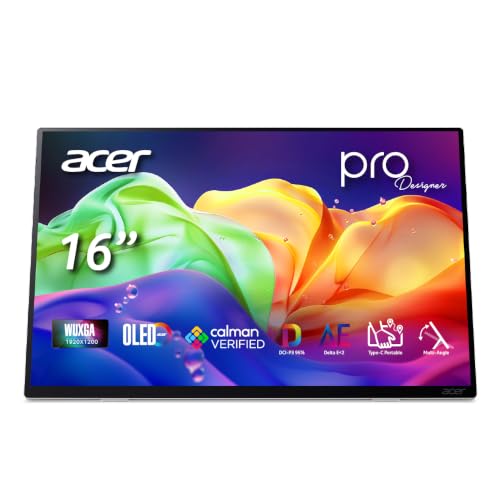
Acer ProDesigner 16-Inch OLED Portable Monitor
Best for: color-accurate mobile video and photo editing
- Panel Type
- OLED (what this guide is about)
- Screen Size
- 16"
- Resolution
- 1920 x 1200
- Refresh Rate
- 60Hz
- Connectivity
- 2 x USB-C, HDMI 1.4, 3.5mm audio
- Color Gamut
- 95% DCI-P3
View on Amazon: Acer ProDesigner 16-Inch OLED Portable Monitor
The Acer ProDesigner 16-Inch OLED Monitor is a 16-inch portable display built for color-accurate work on the go. You get a 1920 x 1200 resolution panel with a 16:10 aspect ratio, 95% DCI-P3 coverage, and a factory calibration of Delta E < 2. It connects through full-size HDMI 1.4 or USB-C and weighs 1.43 pounds. This display suits you if you need verified color accuracy for mobile editing setups.
Pros
- Factory calibrated to Delta E < 2 with Calman verification and test report included
- Full-size HDMI 1.4 port removes need for mini or micro adapters
- 16:10 aspect ratio offers extra vertical screen workspace
- Lightweight build at 1.43 pounds and 0.52 inches thick
Cons
- Standard 60Hz refresh rate
- Built-in speakers provide 1W output per channel
- HDMI connection limited to version 1.4
Good fit if
- You need documented Delta E < 2 color accuracy for photo or video review.
- You want standard full-size HDMI connectivity alongside USB-C inputs.
- You prefer a 16:10 aspect ratio for extra vertical timeline or document space.
Skip if
- You require a high-refresh panel exceeding 60Hz for gaming.
- You want a 4K resolution display instead of 1920 x 1200.
Verdict: Acer ProDesigner 16-Inch OLED Monitor delivers verified color accuracy and full-size HDMI connectivity in a lightweight 1.43-pound chassis. It gives you dependable 16:10 OLED visuals for mobile workstations without requiring display adapters.
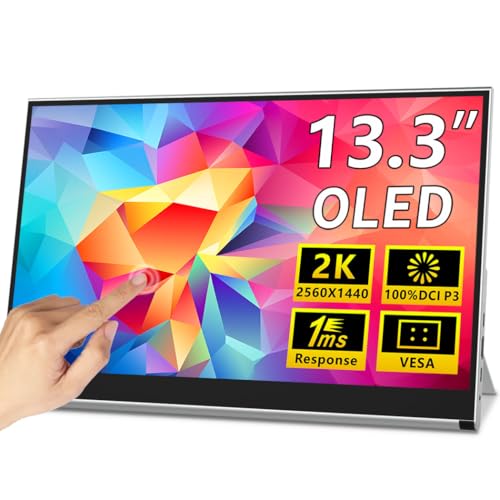
Magedok 13.3-Inch 2K OLED Touch Monitor
Best for: compact 2K OLED touch-enabled mobile setups
- Panel Type
- OLED (what this guide is about)
- Screen Size
- 13.3"
- Resolution
- 2K QHD
- Connectivity
- USB-C, Mini HDMI
- Color Gamut
- 100% DCI-P3
- Weight
- 1.76 lbs
The Magedok 13.3-Inch 2K OLED Touch Monitor pairs a 2K QHD OLED panel with 10-point capacitive touch functionality. It delivers 100% DCI-P3 coverage and 10-bit color depth on a compact 13.3-inch display. Weighing 1.76 pounds, it includes an integrated adjustable kickstand and VESA mount support. Dual full-feature USB-C ports and a Mini-HDMI port make it a practical choice if you need a high-density, touch-capable second screen for travel or desk setups.
Pros
- 2K QHD OLED panel with 100% DCI-P3 and 10-bit color
- 10-point capacitive touchscreen support for Windows and Android
- Built-in adjustable kickstand supporting landscape and portrait
- VESA mount compatibility for monitor arms
- Dual full-feature USB-C ports plus Mini-HDMI
Cons
- Relies on Mini-HDMI rather than full-sized HDMI
- Compact 13.3-inch screen provides less display area than 15-inch or 16-inch options
- Requires USB-C with DisplayPort Alt Mode or external power adapter for Mini-HDMI
Good fit if
- You want a 2K OLED display with integrated 10-point touch capability.
- You need both an integrated kickstand and VESA mounting options for flexible placement.
- You prioritize a compact 13.3-inch footprint weighing 1.76 pounds for travel.
Skip if
- You prefer a larger 15.6-inch or 16-inch viewing area.
- You need a standard full-size HDMI port without adapters or specialized cables.
Verdict: Magedok 13.3-Inch 2K OLED Touch Monitor delivers sharp 2K resolution, 10-bit color, and responsive 10-point touch in a compact frame. Its built-in kickstand and VESA mount provide versatile mounting options for travel or desktop use.
Specifications side by side
| Spec | AOC 16-Inch OLED Portable Monitor | ASUS ZenScreen 16-Inch OLED Portable Monitor | Wixzet 14-Inch OLED Monitor with Battery | ViewSonic 15.6-Inch 4K OLED Portable Monitor | UPERFECT 13.3-Inch 4K OLED Monitor | Upperizon 14" 4K OLED Portable Monitor | UPERFECT 16-Inch 3K 120Hz OLED Monitor | MAFNKOU 13.3-Inch 1080p OLED Touchscreen Monitor | INNOCN 15.6" 4K OLED Battery Touch Monitor | Qunub 14-Inch 4K OLED Touchscreen Monitor | JUNEBOX 16" 2K 120Hz OLED Touchscreen Monitor | Prystivue 16-Inch 120Hz OLED Monitor | Upperizon 15.6" 4K OLED Touchscreen | Acer ProDesigner 16-Inch OLED Portable Monitor | Magedok 13.3-Inch 2K OLED Touch Monitor |
|---|---|---|---|---|---|---|---|---|---|---|---|---|---|---|---|
| Screen Size | 16" | 16" | 14" | 15.6" | 13.3" | 14" | 16" | 13.3" | 15.6" | 14" | 16" | 16" | 15.6" | 16" | 13.3" |
| Resolution | 1920×1200 | 1920x1200 | 1200P | 3840 x 2160 | 3840x2160 | 3840X2400 | 2880x1800 | 1920 × 1080 | 3840*2160P | 3840x2400 | 2048×1280 | 2048×1280 | 3840x2160 | 1920 x 1200 | 2K QHD |
| Refresh Rate | not specified | not specified | not specified | not specified | 60Hz | not specified | 120Hz | not specified | not specified | not specified | 120Hz | 120Hz | 60Hz | 60Hz | not specified |
| Panel Type | OLED | OLED | OLED | OLED | OLED | OLED | OLED | OLED | OLED | OLED | OLED | OLED | OLED | OLED | OLED |
| Connectivity | USB-C, Mini HDMI | USB-C, Mini HDMI | Type-C, Mini-HDMI | not specified | USB-C, HDMI | USB-C, HDMI | HDMI, Type-C | not specified | USB Type-C, Mini HDMI | USB-C, HDMI | USB-C, mini HDMI | Dual USB-C, Mini HDMI | USB-C, Mini-HDMI | 2 x USB-C, HDMI 1.4, 3.5mm audio | USB-C, Mini HDMI |
| Color Gamut | 95% DCI-P3 | 95% DCI-P3 | not specified | not specified | 109% DCI-P3 | 100% DCI-P3, 111% NTSC | 100% DCI-P3 | 100% DCI-P3 | 100% DCI-P3 | 100% DCI-P3 | not specified | 100% DCI-P3 | 100% DCI-P3 | 95% DCI-P3 | 100% DCI-P3 |
| Aspect Ratio | 16:10 | 16:10 | 16:10 | not specified | not specified | not specified | not specified | not specified | not specified | not specified | not specified | 8:5 | not specified | 16:10 | not specified |
| Weight | 1.12 lb | 1.5 lbs | 1.85 lbs | 1.5 lbs | 1 pound | 1.33 lb | 1.6 lbs | not specified | 2 lbs | 1.3 lbs | 1.5 lb | 1.76 pounds | 1.9 pounds | 1.43 lbs | 1.76 lbs |
| Features | not specified | not specified | Built-in Battery | not specified | not specified | Built-in Speakers, VESA Mountable, Kickstand | not specified | HDR, Touchscreen | Touchscreen, Built-in Battery | not specified | Built-in Speakers, Touchscreen | Built-in Speakers, Kickstand | HDR, Kickstand, Touchscreen | not specified | not specified |
| Use | not specified | not specified | not specified | not specified | not specified | Travel | Gaming | not specified | not specified | not specified | not specified | not specified | Travel | not specified | not specified |
| Size | 16 inch OLED | 16 Inch | 14.1" Dual Oled Monitor | 15.6-Inch OLED | 13.3" | 14 Inch | 16 | not specified | 15.6'' | not specified | not specified | not specified | 15.6 Inches | not specified | 13.3" |
| Dimensions | 0.51 × 9.27 × 13.9 inches | 0.4 × 14.1 × 9.2 inches | 8.15 × 14.2 × 1.4 inches | 0.6 × 13.9 × 8.78 inches | 0.39 × 13.8 × 9.84 inches | 0.39 × 7.87 × 15.7 inches | 0.28 × 13.9 × 9.57 inches | 12.2 × 0.31 × 7.48 inches | 0.6 × 14.2 × 9.4 inches | 0.5 × 12.3 × 8.2 inches | 0.4 × 13.8 × 8.8 inches | 13.8 × 9.37 × 0.39 inches | 0.2 × 14 × 8.8 inches | 0.52 × 14 × 8.28 inches | 0.39 × 12.6 × 7.87 inches |
| Color | Black | BLACK | Mirror Silver | Black | Black | Black | not specified | Carbon Black | Black | Matt Black 14 | dark | Black | Silver Gray | Silver | black |
| Model | 16T40D | MQ16FC | S14 | VX1655-4K-OLED | M133J03 | Y14UHO | 156P | GY3269 | E15K1U-C4 | BU14TO | Mon-215-fhd | CX160-C | P156UHT-R | PE160W smiuux | PI-X12 |
Is an OLED portable monitor worth it?
An OLED panel changes visual clarity by offering deep contrast, HDR support, and wide color gamuts. Published specs across these monitors show full DCI-P3 color coverage, up to 109% on select panels, and 10-bit color depth. Some displays also list up to 500 nits of brightness. For daily use, this means your images, video edits, and media show accurate colors and distinct dark tones. You get precise color fidelity and sharp detail across lightweight mobile screens.
Worth it if
- You need wide color coverage, such as full or 109% DCI-P3 and 10-bit depth, for photo or video editing.
- You view HDR content and require deep contrast with brightness reaching up to 500 nits.
Skip it if
- You primarily review standard text documents, spreadsheets, or basic web pages.
- You do not require HDR capabilities or wide color gamut accuracy for your workload.
If you require more screen width at a fixed desk, review specifications for the best OLED ultrawide monitors to see how aspect ratios compare.
How We Picked These Monitors
To select displays for this guide, we identified portable monitors with an OLED panel specified in their product title or feature list. Products are not physically handled. Instead, you see details drawn directly from published technical specifications and manufacturer listing data. Only one size or variant from each product family is included to keep comparisons straightforward.
The 15 featured monitors are ordered with products in stock first, then by Amazon sales rank, placing better-selling products first. Stock status updates at least daily on the page. This spec-focused arrangement helps you compare verified hardware details like resolution, refresh rate, dimensions, and connectivity to find the right display for your setup.
How to Choose an OLED Portable Monitor
-
Evaluate Internal Battery Needs
Check whether the display includes an internal battery or draws power directly from your host device. Monitors with integrated batteries run independently, preventing rapid battery drain on your laptop during mobile sessions. However, internal batteries increase carrying weight significantly. If you work near wall outlets or carry external power banks, a battery-free display keeps your gear lighter. If you frequently work untethered in transit, choose a self-powered option like the Wixzet 14-Inch OLED Monitor to keep your laptop running longer without searching for a power outlet.
-
Check Available Video Ports
Review the exact port selection on the monitor chassis before buying. Most portable OLED screens feature USB-C for single-cable video and power delivery, but some also provide dedicated HDMI connectivity. If your laptop, game console, or camera uses standard HDMI outputs, choosing a monitor with a full-size port eliminates the need for separate adapters or specialized dongles. For workstations requiring standard cable connections, the Acer ProDesigner 16-Inch OLED Portable Monitor provides full-size HDMI alongside modern USB-C ports to simplify your everyday desk setup.
-
Assess Touch and Stylus Support
Determine whether your daily workflow benefits from direct on-screen interaction. Touchscreens enable multitouch gestures, direct navigation, and quick document signing without carrying a separate mouse. Certain models also support active pens for sketching, annotating, or precise photo retouching. If you only need a secondary screen for viewing code, documents, or video playback, a standard non-touch panel avoids unnecessary software configuration. If digital markup is essential to your routine, look for dedicated pen support on models such as the Qunub 14-Inch 4K OLED Touchscreen Monitor.
-
Examine Mounting and Stand Options
Inspect how the monitor supports itself on a flat surface or desk mount. An integrated fold-out kickstand provides rapid deployment on coffee shop tables without needing folding folio cases that slip under pressure. If you plan to attach the screen to an articulated monitor arm or a dual-display stand, ensure the housing includes dedicated VESA mounting holes. The Upperizon 14" 4K OLED Portable Monitor includes both an integrated kickstand and VESA provisions, offering maximum physical adaptability whether you work on a portable stand or a fixed desk.
-
Verify USB-C Power Pass-Through
Examine the power delivery specifications if you prefer a single-charger desk arrangement. Monitors with two-way USB-C power pass-through can accept power from a wall adapter and route electricity straight to your connected laptop. This feature frees up laptop ports and cuts down on the cords you pack in your gear bag. Look closely at the supported wattage to confirm it matches your computer requirements. For instance, the ViewSonic 15.6-Inch 4K OLED Portable Monitor supports 60W two-way power delivery, supplying sufficient charging current for many common travel laptops.
-
Compare Travel Weight and Thickness
Check the physical weight and thickness specifications if you travel frequently with a laptop bag. Portable OLED monitors vary from ultralight one-pound models to heavier displays exceeding six pounds. Thinner profiles under half an inch slip smoothly into standard backpack sleeves alongside your laptop. If minimizing daily pack weight is your primary concern, select a minimalist chassis with a smaller footprint. The UPERFECT 13.3-Inch 4K OLED Monitor weighs just one pound and measures 0.39 inches thick, making it ideal for mobile bags where pack weight matters.
Frequently asked questions
Can you connect an OLED portable monitor with a single USB-C cable?
Yes, you can use a single cable if your laptop USB-C port supports DisplayPort Alternate Mode and supplies enough power. For example, the ASUS ZenScreen MQ16FC provides USB-C connectivity with power pass-through. If your laptop port does not supply adequate wattage or output video, you must attach an external power supply or use a secondary connection like HDMI to operate the display.
Which OLED portable monitors offer touchscreen support?
Several models on this list incorporate touch functionality for direct interaction. You can find touchscreens on the MAFNKOU 13.3-Inch, INNOCN 15.6-Inch, Upperizon 15.6-Inch, JUNEBOX 16-Inch, and Magedok 13.3-Inch. Furthermore, the Qunub 14-Inch includes touch alongside stylus input. Touch functionality operates over USB-C connections and is primarily designed for compatible Windows and Android devices based on manufacturer specifications.
Are OLED portable monitors suitable for mounting on monitor arms?
Yes, certain models feature dedicated mounting holes for standard monitor arms. The Upperizon 14-inch and Magedok 13.3-inch models both list VESA mount compatibility, letting you attach them directly to articulated stands or travel desk arms. Other models, like the ViewSonic VX1655-4K-OLED or Prystivue 16-Inch, rely instead on integrated kickstands for surface support and do not include native VESA mounting hardware.
How heavy is a typical OLED portable monitor for travel?
Most standalone OLED portable monitors weigh between 1.0 and 1.9 pounds. For ultralight packing, the UPERFECT 13.3-Inch weighs 1 pound, the Qunub 14-Inch weighs 1.3 pounds, and the Acer ProDesigner weighs 1.43 pounds. However, units featuring integrated battery modules and larger structures weigh substantially more. For instance, the battery-equipped INNOCN 15.6-Inch registers a listed travel weight of 6.37 pounds.
Can you use an OLED portable monitor for console or PC gaming?
Yes, OLED displays work with gaming systems using compatible HDMI or USB-C ports. For fast-paced games, models like the UPERFECT 16-Inch, JUNEBOX 16-Inch, and Prystivue 16-Inch support 120Hz refresh rates for fluid motion rendering. Displays such as the Upperizon 14-inch and JUNEBOX 16-Inch also include built-in speakers, enabling self-contained sound output when playing on portable consoles or laptops without external audio gear.
Do OLED portable monitors require an HDMI port to work with laptops?
No, an HDMI port is not required if your device supports video over USB-C. Many units, like the ASUS ZenScreen MQ16FC, rely on USB-C connectivity. However, models such as the Upperizon 14-Inch, INNOCN 15.6-Inch, and Acer ProDesigner include HDMI ports. The Acer model specifically provides full-size HDMI, allowing you to connect standard video cables without needing mini HDMI adapters or specialized dongles.
What screen sizes are available for OLED portable monitors?
OLED portable displays span three common size brackets from 13.3 to 16 inches. Ultra-portable choices include 13.3-inch panels from UPERFECT and MAFNKOU, as well as 14-inch screens from Wixzet and Upperizon. If you prefer larger displays for dual-window productivity, 15.6-inch options from ViewSonic and INNOCN or 16-inch models from AOC, ASUS, UPERFECT, and Acer offer wider screen dimensions.