Best Plugable 4K UHD Docking Stations: 13 Spec-Based Picks
As an Amazon Associate we earn from qualifying purchases. Links on this page are affiliate links.
Finding the best plugable 4K UHD docking stations requires matching your laptop’s ports to your display needs. We compared 13 models based strictly on the specifications published on the listings. The Plugable Thunderbolt 4 Dual HDMI Dock leads because it offers 100W power delivery and driverless dual 4K support. This guide helps you decide which dock fits your workflow by comparing resolution, connectivity, and power specs.
Quick picks
The best fit for you
- You need driverless dual 4K for a MacBook Plugable Thunderbolt 4 Dual HDMI Dock It offers driverless dual 4K support and 100W charging for modern MacBooks.
- You want the most compact model on the list Plugable Thunderbolt 5 Dual HDMI Dock It weighs just 8.92 ounces while supporting 4K 144Hz video output.
- You need five simultaneous 4K displays Plugable 5-Monitor USB-C Docking Station It supports five 4K screens and provides 140W charging for heavy setups.
Our 13 picks
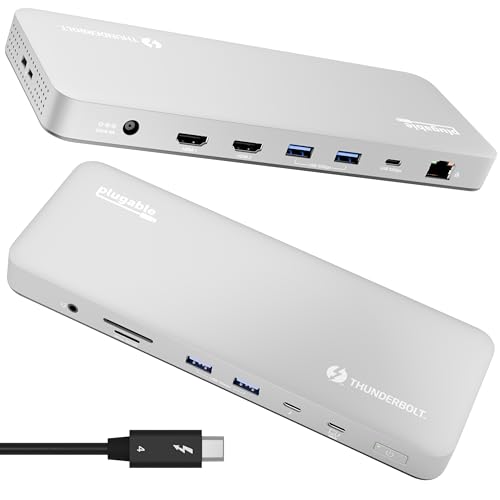
Plugable Thunderbolt 4 Dual HDMI Dock
Best for: MacBook users needing driverless dual 4K and 100W charging
- Resolution
- 4K UHD (what this guide is about)
- Host Interface
- Thunderbolt 4, USB4
- Display Support
- Dual
- Max Resolution
- Single 6K, Dual 4K 60Hz
- Power Delivery
- 100W
- Port Count
- 13
View on Amazon: Plugable Thunderbolt 4 Dual HDMI Dock Affiliate link
This 13-in-1 Thunderbolt 4 dock targets M4 and M5 MacBooks with driverless dual 4K 60Hz HDMI support. It delivers 100W charging and 40Gbps data speeds through its aluminum chassis. The unit includes SD, Ethernet, and USB ports for a streamlined workspace. It suits video editors and developers who need reliable Mac compatibility without software installation.
Pros
- Driverless dual 4K 60Hz HDMI output for Mac systems
- 100W Power Delivery keeps your laptop charged all day
- 13 ports including SD/microSD, Ethernet, and USB-A
- Thunderbolt 4 interface provides 40Gbps data transfer speeds
Cons
- Heavier at 2.87 pounds compared to lighter hubs on the list
- Supports only dual monitors, while other options offer triple or quad displays
- Base M1 and M2 MacBooks are limited to single external display output
Good fit if
- You use an M4 or M5 MacBook Air or Pro
- You need driverless setup for professional video or design work
- You want 100W charging and Ethernet in one compact unit
Skip if
- You require triple or quad monitor setups for extensive multitasking
- You are using a base M1 or M2 MacBook and need dual screens
- You prefer a lightweight USB-C hub over a heavy Thunderbolt dock
Verdict: Plugable TBT-UDM Thunderbolt 4 Mac Dock delivers robust 100W charging and driverless dual 4K support for modern MacBooks. It fits users who prioritize stability and port density over maximum screen count.

Plugable Dual 4K USB-C Docking Station
Best for: Mac users needing dual 4K displays
- Resolution
- 4K UHD (what this guide is about)
- Host Interface
- Thunderbolt, USB4, USB-C
- Display Support
- Dual
- Max Resolution
- 4K@60Hz
- Power Delivery
- 100W
- Port Count
- 14
View on Amazon: Plugable Dual 4K USB-C Docking Station Affiliate link
This Plugable dock uses DisplayLink technology to enable dual 4K 60Hz displays on Macs that natively support only one external screen. It features a 14-in-1 port count including HDMI and DisplayPort outputs, 100W power delivery, and an aluminum housing. It suits users needing expanded video connectivity on macOS, Windows, or ChromeOS systems via USB-C.
Pros
- Enables dual 4K 60Hz displays on M1-M5 Macs
- 14-in-1 port configuration with HDMI and DisplayPort
- 100W power delivery for laptop charging
- Premium aluminum housing with space gray finish
Cons
- Requires driver installation for full functionality
- Does not support HDCP
- Heavier and bulkier than standard USB-C hubs
Good fit if
- You need dual 4K monitors on a Mac
- You require multiple USB and card reader ports
- You want a durable aluminum build
Skip if
- You need plug-and-play setup without drivers
- You require HDCP compliance for media
- You prefer a lightweight, compact hub
Verdict: Plugable UD-6950PDH Dual 4K USB-C Dock is the right choice for Mac users who need to overcome single-display limits with a robust, feature-rich docking station.

Plugable 13-in-1 Triple 4K USB-C Dock
Best for: Users needing three 4K screens
- Resolution
- 4K UHD (what this guide is about)
- Host Interface
- USB-C
- Display Support
- Triple
- Max Resolution
- 4K @ 60Hz
- Power Delivery
- 100W
- Port Count
- 13
View on Amazon: Plugable 13-in-1 Triple 4K USB-C Dock Affiliate link
This docking station connects three 4K monitors at 60Hz through a single USB-C link. It features 13 ports, including HDMI and DisplayPort outputs, allowing you to mix display types without extra adapters. The rear port delivers 100W of power to your laptop, while the front port handles accessory charging. It supports Windows, macOS, and ChromeOS, making it a solid choice for users needing extensive screen real estate in a compact footprint.
Pros
- Supports three 4K displays at 60Hz simultaneously
- 100W Power Delivery charges your laptop
- 13 ports including Ethernet and SD card slots
- Mix HDMI and DisplayPort connections freely
Cons
- Requires DisplayLink drivers on macOS systems
- Does not support HDCP for protected streaming
- Heavier build at 1.07 pounds
Good fit if
- You need three monitors for coding or finance
- You want a single cable for all connections
- You use Windows or ChromeOS primarily
Skip if
- You need to play protected streaming content
- You want a driverless setup on macOS
- You only need one or two displays
Verdict: Plugable 13-in-1 USB-C 4K Triple Dock is the right tool for professionals who need three screens and a full suite of ports from one connection. It fits users who prioritize screen count over protected media playback.

Plugable Dual 4K HDMI USB-C Docking Station
Best for: Windows and ChromeOS dual 4K setups
- Resolution
- 4K UHD (what this guide is about)
- Host Interface
- USB-C, USB4, Thunderbolt
- Display Support
- Dual
- Max Resolution
- 4K@60Hz
- Power Delivery
- 65W
- Port Count
- 10
View on Amazon: Plugable Dual 4K HDMI USB-C Docking Station Affiliate link
This Plugable dock supports dual 4K displays at 60Hz via HDMI, provided your host system handles DP Alt Mode and MST. It connects through a single USB-C port, offering ten ports total including Gigabit Ethernet and multiple USB-A slots. The unit weighs 8.1 ounces and measures 9.25 inches long. It is designed for Windows and ChromeOS, avoiding macOS for dual extended displays. You get a straightforward, driverless setup for a clean desk.
Pros
- Dual HDMI ports support 4K resolution at 60Hz refresh rates
- Includes Gigabit Ethernet for wired network connectivity
- Ten total ports with USB-C, USB-A 3.0, and USB-A 2.0 options
- Driverless plug-and-play operation on supported Windows and ChromeOS systems
Cons
- Not recommended for macOS users needing dual extended monitors
- Host laptop must support USB-C DisplayPort Alt Mode for video output
- Maximum data speed for USB ports is limited to 5Gbps
Good fit if
- You use Windows 10 or ChromeOS and need two 4K screens
- You want a single cable to connect monitors, keyboard, and Ethernet
- You prefer a driverless setup without installing additional software
Skip if
- You use a Mac and require dual extended external displays
- Your laptop USB-C port does not support DisplayPort Alt Mode
- You need Thunderbolt 4 or Thunderbolt 5 connectivity speeds
Verdict: Plugable Dual 4K USB-C Dock delivers reliable dual 4K video and ten ports for Windows and ChromeOS users who need a simple, driverless connection. It fits those who prioritize wired Ethernet and dual monitors over macOS compatibility or Thunderbolt speeds.

Plugable 16-in-1 Thunderbolt 4 Dock
Best for: Dual 4K setups with Thunderbolt laptops
- Resolution
- 4K UHD (what this guide is about)
- Host Interface
- Thunderbolt 4
- Display Support
- Dual
- Max Resolution
- 4K@60Hz
- Power Delivery
- 100W
- Port Count
- 16
View on Amazon: Plugable 16-in-1 Thunderbolt 4 Dock Affiliate link
This Plugable dock connects two 4K 60Hz displays via HDMI or DisplayPort using a Thunderbolt 4 interface. It delivers 100W of power delivery to charge your laptop while providing 2.5Gbps Ethernet and multiple USB ports. The silver unit weighs 1.42 pounds and measures 11.6 by 5.8 by 4.1 inches. It supports macOS 11+ and Windows 10 or later without requiring additional drivers for Mac users.
Pros
- Supports dual 4K 60Hz monitors
- 100W power delivery for laptops
- 2.5Gbps Ethernet connectivity
- 16 total ports including USB and SD slots
- Driverless setup for macOS devices
Cons
- Heavier and bulkier than standard hubs
- Requires Thunderbolt 4 or USB4 host port
- Limited to dual monitor output
Good fit if
- You need a single cable solution for two 4K screens
- You use a Thunderbolt 4 or USB4 laptop
- You require 2.5Gbps wired internet speeds
Skip if
- You only need a single display connection
- Your laptop lacks a Thunderbolt 4 or USB4 port
- You prefer a lightweight travel hub
Verdict: Plugable 16-in-1 Thunderbolt 4 Dock is a robust workstation hub for users who need dual 4K 60Hz displays and high-speed data transfer. It fits professionals who prioritize connectivity density and stable Ethernet over portability.

Plugable 12-in-1 Triple 4K USB-C Dock
Best for: Triple 4K setups with high USB port needs
- Resolution
- 4K UHD (what this guide is about)
- Host Interface
- USB-C
- Display Support
- Triple
- Max Resolution
- 4K @ 60Hz
- Power Delivery
- 100W
- Port Count
- 12
View on Amazon: Plugable 12-in-1 Triple 4K USB-C Dock Affiliate link
This Plugable 12-in-1 dock supports three 4K displays via HDMI or DisplayPort. It delivers 100W of power delivery to charge your laptop while you work. The unit includes six USB 3.0 ports and Ethernet. It fits USB-C, USB4, and Thunderbolt systems. You get reliable triple-screen output for productivity tasks without needing extra adapters.
Pros
- Supports three 4K 60Hz displays simultaneously
- Provides 100W power delivery for laptops
- Includes six USB 3.0 ports for peripherals
- Features built-in Ethernet connectivity
- Works with Windows, macOS, and ChromeOS
Cons
- Supports only dual 4K output on Thunderbolt 5 systems compared to higher resolutions
- Requires DisplayLink drivers for macOS triple display support
- Weighs 2.4 pounds, which is bulkier than single-monitor hubs
Good fit if
- You need three 4K monitors for trading or design work
- You want a single dock for multiple USB devices
- You use a Windows or ChromeOS laptop
Skip if
- You require native macOS triple display support without drivers
- You need more than three external monitors
- You prefer a compact hub under 2 pounds
Verdict: Plugable Triple 4K USB-C Dock 100W fits professionals who need three screens and high-speed data ports in one unit. It suits Windows users and those who can manage macOS driver installation for heavy multitasking.

Plugable Thunderbolt 5 Dual HDMI Dock
Best for: Thunderbolt 5/4 users needing 4K 144Hz or 8K video
- Resolution
- 4K UHD (what this guide is about)
- Host Interface
- Thunderbolt 5, Thunderbolt 4, USB4
- Display Support
- Dual
- Max Resolution
- 8K@60Hz, 4K@144Hz
- Power Delivery
- 140W
- Port Count
- 16
View on Amazon: Plugable Thunderbolt 5 Dual HDMI Dock Affiliate link
The Plugable Thunderbolt 5 Dock delivers dual 8K 60Hz or 4K 144Hz video output via native HDMI 2.1 ports. It provides 140W power delivery and six USB-C connections, including two front-facing 30W charging ports. This 16-in-1 hub supports Thunderbolt 5, Thunderbolt 4, and USB4 hosts. It suits users needing high refresh rates and extensive connectivity for modern laptops.
Pros
- Dual HDMI 2.1 ports support 8K 60Hz or 4K 144Hz
- 140W power delivery for compatible laptops
- Six USB-C ports including two front 30W charging ports
- Native HDMI 2.1 connections without adapters
Cons
- Requires Thunderbolt 5, 4, or USB4 host systems
- Not compatible with Thunderbolt 3 or USB-C hosts
- Base M1/M2/M3 Macs support only one external display
Good fit if
- You need 4K 144Hz or 8K 60Hz video output
- You use a Thunderbolt 5 or 4 laptop
- You require 140W charging and multiple USB-C connections
Skip if
- You use a Thunderbolt 3 or standard USB-C laptop
- You have a base M1/M2/M3 Mac needing dual displays
- You need compatibility with Windows ARM hosts
Verdict: Plugable Thunderbolt 5 Dock 140W is ideal for users with Thunderbolt 5 or 4 laptops who need 4K 144Hz or 8K 60Hz video. It fits those requiring 140W charging and extensive USB-C connectivity.
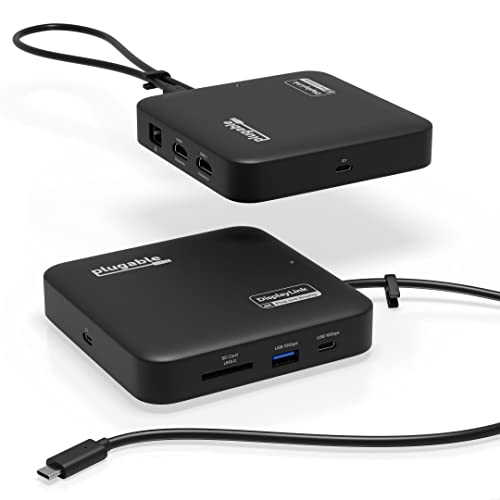
Plugable 7-in-1 Dual 4K HDMI USB-C Dock
Best for: Dual 4K setups on non-native hardware
- Resolution
- 4K UHD (what this guide is about)
- Host Interface
- USB-C
- Display Support
- Dual
- Max Resolution
- 4K@60Hz
- Power Delivery
- 82W
- Port Count
- 7
View on Amazon: Plugable 7-in-1 Dual 4K HDMI USB-C Dock Affiliate link
This dock uses DisplayLink technology to drive two extended 4K 60Hz HDMI displays, even on systems lacking native dual video support. It features a USB-C host interface and offers up to 82W pass-through charging for your laptop. The compact unit includes USB-A ports, Gigabit Ethernet, and an SD slot. It requires a DisplayLink driver for macOS but installs automatically on Windows.
Pros
- Dual 4K 60Hz HDMI outputs via DisplayLink
- Up to 82W pass-through power delivery
- Includes Gigabit Ethernet and SD card slot
- Compact travel-ready design
Cons
- Requires DisplayLink driver installation on macOS
- Pass-through charging capped at 82W
- Supports only dual monitor setups
Good fit if
- You need dual 4K displays on a system without native support
- You want a compact dock with Ethernet and SD access
- You use Windows or are willing to install macOS drivers
Skip if
- You require native triple or quad monitor support
- You need Thunderbolt 4 or 5 connectivity
- You want plug-and-play dual 4K on macOS without drivers
Verdict: Plugable 7-in-1 USB-C DisplayLink Dock is a practical solution for users who need dual 4K 60Hz displays on laptops that do not natively support them, provided you are comfortable installing the required software on macOS.

Plugable 5-Monitor USB-C Docking Station
Best for: Users needing five simultaneous 4K displays
- Resolution
- 4K UHD (what this guide is about)
- Host Interface
- USB-C
- Display Support
- 5
- Max Resolution
- 8K 30Hz
- Power Delivery
- 140W
- Video Ports
- HDMI, USB-C
View on Amazon: Plugable 5-Monitor USB-C Docking Station Affiliate link
The Plugable UD-7400PD supports up to five 4K displays, including three at 8K 30Hz. It delivers 140W of power delivery to your laptop and includes 2.5Gbps Ethernet. This DisplayLink dock requires software installation on Windows or macOS. It suits users who need maximum screen real estate for heavy multitasking or content creation workflows.
Pros
- Supports up to five 4K 60Hz displays simultaneously
- Provides 140W power delivery for host laptops
- Includes 2.5Gbps Ethernet for fast wired networking
- Features DockTag OSD for asset tracking and status
Cons
- Requires DisplayLink software installation for HDMI outputs to function
- Does not support HDCP video for streaming services like Netflix
- Heavier at 2.8 pounds compared to simpler hubs
Good fit if
- You need to drive five monitors from a single computer
- You require 140W charging for high-power laptops
- You work in an IT environment needing asset tracking
Skip if
- You want a driverless plug-and-play experience
- You need to stream HDCP-protected content like Netflix
- You prefer a lighter, more portable dock
Verdict: The Plugable UD-7400PD 5-Monitor Dock is a heavy-duty solution for users who must connect five 4K screens and need 140W charging. It fits professional setups where screen count matters more than portability.

Plugable USB-C 4K HDMI 60W Dock
Best for: Single 4K monitor setups with 60W charging needs
- Resolution
- 4K UHD (what this guide is about)
- Host Interface
- USB-C
- Display Support
- Single
- Max Resolution
- 4K@30Hz
- Power Delivery
- 60W
- Port Count
- 10
View on Amazon: Plugable USB-C 4K HDMI 60W Dock Affiliate link
This 10-in-1 USB-C dock provides a single 4K HDMI output at 30Hz. It delivers 60W of power delivery to charge your laptop while you work. The device supports Gigabit Ethernet and includes multiple USB ports for peripherals. It requires no drivers on supported Windows, macOS, ChromeOS, or Linux systems. This setup is ideal for users who need a clean, single-monitor workspace without complex configuration.
Pros
- Supports 4K resolution at 30Hz via HDMI
- Provides 60W USB-C power delivery
- Includes Gigabit Ethernet port
- Driverless operation on supported operating systems
- Compact vertical or horizontal placement design
Cons
- Maximum refresh rate is limited to 30Hz at 4K resolution
- Supports only one external display
- Not compatible with iOS or iPadOS devices
Good fit if
- You need a simple, driverless setup for a single 4K monitor
- You require 60W charging for your laptop alongside display output
- You want a compact dock with Ethernet and USB ports
Skip if
- You need dual or triple monitor support
- You require 60Hz refresh rates at 4K resolution
- You use iOS or iPadOS devices as your primary host
Verdict: Plugable UD-CA1A 4K USB-C Dock fits users who need a single 4K display with 60W charging and driverless simplicity. It is not suitable for those requiring higher refresh rates or multiple screens.
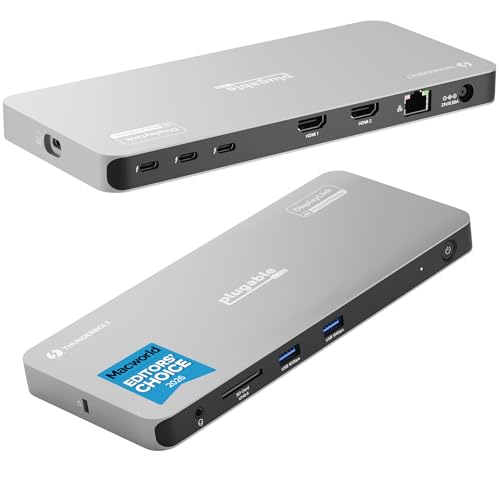
Plugable Thunderbolt 4 Quad Display Dock
Best for: Users needing four 4K monitors and high-speed data
- Resolution
- 4K UHD (what this guide is about)
- Host Interface
- Thunderbolt 4
- Display Support
- Quad
- Max Resolution
- 8K
- Power Delivery
- 96W
- Video Ports
- HDMI, Thunderbolt
View on Amazon: Plugable Thunderbolt 4 Quad Display Dock Affiliate link
This Thunderbolt 4 dock supports four 4K monitors for maximum productivity. It features one host port and three downstream ports, all running at 40Gbps. You get 96W of power delivery for your laptop. Two HDMI outputs use DisplayLink technology, requiring software installation. The dock includes gigabit Ethernet and an SD card slot. It is ideal for users needing extensive screen real estate on compatible Windows, Mac, or ChromeOS systems.
Pros
- Supports up to four 4K displays simultaneously
- Provides 96W power delivery to host devices
- Features four 40Gbps Thunderbolt ports for high-speed data
- Includes gigabit Ethernet and SD card slot
Cons
- HDMI outputs require DisplayLink driver installation
- Base model M1 and M2 Macs support only three displays
- Heavy and bulky build at 2.78 pounds
Good fit if
- You need to connect four monitors to a single computer
- You use a Windows PC or newer Mac with Thunderbolt 4
- You require high-speed data transfer alongside video output
Skip if
- You use a base model M1 or M2 Mac and need four screens
- You want a driverless setup for all connected displays
- You prefer a lightweight and compact docking solution
Verdict: Plugable Quad Monitor Thunderbolt 4 Dock delivers extensive connectivity for power users who need four 4K screens. It fits professionals requiring high-speed data and robust video output on compatible Thunderbolt systems.

Plugable 5-in-1 Thunderbolt 4 Hub
Best for: expanding Thunderbolt 4 connectivity
- Resolution
- 4K UHD (what this guide is about)
- Host Interface
- Thunderbolt 4, USB4
- Display Support
- Dual
- Max Resolution
- 8K
- Power Delivery
- 15W
- Port Count
- 5
View on Amazon: Plugable 5-in-1 Thunderbolt 4 Hub Affiliate link
This Thunderbolt 4 hub offers 40Gbps bandwidth and supports up to two 4K displays at 60Hz. It includes a USB-C to HDMI adapter and provides three additional Thunderbolt 4 ports for expansion. The device is Intel EVO certified and works with Apple M-series and Windows PCs. It weighs 1.92 pounds and measures 8.35 inches long. You get lifetime support and a two-year warranty.
Pros
- Intel Engineered for EVO certification
- Supports up to two 4K monitors at 60Hz
- Includes 10Gbps USB-A port for legacy devices
- Three additional Thunderbolt 4 expansion ports
Cons
- Max resolution limited to 8K single display on compatible systems
- Only includes one HDMI adapter, not dual
- No USB-C PD charging output listed
Good fit if
- You need a compact hub with multiple Thunderbolt 4 expansion ports
- You use Apple M-series Macs or Windows PCs with Thunderbolt 4
- You want Intel EVO certified reliability
Skip if
- You require built-in USB-C power delivery for laptop charging
- You need dual HDMI ports on the hub itself
- You use Thunderbolt 3 Windows systems or MacBook Neo
Verdict: Plugable 5-in-1 Thunderbolt 4 Hub is a certified expansion solution for users who need multiple high-speed ports and dual 4K display support without charging capabilities.

Plugable TBT4-HUB3C Thunderbolt 4 Hub
Best for: Thunderbolt 4 users needing multi-device expansion
- Resolution
- 4K UHD (what this guide is about)
- Host Interface
- Thunderbolt 4, USB4
- Display Support
- Dual
- Max Resolution
- 8K@30Hz
- Power Delivery
- 60W
- Max Data Speed
- 40Gbps
View on Amazon: Plugable TBT4-HUB3C Thunderbolt 4 Hub Affiliate link
This Thunderbolt 4 hub adds three downstream ports to your laptop. It supports dual 4K displays at 60Hz or a single 8K screen at 30Hz. The unit delivers 60W of power delivery to charge your computer. You need a Thunderbolt 4 or USB4 host system for full performance. It fits users who want expandable storage and daisy-chaining capabilities.
Pros
- Three downstream Thunderbolt 4 ports for peripheral expansion
- Supports dual 4K@60Hz or single 8K@30Hz displays
- 60W power delivery for laptop charging
- Daisy-chain up to six additional Thunderbolt devices
- Intel Goshen Ridge chipset for certified reliability
Cons
- 60W power delivery is lower than the 100W or 140W options on this list
- Heavier at 2.2 pounds compared to lighter hubs
- Requires an external power adapter for operation
Good fit if
- You need to connect multiple Thunderbolt peripherals via daisy-chaining
- You want to drive dual 4K monitors at 60Hz
- You use a Thunderbolt 4 or USB4 host system
Skip if
- You require more than 60W of power delivery for your laptop
- Your computer only has USB-C ports without Thunderbolt support
- You prefer a lighter, more portable form factor
Verdict: Plugable TBT4-HUB3C Thunderbolt 4 Hub suits creators who need to expand their setup with multiple high-speed devices and dual 4K displays. It is a solid choice for Thunderbolt 4 users who do not need high-wattage charging.
Specifications side by side
| Spec | Plugable Thunderbolt 4 Dual HDMI Dock | Plugable Dual 4K USB-C Docking Station | Plugable 13-in-1 Triple 4K USB-C Dock | Plugable Dual 4K HDMI USB-C Docking Station | Plugable 16-in-1 Thunderbolt 4 Dock | Plugable 12-in-1 Triple 4K USB-C Dock | Plugable Thunderbolt 5 Dual HDMI Dock | Plugable 7-in-1 Dual 4K HDMI USB-C Dock | Plugable 5-Monitor USB-C Docking Station | Plugable USB-C 4K HDMI 60W Dock | Plugable Thunderbolt 4 Quad Display Dock | Plugable 5-in-1 Thunderbolt 4 Hub | Plugable TBT4-HUB3C Thunderbolt 4 Hub |
|---|---|---|---|---|---|---|---|---|---|---|---|---|---|
| Host Interface | Thunderbolt 4, USB4 | Thunderbolt, USB4, USB-C | USB-C | USB-C, USB4, Thunderbolt | Thunderbolt 4 | USB-C | Thunderbolt 5, Thunderbolt 4, USB4 | USB-C | USB-C | USB-C | Thunderbolt 4 | Thunderbolt 4, USB4 | Thunderbolt 4, USB4 |
| Display Support | Dual | Dual | Triple | Dual | Dual | Triple | Dual | Dual | 5 | Single | Quad | Dual | Dual |
| Max Resolution | Single 6K, Dual 4K 60Hz | 4K@60Hz | 4K @ 60Hz | 4K@60Hz | 4K@60Hz | 4K @ 60Hz | 8K@60Hz, 4K@144Hz | 4K@60Hz | 8K 30Hz | 4K@30Hz | 8K | 8K | 8K@30Hz |
| Power Delivery | 100W | 100W | 100W | 65W | 100W | 100W | 140W | 82W | 140W | 60W | 96W | 15W | 60W |
| Port Count | 13 | 14 | 13 | 10 | 16 | 12 | 16 | 7 | not stated | 10 | not stated | 5 | not stated |
| Video Ports | HDMI | HDMI, DisplayPort | HDMI, DisplayPort | HDMI | HDMI, DisplayPort | HDMI, DisplayPort | HDMI | HDMI | HDMI, USB-C | HDMI | HDMI, Thunderbolt | Thunderbolt 4, HDMI | not stated |
| Max Data Speed | 40Gbps | not stated | 10Gbps | 5Gbps | 40Gbps | not stated | not stated | 10Gbps | not stated | not stated | 40Gbps | 40Gbps | 40Gbps |
| Ethernet Speed | not stated | not stated | not stated | Gigabit Ethernet | 2.5Gbps | Ethernet | 2.5Gbps | 1Gbps | 2.5Gbps | 1Gbps | Gigabit | not stated | not stated |
| Resolution | 4K UHD | 4K UHD | 4K UHD | 4K UHD | 4K UHD | 4K UHD | 4K UHD | 4K UHD | 4K UHD | 4K UHD | 4K UHD | 4K UHD | 4K UHD |
| Connectivity | HDMI, Ethernet, Thunderbolt 4 | USB-C, HDMI, DisplayPort | USB-C, HDMI, DisplayPort | USB-C, HDMI, Ethernet, USB-A | HDMI, DisplayPort, Ethernet, Thunderbolt 4 | USB-C, HDMI, DisplayPort, Ethernet | HDMI | USB-C, HDMI, Ethernet, USB-A | USB-C, HDMI, Ethernet, Thunderbolt 4 | USB-C, HDMI, Ethernet, Thunderbolt 3 | USB-C, HDMI, Thunderbolt 4 | USB-C, HDMI, Thunderbolt 4 | Thunderbolt 4 |
| Refresh Rate | not stated | 60Hz | not stated | 60Hz | not stated | not stated | 144Hz | 60Hz | not stated | not stated | not stated | not stated | not stated |
| Features | not stated | DisplayLink | not stated | not stated | Card Reader | not stated | not stated | DisplayLink | DisplayLink | not stated | not stated | not stated | not stated |
| Slot Count | 1 Slot | not stated | not stated | not stated | not stated | not stated | not stated | not stated | not stated | not stated | not stated | 1 Slot | 1 Slot |
| Dimensions | 3.35 × 8.86 × 0.91 inches | 9.4 × 3.1 × 1.2 inches | 4.72 × 2.64 × 6.89 inches | 9.25 × 5.71 × 3 inches | 11.9 × 6 × 4.3 inches | 7.87 × 3.39 × 1.26 inches | 1.97 × 2.95 × 5.91 inches | 4.72 × 4.72 × 1.02 inches | 3.74 × 8.27 × 0.67 inches | 3 × 1.1 × 6.7 inches | 8.42 × 3.74 × 0.72 inches | 8.35 × 5.59 × 2.17 inches | 4.7 × 2.9 × 0.7 inches |
| Weight | 2.85 pounds | 11.7 ounces | 1.07 pounds | 8.1 ounces | 1.42 pounds | 2.4 pounds | 8.92 ounces | 8.82 ounces | 2.8 pounds | 8.4 ounces | 2.78 pounds | 1.92 pounds | 2.2 pounds |
| Color | Space Grey | Space Grey | not stated | Black | Silver | Black | Space Gray | Black | Space Grey | Black | not stated | Grey | Black |
| Model | TBT-UDM | UD-6950PDH | UD-ULTC4K | UD-MSTH2 | TBT4-UDZ | UD-6950PDZ | TBT-UDH2 | USBC-6950PDZ | UD-7400PD | UD-CA1A | TBT-6950PD | USB4-HUB3A | TBT4-HUB3C |
| Size | not stated | 1.0" × 8.9" × 3.3" | not stated | Dual Display | 11.6" × 5.8" × 4.1" | 9.1" × 5.8" × 3.4" | not stated | not stated | 1.7 x 21 x 9.5 centimeters | not stated | not stated | not stated | not stated |
If you need higher drive speeds, you can review the best 10Gbps SSD docking stations to compare their transfer rates.
Choose specs for your screen needs
-
Check display count limits
Decide how many monitors you actually need. Most docks support one or two screens. The Plugable 13-in-1 Triple 4K USB-C Dock supports three 4K displays. It fits professionals who need more screen real estate. If you only need two screens, a dual monitor dock is often smaller and simpler. The Plugable Dual 4K HDMI USB-C Dock offers dual 4K support. It is a good choice for standard Windows setups. Match the number of outputs to your desk space.
-
Match the port type
Your laptop port determines which dock you can use. Thunderbolt 4 and 5 docks offer higher bandwidth. The Plugable 16-in-1 Thunderbolt 4 Dock requires a Thunderbolt port. It provides 100W power delivery and robust connectivity. Standard USB-C docks like the Plugable Dual 4K HDMI USB-C Dock work with any USB-C port. They are simpler but lack Thunderbolt speeds. Check your laptop specifications before buying. Using the wrong port type will result in no video output.
-
Verify refresh rate needs
Standard docks support 60Hz refresh rates. This is sufficient for most office work. If you need smoother motion, look for higher refresh rates. The Plugable Thunderbolt 5 Dual HDMI Dock supports 4K at 144Hz. It is ideal for gaming or fast-paced video editing. Most other models in this list cap at 60Hz. The Plugable Dual 4K USB-C Docking Station supports 60Hz. Choose a higher refresh rate only if your workflow demands it.
-
Assess power delivery needs
Docks provide varying levels of charging power. Higher wattage docks can charge your laptop while connected. The Plugable Thunderbolt 5 Dock offers 140W charging. It suits users with power-hungry laptops. The Plugable 13-in-1 Triple 4K USB-C Dock provides 100W. The Plugable USB-C 4K HDMI 60W Dock offers 60W. If you need to charge a laptop, check the wattage. Some hubs, like the 5-in-1 Thunderbolt 4 Hub, do not charge.
-
Consider macOS compatibility
Some docks require specific drivers or chipsets for Mac. The Plugable 7-in-1 Dual 4K HDMI USB-C Dock uses DisplayLink. It requires software installation on macOS. The Plugable Dual 4K USB-C Docking Station is noted for Mac users. It supports dual 4K displays without extra drivers. If you use a Mac, check if the dock is driverless. This ensures a simpler setup. Avoid DisplayLink docks if you prefer plug-and-play simplicity on Apple hardware.
-
Check physical dimensions
Dock size affects desk space and portability. The Plugable Dual 4K USB-C Docking Station is 8.9 inches long. It is a desktop unit. The Plugable 13-in-1 Triple 4K USB-C Dock is 4.72 inches long. It is more compact. The Plugable Thunderbolt 5 Dual HDMI Dock is only 1.97 inches long. It is very small. Measure your available space. Large docks offer more ports but take up more room. Small docks are easier to move but may have fewer connections.
Frequently asked questions
Which Plugable dock is best for MacBook users?
The Plugable Thunderbolt 4 Dual HDMI Dock is the top choice for MacBook users. It provides driverless dual 4K support, meaning no extra software is needed. It also delivers 100W of power delivery to charge your laptop. This model prioritizes stability and port density for modern MacBooks.
Can I use a Plugable dock with Windows and ChromeOS?
Yes, several models work with Windows and ChromeOS. The Plugable Dual 4K HDMI USB-C Dock is a simple option for these systems. It offers a driverless connection and includes wired Ethernet. You get reliable dual 4K video output without needing complex setup procedures or additional drivers.
Which dock supports the highest number of monitors?
The Plugable 5-Monitor USB-C Docking Station supports five simultaneous 4K displays. It is a heavy-duty solution for professional setups where screen count is critical. You also get 140W charging power. This model uses DisplayLink technology to achieve such high display counts from a single connection.
What is the lightest Plugable 4K dock?
The Plugable Thunderbolt 5 Dual HDMI Dock is the lightest option on the list. It weighs just 8.92 ounces. Despite its small size, it supports 4K 144Hz video or 8K 60Hz output. It is ideal for users who need high refresh rates without carrying a heavy hub.
Do I need to install drivers for these docks?
It depends on the connection type. Thunderbolt docks like the TBT-UDM model are driverless on macOS. However, DisplayLink docks such as the UD-6950PDH require software installation on macOS to function. Windows users typically find these models easier to set up without additional driver management steps.
Which dock is best for high refresh rate gaming?
The Plugable Thunderbolt 5 Dual HDMI Dock supports 4K at 144Hz. This high refresh rate is suitable for gaming or smooth motion content. It also handles 8K 60Hz video. You need a Thunderbolt 5 or 4 laptop to utilize these advanced display capabilities fully.
Can I charge my laptop with these docking stations?
Most models include power delivery features. The Plugable Thunderbolt 4 Dual HDMI Dock offers 100W charging. The Plugable 5-Monitor Dock provides 140W for high-power devices. Some hubs, like the 5-in-1 Thunderbolt 4 Hub, do not include charging capabilities, so check the specs before buying.
Which dock has the most ports?
The Plugable 16-in-1 Thunderbolt 4 Dock offers the highest port density. It is designed for users who need extensive connectivity in one unit. It supports dual 4K 60Hz displays and includes a card reader. This model fits professionals who prioritize connectivity over portability.