The Best Plugable Docking Stations in 2026: 15 Picks
As an Amazon Associate we earn from qualifying purchases. Links on this page are affiliate links.
Finding the best plugable docking stations depends on your display and power requirements. Plugable offers hardware spanning 5-in-1 hubs to 16-in-1 desktop units, with sizes ranging from compact enclosures to large multi-port docks in black, silver, and space gray. Connectivity options include USB-C, HDMI, DisplayPort, and Thunderbolt. The Plugable USB-C Triple HDMI Docking Station takes the top spot because it supports triple HDMI displays and 100W laptop charging.
This guide compares 15 models strictly using the specifications published on their listings to help you choose the right setup.
Quick picks
Our 15 picks

Plugable USB-C Triple HDMI Docking Station
Best for: triple HDMI displays and 100W laptop charging
- Host Interface
- USB-C, USB4, Thunderbolt
- Display Support
- Triple
- Max Resolution
- 4K @ 30Hz
- Power Delivery
- 100W
- Port Count
- 12
- Video Ports
- HDMI
This 12-in-1 USB-C docking station adds three HDMI monitor outputs to your setup alongside six USB 3.0 ports and Gigabit Ethernet. It provides 100W Power Delivery to charge your laptop while driving one 4K display at 30Hz and two 1080p displays at 60Hz. It suits you if you run Windows, ChromeOS, or an Apple Silicon MacBook requiring multi-monitor desktop expansion through DisplayLink technology.
Pros
- Triple HDMI display support with DisplayLink
- 100W USB-C Power Delivery charging
- Six USB 3.0 ports and Gigabit Ethernet
- Bypasses native external display limits on Apple Silicon MacBooks
Cons
- Top HDMI resolution capped at 4K at 30Hz
- Does not support Linux or HDCP
- DisplayLink driver installation required on macOS
Good fit if
- You need three HDMI displays connected to an Apple Silicon MacBook or Windows laptop.
- You require up to 100W Power Delivery to charge your laptop over USB-C.
- You use multiple USB 3.0 peripherals alongside wired Gigabit Ethernet.
Skip if
- You run Linux on your primary machine.
- You need 4K resolution at 60Hz or higher refresh rates.
- You require HDCP support to view copy-protected video streams.
Verdict: Plugable USB-C Triple HDMI Docking Station delivers reliable three-screen expansion and 100W charging for mixed-fleet or Apple Silicon workstations. Its display output tops out at 4K at 30Hz and lacks HDCP support, making it better for productivity than protected media streaming.

Plugable Dual HDMI Universal Docking Station
Best for: Everyday dual-display office productivity setups
- Host Interface
- USB 3.0, USB-C
- Display Support
- Dual
- Max Resolution
- 2560x1440 @ 50Hz
- Video Ports
- HDMI
- Ethernet Speed
- Gigabit Ethernet
- Dimensions
- 6.45 × 3.22 × 4.02 inches
View on Amazon: Plugable Dual HDMI Universal Docking Station
This Plugable docking station connects to your laptop using an included hybrid USB 3.0 and USB-C cable. It delivers dual HDMI video outputs supporting resolutions up to 1920x1200 at 60Hz, alongside Gigabit Ethernet, audio jacks, and six USB ports. It is tailored for productivity and web tasks, making it a reliable choice if you need standard dual monitors for work but already power your laptop separately.
Pros
- Dual HDMI outputs supporting up to 1920x1200 at 60Hz
- Hybrid 2-in-1 cable works with USB 3.0 and USB-C host laptops
- Provides six USB ports, Gigabit Ethernet, and separate audio jacks
- Compatible with Windows, macOS 14 or later, and ChromeOS
Cons
- Does not supply charging power to the host laptop
- Does not support 4K video, DisplayPort, or HDCP protected streaming
- Incompatible with Linux and Unix operating systems
Good fit if
- You need dual HDMI displays up to 1920x1200 for everyday web and office work.
- You use a separate power supply for your laptop and only need peripheral expansion.
- You require multiple legacy USB-A ports for standard accessories and peripherals.
Skip if
- You need your docking station to charge your laptop over the host cable.
- You require 4K displays, gaming support, or HDCP streaming playback.
- You run a computer with a Linux or Unix operating system.
Verdict: Plugable Universal Dual HDMI Docking Station delivers essential dual-monitor display and peripheral expansion for standard office setups. It trades host laptop charging and 4K support for broad compatibility across legacy USB-A and USB-C machines.

Plugable Dual HDMI Universal Docking Station
Best for: dual 1080p office setups without host charging
- Host Interface
- USB-C, USB-A
- Display Support
- Dual
- Max Resolution
- 1920x1200
- Port Count
- 10
- Video Ports
- HDMI
- Max Data Speed
- 5Gbps
View on Amazon: Plugable Dual HDMI Universal Docking Station
This vertical docking station connects two HDMI displays up to 1920x1200 resolution to your laptop via USB-C or USB-A. It provides ten ports, including Gigabit Ethernet, two 5Gbps USB ports, four USB 2.0 ports, and audio. It expands dual displays across Windows, ChromeOS, and base Apple silicon MacBooks, making it suitable for mixed-device office workstations that do not require laptop charging or copy-protected video streaming.
Pros
- Supports dual external displays up to 1920x1200 on M1 through M5 MacBooks
- Includes both USB-C and USB-A host cables
- Ten total ports including Gigabit Ethernet and 5Gbps USB
- Compact vertical footprint weighing 11.7 ounces
Cons
- Does not charge connected laptops
- Lacks HDCP support for encrypted video playback
- No DisplayPort outputs or resolutions above 1920x1200
Good fit if
- You need dual HDMI monitors up to 1080p on a base M-series MacBook
- You switch between USB-C and legacy USB-A laptops
- You require wired Gigabit Ethernet and multiple USB peripheral ports
Skip if
- You need the dock to charge your laptop
- You require 4K displays or DisplayPort connections
- You stream copy-protected video from services like Netflix or Hulu
Verdict: Plugable Dual HDMI Universal Docking Station adds dual 1080p display support and ten connectivity ports to mixed-OS workstations. It handles business productivity workflows cleanly, provided your setup does not require host laptop charging or HDCP playback.

Plugable 13-in-1 Triple HDMI Dock
Best for: triple-display office setups on M-series MacBooks
- Host Interface
- USB-C
- Display Support
- Triple
- Max Resolution
- 4K @ 30Hz
- Power Delivery
- 100W
- Port Count
- 13
- Video Ports
- HDMI
This 13-in-1 USB-C docking station expands your laptop to three external HDMI displays using DisplayLink technology. It supplies up to 100W Power Delivery to your laptop and 20W charging through a front USB-C port. You also get Gigabit Ethernet, an SD card reader, and four 5Gbps USB-A ports. It suits you if you run multi-monitor office setups on Windows, ChromeOS, or Apple silicon Mac laptops.
Pros
- Supplies 100W host laptop charging plus 20W front USB-C device charging
- Expands single USB-C connection to three HDMI displays
- Includes Gigabit Ethernet, an SD card reader, and four 5Gbps USB-A ports
- Enables multiple external displays on base M1 through M5 MacBooks
Cons
- HDMI 1 tops out at 4K 30Hz, while HDMI 2 and 3 max out at 1920x1200
- Does not support HDCP playback for protected streaming media
- Requires DisplayLink Manager driver installation on macOS
Good fit if
- You want to run three HDMI displays from a single USB-C laptop port.
- You need 100W charging for your laptop alongside a dedicated 20W accessory port.
- You use an Apple silicon MacBook that requires DisplayLink for multiple monitors.
Skip if
- You need 4K resolution at 60Hz or higher refresh rates.
- You stream copy-protected HDCP video from platforms like Netflix.
- You work on a managed computer that restricts third-party driver installations.
Verdict: Plugable USB-C Triple HDMI Dock delivers three display outputs and 100W power delivery through a single connection. It serves productivity setups well if you do not require high refresh rates or HDCP video playback.

Plugable Dual 4K USB-C Docking Station
Best for: dual 4K displays on M-series MacBooks
- Host Interface
- USB-C
- Display Support
- Dual
- Max Resolution
- 4K@60Hz
- Power Delivery
- 100W
- Port Count
- 14
- Video Ports
- HDMI, DisplayPort
This 14-in-1 USB-C docking station provides dual 4K display output at 60Hz through HDMI or DisplayPort connections. It delivers 100W power delivery to keep your laptop charged and includes Ethernet, audio, SD card slots, and USB 3.0 ports. Because it uses DisplayLink technology, you can run two external screens even on base Apple silicon Mac laptops. It suits you if you need a comprehensive dual-monitor workstation setup.
Pros
- Dual 4K displays at 60Hz via HDMI or DisplayPort
- 100W USB-C power delivery to the host laptop
- 14-in-1 layout with SD card reader, Ethernet, and audio
- Enables dual external displays on M1 through M5 Mac systems
Cons
- Does not support HDCP
- Requires DisplayLink driver installation for full functionality
Good fit if
- You need dual 4K monitors on a Mac laptop with native single-display limits.
- You want 100W laptop charging alongside built-in SD card readers and Ethernet.
Skip if
- You need HDCP support for playing protected media content.
- You cannot install third-party DisplayLink drivers on your work computer.
Verdict: Plugable 14-in-1 Dual 4K USB-C Dock overcomes multi-monitor restrictions on Apple silicon laptops while supplying 100W charging and legacy peripheral expansion. It offers a practical dual-screen workstation solution across compatible macOS, Windows, and ChromeOS hardware.

Plugable Thunderbolt 4 Dual HDMI Dock
Best for: Apple silicon Mac dual-monitor workflows
- Host Interface
- Thunderbolt 4
- Display Support
- Dual
- Max Resolution
- 4K@60Hz
- Power Delivery
- 100W
- Port Count
- 13
- Video Ports
- HDMI
This Plugable 13-in-1 dock connects via Thunderbolt 4 to supply 100W host charging and 40Gbps data bandwidth. You get dual 4K 60Hz HDMI video outputs without installing extra drivers. The dock also includes a downstream 40Gbps Thunderbolt 4 port, Ethernet, audio, and UHS-II card slots. It suits you if you run a compatible MacBook or Windows PC and need dual ultra-high-definition displays alongside high-speed peripheral expansion on your desk.
Pros
- Dual 4K displays at 60Hz over HDMI without driver installation
- 100W Power Delivery to charge your connected host laptop
- Downstream 40Gbps Thunderbolt 4 port for daisy-chaining or fast accessories
- Built-in SD and microSD UHS-II card readers
Cons
- Base M1 and M2 MacBooks support only a single external monitor
- Base M3 MacBooks require clamshell mode for dual display output
- Dedicated display ports are limited to HDMI without native DisplayPort
Good fit if
- You use an M4, M5, or Pro/Max Apple silicon Mac and want dual 4K 60Hz HDMI screens.
- You need 100W laptop charging and a spare 40Gbps Thunderbolt 4 port on your desk.
- You transfer media frequently using SD or microSD UHS-II memory cards.
Skip if
- You own a base M1 or M2 Mac and require dual external displays.
- You require native DisplayPort outputs instead of HDMI.
Verdict: Plugable Thunderbolt 4 Dual 4K HDMI Dock delivers driverless dual 4K video, 100W charging, and 40Gbps bandwidth for compatible Mac and Windows laptops. It provides dependable multi-port expansion if your setup relies on HDMI monitors.

Plugable 13-in-1 Triple 4K USB-C Dock
Best for: triple 4K monitor productivity setups
- Host Interface
- USB-C
- Display Support
- Triple
- Max Resolution
- 4K @ 60Hz
- Power Delivery
- 100W
- Port Count
- 13
- Video Ports
- HDMI, DisplayPort
This 13-in-1 USB-C docking station expands your laptop into a full workstation supporting up to three 4K monitors at 60Hz. It features three HDMI and three DisplayPort outputs, letting you mix and match displays without extra adapters. With 100W Power Delivery for your laptop and a dedicated 20W front USB-C charging port for peripherals, it suits developers, financial analysts, and multitasking professionals who need maximum screen real estate.
Pros
- Drives up to three 4K displays at 60Hz via three HDMI and three DisplayPort outputs
- Delivers up to 100W Power Delivery to charge host laptops
- Provides 13 total connection options including Ethernet, audio, and SD card readers
- Features a front 10Gbps USB-C port with up to 20W charging for mobile devices
Cons
- Does not support HDCP, blocking playback of copy-protected streaming media
- Requires DisplayLink driver installation and screen recording permissions on macOS
- Front USB-C port cannot be used as the host connection
Good fit if
- You need to drive up to three external 4K monitors at 60Hz from one laptop.
- You want up to 100W host laptop charging plus a fast 20W front port for accessories.
- You want the flexibility to use either HDMI or DisplayPort cables without extra adapters.
Skip if
- You require HDCP support to stream protected video content on external screens.
- You want a driverless macOS setup without granting screen recording permissions.
Verdict: Plugable 13-in-1 Triple 4K USB-C Dock delivers extensive display flexibility and 100W charging for demanding multi-screen setups. It serves high-productivity workflows well as long as you do not require HDCP video playback.

Plugable Dual 4K DisplayPort and HDMI Dock
Best for: dual 4K productivity without host laptop charging
- Host Interface
- USB-C, USB 3.0
- Display Support
- Dual
- Max Resolution
- 3840x2160 @ 60Hz
- Video Ports
- HDMI, DisplayPort
- Ethernet Speed
- Gigabit
- Connectivity
- USB-C, HDMI, DisplayPort
This dock connects to your laptop via USB-C or USB 3.0 and drives two 4K displays at 60Hz over HDMI or DisplayPort using DisplayLink technology. It provides six USB 3.0 ports, Gigabit Ethernet, and an audio jack for office accessories. It suits you if you need high-resolution dual-screen productivity across Windows, Mac, or ChromeOS machines, provided you already have a separate dedicated power adapter for your laptop.
Pros
- Supports dual 4K displays at 60Hz via DisplayPort or HDMI
- Works with both USB-C and legacy USB 3.0 host ports
- Includes six USB 3.0 ports, Gigabit Ethernet, and an audio jack
Cons
- Does not supply power to charge the host laptop
- Does not support HDCP copy-protected video playback or gaming
- Incompatible with Linux operating systems
Good fit if
- You need dual 4K 60Hz monitor support using DisplayPort or HDMI connections.
- You work across both USB-C and standard USB 3.0 host laptops.
- You focus on office productivity, web browsing, and multi-monitor spreadsheets.
Skip if
- You require a single cable that charges your laptop while docking.
- You plan to stream protected video from services like Netflix or play games.
- You run a Linux-based operating system.
Verdict: Plugable Dual 4K DisplayPort and HDMI Dock provides flexible dual-screen 4K output for mixed USB-C and USB 3.0 office workstations. It offers expansive accessory connectivity, provided you do not need host charging or copy-protected media streaming.

Plugable 16-in-1 Thunderbolt 4 Dock
Best for: dual 4K setups needing high port counts
- Host Interface
- Thunderbolt 4
- Display Support
- Dual
- Max Resolution
- 4K@60Hz
- Power Delivery
- 100W
- Port Count
- 16
- Video Ports
- HDMI, DisplayPort
This 16-in-1 Thunderbolt 4 docking station expands your laptop setup with dual 4K 60Hz display support using HDMI or DisplayPort connections. It provides 100W Power Delivery to keep your laptop charged through a single 40Gbps cable connection. With seven USB ports, 2.5Gbps Ethernet, and SD card readers, it suits you if you need extensive peripheral connectivity and high-speed networking on Windows or macOS systems.
Pros
- Dual 4K displays at 60Hz via HDMI or DisplayPort
- Up to 100W Power Delivery for laptop charging
- Fast 2.5Gbps wired Ethernet port
- 16 total ports including 7 USB ports and SD/microSD slots
Cons
- Limited to two external monitors
- Caps video output resolution at 4K at 60Hz
Good fit if
- You need to drive two 4K 60Hz monitors via HDMI or DisplayPort.
- You want 100W Power Delivery alongside 2.5Gbps wired networking.
- You connect multiple desktop accessories using up to seven USB ports.
Skip if
- You require native support for three external displays.
- You need display refresh rates higher than 60Hz or resolutions above 4K.
Verdict: Plugable 16-in-1 Thunderbolt 4 Dock delivers robust dual 4K display output and 100W laptop charging through a high-bandwidth 40Gbps connection. It gives you comprehensive peripheral expansion with 16 ports and fast 2.5Gbps Ethernet.

Plugable Dual 4K HDMI USB-C Docking Station
Best for: dual 4K HDMI Windows and ChromeOS setups
- Host Interface
- USB-C
- Display Support
- Dual
- Max Resolution
- 4K@60Hz
- Port Count
- 10
- Video Ports
- HDMI
- Max Data Speed
- 5Gbps
The Plugable Dual 4K HDMI USB-C Dock is a 10-in-1 desktop docking station designed for Windows and ChromeOS setups. It provides two HDMI outputs supporting up to dual 4K displays at 60Hz without software drivers via DP Alt Mode and MST. You get four USB ports running up to 5Gbps, Gigabit Ethernet, and an integrated audio jack. It suits you if you need a dual-screen workstation powered by an included 110W adapter.
Pros
- Dual HDMI outputs support up to 4K resolution at 60Hz each
- Driverless plug-and-play setup on DP Alt Mode and MST systems
- Comes with a 110W power adapter and 1-meter host cable
- Features Gigabit Ethernet, four USB ports, and a 3.5mm audio jack
Cons
- macOS systems are limited to one external monitor
- USB data transfer rates max out at 5Gbps
- Requires host support for DisplayPort Alt Mode and MST for video
Good fit if
- You run Windows 10+ or ChromeOS on a laptop supporting DP Alt Mode and MST.
- You want to connect two 4K 60Hz displays via HDMI without display drivers.
- You need standard 5Gbps USB ports, wired Ethernet, and audio out in one unit.
Skip if
- You use macOS and need dual extended displays.
- You need 10Gbps transfer speeds or DisplayPort monitor outputs.
- You use a USB-C port that lacks DisplayPort Alt Mode video capability.
Verdict: Plugable Dual 4K HDMI USB-C Dock delivers dual 4K video and essential workstation ports for compatible Windows and ChromeOS machines without requiring extra drivers. It works well if your computer natively supports DisplayPort Alt Mode and MST.

Plugable 15-in-1 Triple HDMI USB-C Dock
Best for: Windows users wanting triple HDMI display setups
- Host Interface
- USB-C
- Display Support
- Triple
- Max Resolution
- 4K@60Hz
- Power Delivery
- 100W
- Port Count
- 15
- Video Ports
- HDMI
This 15-port USB-C docking station expands your workstation with three HDMI outputs, 100W laptop power delivery, and a 2.5Gbps Ethernet connection. It uses Multi-Stream Transport to drive dual 4K monitors at 60Hz or three displays at 4K and 1080p resolutions. You also get a dedicated 30W charging port for mobile devices. It suits you if you run a Windows or ChromeOS laptop and need high-speed ports with multi-screen productivity.
Pros
- Supports dual 4K at 60Hz or triple monitors across three HDMI ports
- Provides 100W host laptop charging plus a dedicated 30W USB-C charge port
- Includes fast 2.5Gbps Ethernet for low-latency wired networking
- Features six USB data ports, including three 10Gbps connections
- Built-in SD and microSD card slots handle quick media transfers
Cons
- Not recommended for Mac or ARM-based computer systems
- Offers only HDMI video outputs with no DisplayPort connections
- Triple display mode limits two of the monitors to 1080p resolution
Good fit if
- You use a Windows 11 or ChromeOS laptop with USB-C, USB4, or Thunderbolt.
- You want to connect up to three HDMI monitors using a single cable.
- You need 2.5Gbps wired networking and 10Gbps USB data transfer speeds.
Skip if
- You work on a Mac laptop or an ARM-based operating system.
- You need DisplayPort outputs to connect your external displays.
- You require three simultaneous displays running at 4K resolution.
Verdict: Plugable 15-in-1 USB-C Triple HDMI Dock provides extensive connectivity, 100W host power delivery, and triple-screen HDMI support for Windows and ChromeOS laptops. It is a capable, driverless desktop hub if you do not require DisplayPort outputs or macOS support.

Plugable Thunderbolt 5 Dual HDMI Dock
Best for: dual 4K 144Hz displays and high-power laptops
- Host Interface
- Thunderbolt 5, Thunderbolt 4, USB4
- Display Support
- Dual
- Max Resolution
- 8K@60Hz, 4K@144Hz
- Power Delivery
- 140W
- Port Count
- 16
- Video Ports
- HDMI
This 16-in-1 Thunderbolt 5 docking station delivers up to 140W of host charging and connects two displays via native HDMI 2.1 ports. It handles dual displays up to 4K at 144Hz or 8K at 60Hz on compatible Thunderbolt 5 systems. With six USB-C ports, 2.5Gbps Ethernet, and UHS-II card readers, you get high-bandwidth connectivity suited for multi-monitor setups running Windows 11 or macOS 13 and newer.
Pros
- Dual HDMI 2.1 ports support up to 4K at 144Hz or 8K at 60Hz
- Provides up to 140W host laptop charging
- Includes 6 USB-C ports with two front 30W charging connections
- Features 2.5Gbps Ethernet and UHS-II card readers
Cons
- Does not support Thunderbolt 3, standard USB-C, or Windows ARM hosts
- Incompatible with gaming laptops featuring DisplayPort MUX
- Base M1, M2, and M3 MacBooks only support a single external display
Good fit if
- You need 4K 144Hz or 8K 60Hz output on dual HDMI displays.
- You require high host power delivery up to 140W.
- You have a Thunderbolt 5, Thunderbolt 4, or USB4 host system.
Skip if
- You use a Thunderbolt 3, legacy USB-C, or Windows ARM device.
- You use a gaming laptop with a DisplayPort MUX.
- You need native DisplayPort outputs instead of HDMI.
Verdict: Plugable Thunderbolt 5 Dual HDMI Dock provides high-refresh dual 4K video alongside 140W charging for compatible Thunderbolt 4, Thunderbolt 5, and USB4 setups. It gives you fast wired networking and expanded USB-C connectivity without requiring display adapters.

Plugable Dual Display USB 3.0 Universal Dock
Best for: mixed-OS office setups with legacy monitors
- Host Interface
- USB, USB-C
- Display Support
- Dual
- Max Resolution
- 1920x1200 @ 60Hz
- Port Count
- 12
- Video Ports
- HDMI, DVI, VGA
- Dimensions
- 3.25 × 9.5 × 1 inches
View on Amazon: Plugable Dual Display USB 3.0 Universal Dock
This 12-port universal dock connects to your laptop via USB or USB-C and drives two displays at up to 1920x1200 at 60Hz. It features an HDMI output alongside a second port that adapts to HDMI, DVI, or VGA using included adapters. It suits you if you need reliable dual-monitor connectivity for office tasks across mixed operating systems, including Windows, macOS, and ChromeOS, without requiring laptop charging through the dock.
Pros
- Supports dual 1920x1200 displays at 60Hz
- Includes 12 expansion ports
- Adapts second video output to HDMI, DVI, or VGA
- Compatible with USB-A and USB-C host laptops
Cons
- Does not supply power to charge host laptops
- Lacks HDCP support for protected streaming services
- Resolution capped at 1920x1200 with no 4K support
Good fit if
- You run legacy displays requiring VGA or DVI connections alongside HDMI.
- You need dual-monitor support on base Apple Silicon M-series laptops.
- You work primarily with web and standard productivity software.
Skip if
- You need a single-cable setup that also charges your laptop battery.
- You plan to stream copy-protected video from services like Netflix or Hulu.
- You require 4K resolution or gaming-grade video performance.
Verdict: Plugable Universal Dual Display Dock delivers broad legacy and modern display versatility across multiple operating systems. It is a dependable choice for productivity setups where laptop charging is not required.
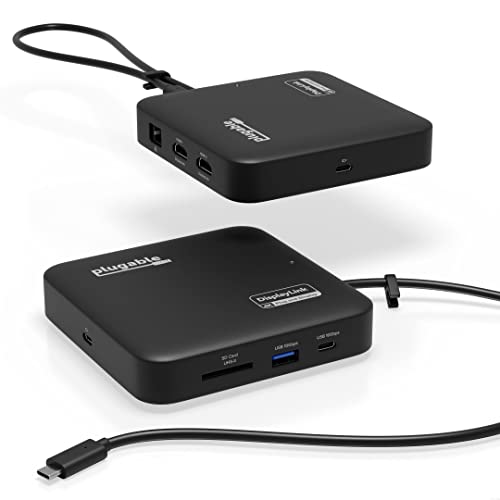
Plugable 7-in-1 Dual 4K HDMI USB-C Dock
Best for: dual 4K displays on restricted laptops
- Host Interface
- USB-C
- Display Support
- Dual
- Max Resolution
- 4K@60Hz
- Power Delivery
- 82W
- Port Count
- 7
- Video Ports
- HDMI
This compact 7-in-1 dock expands your laptop through a single USB-C connection, using DisplayLink technology to power dual 4K displays at 60Hz over HDMI. It supports up to 82W pass-through power delivery when paired with an external USB-C charger, and adds Gigabit Ethernet, SD card access, and USB ports. It suits you if you need multi-monitor support on laptops restricted to a single external display.
Pros
- Drives dual 4K monitors at 60Hz via DisplayLink HDMI
- Passes through up to 82W of USB-C charging power
- Includes Gigabit Ethernet, USB-A, USB-C, and an SD card slot
- Compact 4.72-inch square chassis weighing 8.82 ounces
Cons
- Requires manual DisplayLink driver installation on macOS
- Host charging cable is sold separately
- Offers only one standard USB-A port and one USB-C data port
Good fit if
- You need dual extended 4K displays on a laptop lacking native dual video support.
- You want a travel-friendly dock with Gigabit Ethernet and an SD card reader.
- You plan to power your setup using an existing 45W to 100W USB-C charger.
Skip if
- You need DisplayPort monitor connections instead of HDMI.
- You require multiple legacy USB-A peripheral ports.
- You cannot install DisplayLink software on your work system.
Verdict: Plugable 7-in-1 Dual 4K DisplayLink Dock delivers dual 4K 60Hz outputs and 82W pass-through charging in a travel-ready form factor. It provides an effective workstation expansion for laptops that lack native multi-monitor capabilities.

Plugable 5-in-1 Thunderbolt 4 Hub
Best for: compact Thunderbolt 4 multi-display setups
- Host Interface
- Thunderbolt 4
- Max Resolution
- 8K
- Port Count
- 5
- Max Data Speed
- 40Gbps
- Connectivity
- HDMI, Thunderbolt 4
- Dimensions
- 8.35 × 5.59 × 2.17 inches
This 5-in-1 hub expands a single Thunderbolt 4 or USB4 port into three downstream Thunderbolt 4 ports and one 10Gbps USB-A port. It supports data transfers up to 40Gbps and drives up to two 4K displays at 60Hz or a single 8K monitor. An included USB-C to HDMI adapter handles monitor connections. It suits you if you want high-speed external storage and multi-display output.
Pros
- Three downstream Thunderbolt 4 ports with 40Gbps bandwidth
- Supports dual 4K 60Hz displays or a single 8K display
- Includes a USB-C to HDMI video adapter
- Dedicated 10Gbps USB-A port for legacy accessories
Cons
- Downstream ports provide up to 15W of power
- Not recommended for Thunderbolt 3 Windows systems or MacBook Neo
Good fit if
- You need 40Gbps bandwidth for high-speed storage drives and displays.
- You run a compatible Thunderbolt 4 or USB4 laptop on Windows or macOS.
- You want dual 4K display connectivity using an included HDMI adapter.
Skip if
- You rely on a Windows Thunderbolt 3 laptop or a MacBook Neo.
- You need more than one USB-A port for your desktop peripherals.
Verdict: Plugable 5-in-1 Thunderbolt 4 Hub delivers full 40Gbps speeds and high-resolution video support across three downstream ports. It provides reliable expansion for modern Thunderbolt 4 and USB4 setups.
Specifications side by side
| Spec | Plugable USB-C Triple HDMI Docking Station | Plugable Dual HDMI Universal Docking Station | Plugable Dual HDMI Universal Docking Station | Plugable 13-in-1 Triple HDMI Dock | Plugable Dual 4K USB-C Docking Station | Plugable Thunderbolt 4 Dual HDMI Dock | Plugable 13-in-1 Triple 4K USB-C Dock | Plugable Dual 4K DisplayPort and HDMI Dock | Plugable 16-in-1 Thunderbolt 4 Dock | Plugable Dual 4K HDMI USB-C Docking Station | Plugable 15-in-1 Triple HDMI USB-C Dock | Plugable Thunderbolt 5 Dual HDMI Dock | Plugable Dual Display USB 3.0 Universal Dock | Plugable 7-in-1 Dual 4K HDMI USB-C Dock | Plugable 5-in-1 Thunderbolt 4 Hub |
|---|---|---|---|---|---|---|---|---|---|---|---|---|---|---|---|
| Host Interface | USB-C, USB4, Thunderbolt | USB 3.0, USB-C | USB-C, USB-A | USB-C | USB-C | Thunderbolt 4 | USB-C | USB-C, USB 3.0 | Thunderbolt 4 | USB-C | USB-C | Thunderbolt 5, Thunderbolt 4, USB4 | USB, USB-C | USB-C | Thunderbolt 4 |
| Display Support | Triple | Dual | Dual | Triple | Dual | Dual | Triple | Dual | Dual | Dual | Triple | Dual | Dual | Dual | not specified |
| Max Resolution | 4K @ 30Hz | 2560x1440 @ 50Hz | 1920x1200 | 4K @ 30Hz | 4K@60Hz | 4K@60Hz | 4K @ 60Hz | 3840x2160 @ 60Hz | 4K@60Hz | 4K@60Hz | 4K@60Hz | 8K@60Hz, 4K@144Hz | 1920x1200 @ 60Hz | 4K@60Hz | 8K |
| Power Delivery | 100W | not specified | not specified | 100W | 100W | 100W | 100W | not specified | 100W | not specified | 100W | 140W | not specified | 82W | not specified |
| Port Count | 12 | not specified | 10 | 13 | 14 | 13 | 13 | not specified | 16 | 10 | 15 | 16 | 12 | 7 | 5 |
| Video Ports | HDMI | HDMI | HDMI | HDMI | HDMI, DisplayPort | HDMI | HDMI, DisplayPort | HDMI, DisplayPort | HDMI, DisplayPort | HDMI | HDMI | HDMI | HDMI, DVI, VGA | HDMI | not specified |
| Max Data Speed | not specified | not specified | 5Gbps | 5Gbps | not specified | 40Gbps | 10Gbps | not specified | 40Gbps | 5Gbps | 10Gbps | not specified | not specified | not specified | 40Gbps |
| Ethernet Speed | Gigabit | Gigabit Ethernet | Gigabit | Gigabit Ethernet | not specified | not specified | not specified | Gigabit | 2.5Gbps | Gigabit | 2.5Gbps | 2.5Gbps | not specified | Gigabit | not specified |
| Resolution | not specified | not specified | 1080p FHD | not specified | 4K UHD | not specified | 4K UHD | not specified | 4K UHD | 4K UHD | 1080p FHD | 4K UHD | not specified | 4K UHD | 4K UHD |
| Connectivity | USB-C, HDMI | HDMI | HDMI | USB-C | USB-C, HDMI, DisplayPort | Thunderbolt 4 | USB-C | USB-C, HDMI, DisplayPort | Thunderbolt 4 | USB-C, HDMI | USB-C, HDMI | HDMI | not specified | USB-C, HDMI | HDMI, Thunderbolt 4 |
| Refresh Rate | not specified | not specified | not specified | not specified | 60Hz | not specified | not specified | not specified | not specified | 60Hz | not specified | 144Hz | not specified | 60Hz | not specified |
| Features | not specified | not specified | not specified | not specified | not specified | not specified | not specified | not specified | not specified | not specified | not specified | not specified | not specified | DisplayLink | not specified |
| Dimensions | 7.87 × 3.54 × 1.18 inches | 6.45 × 3.22 × 4.02 inches | 5.31 × 2.76 × 7.48 inches | 4.7 × 2.6 × 6.9 inches | 9.4 × 3.1 × 1.2 inches | 3.35 × 8.86 × 0.91 inches | 4.72 × 2.64 × 6.89 inches | 1.97 × 2.76 × 1.97 inches | 11.9 × 6 × 4.3 inches | 9.25 × 5.71 × 3 inches | 3.39 × 1.65 × 4.8 inches | 1.97 × 2.95 × 5.91 inches | 3.25 × 9.5 × 1 inches | 4.72 × 4.72 × 1.02 inches | 8.35 × 5.59 × 2.17 inches |
| Weight | 11.7 ounces | 13 ounces | 11.7 ounces | 14.1 ounces | 11.7 ounces | 2.87 pounds | 1.07 pounds | 12.3 ounces | 1.42 pounds | 8.1 ounces | 1.02 pounds | 8.92 ounces | 11.4 ounces | 8.82 ounces | 1.92 pounds |
| Size | 7.9 x 3.3 x 1.2 inches | Dual Display | 7.5" × 2.8" × 5.3 | 6.9" | 1.0" × 8.9" × 3.3" | not specified | not specified | 7.5" × 2.8" × 5.3" | 11.6" × 5.8" × 4.1" | Dual Display | not specified | not specified | not specified | not specified | not specified |
| Color | Black | Black | Black | Black | Silver | Space Grey | not specified | Black | Silver | Black | Space Gray | Space Gray | Black | Black | Grey |
| Model | UD-3900PDZ | UD-3900 | UD-3900Z | UD-ULTCDL | UD-6950PDH | TBT-UDM | UD-ULTC4K | UD-6950Z | TBT4-UDZ | UD-MSTH2 | UD-MSTH3 | TBT-UDH2 | UD-3900H | USBC-6950PDZ | USB4-HUB3A |
The Plugable Lineup at a Glance
Plugable docks split by host connectivity, display resolution, and power delivery. Thunderbolt models target setups needing high bandwidth and fast refresh rates. The Plugable Thunderbolt 5 Dual HDMI Dock supports dual 4K video at 144Hz with 140W charging, while the Plugable 16-in-1 Thunderbolt 4 Dock provides dual 4K and 100W charging over 40Gbps. Pick these units if you run high-resolution monitors and high-power laptops.
Universal USB-C and USB 3.0 models suit everyday productivity. The Plugable USB-C Triple HDMI Docking Station supplies three screens and 100W host charging, whereas the Plugable Dual HDMI Universal Docking Station connects two displays to legacy USB-A or USB-C machines without host charging. Choose these docks if you want standard multi-screen expansion for office work without high-bandwidth requirements.
Where the Plugable Range Fits Best
Plugable designs its docking station lineup for multi-screen workstations. The physical spread runs from the compact 8.1-ounce UD-MSTH2 up to the 2.87-pound TBT-UDM. Hardware shapes include upright vertical towers and wide horizontal desktop slabs. Across the entire lineup, you will find no lighting options or illuminated accents.
Key specification gaps exist depending on your workflow. Several entry models omit host laptop charging completely. Multiple productivity docks also lack HDCP support for protected streaming, while dedicated MST models exclude macOS compatibility.
When you finish choosing your dock ports, you can compare switch types across the best redragon mechanical keyboards to complete your desk setup.
Choosing the Right Plugable Dock
-
Host Power Delivery
Check whether the dock supplies host power delivery before deciding. Some models, such as the Plugable Dual HDMI Universal Docking Station, do not supply laptop charging, which means you must keep your computer plugged into its original charger. Other models supply 100W or even 140W of Power Delivery over a single cable. If you want a clean desk with single-cable charging, match the dock wattage to your laptop power requirements. Power-hungry workstations benefit from higher wattage, while basic office setups can manage with standalone laptop power adapters.
-
Operating System Video Support
Review your operating system display compatibility before choosing a multi-monitor dock. Standard DisplayPort Multi-Stream Transport enables multiple extended displays on Windows and ChromeOS machines without special drivers. However, macOS does not support MST daisy-chaining across external monitors, mirroring displays instead. The Plugable 15-in-1 Triple HDMI USB-C Dock is built specifically for Windows and ChromeOS setups for this reason. If you use an Apple silicon Mac, look for docks utilizing DisplayLink technology or native Thunderbolt display tunnels to run multiple independent desktop displays simultaneously.
-
Target Display Resolution
Examine the maximum resolution supported per display port to match your monitor hardware. If you run basic 1080p FHD monitors, a standard high-definition dock handles regular spreadsheets and office documents without wasting bandwidth. If you rely on sharp 4K UHD screens, verify that all active video ports output 4K. The Plugable 13-in-1 Triple 4K USB-C Dock provides three independent 4K outputs for high-density visual setups. Check that your host computer graphics output supports your chosen resolution across every connected panel.
-
Display Refresh Rates
Check the specified refresh rate at your target resolution. Many entry-level triple-monitor docks, like the Plugable USB-C Triple HDMI Docking Station, reach 4K but limit output to 30Hz on certain ports. A 30Hz signal produces noticeable mouse cursor lag and choppy window movement during everyday tasks. For fluid office navigation and creative editing, look for 60Hz across all active displays. High-framerate workflows, motion graphics, and fast video editing require up to 144Hz, which demands high-bandwidth connections like Thunderbolt to maintain responsive motion.
-
Media Copy Protection Support
Verify High-bandwidth Digital Content Protection compatibility if your setup involves streaming video playback. Certain productivity hubs, including the Plugable Dual 4K DisplayPort and HDMI Dock, lack HDCP support on their video outputs. Without HDCP compliance, copy-protected media streaming services cannot play video on connected external displays, resulting in playback errors. If your desk workstation is strictly used for spreadsheets, text editing, and standard office software, lacking HDCP is not an issue. For setups intended for protected streaming content, choose a dock with confirmed HDCP playback.
-
Port Count and Connectivity
Count your desktop accessories to decide how many ports you need. Plugable models span from compact 5-in-1 travel hubs to expansive 16-in-1 desktop installations. The Plugable 16-in-1 Thunderbolt 4 Dock provides comprehensive peripheral connectivity alongside fast 2.5Gbps wired Ethernet and 40Gbps host bandwidth. If you only need to connect two displays and a keyboard, a lower port count saves space on your desk. If your workflow requires multiple external drives, wired networking, audio gear, and USB accessories, select a dock with generous port expansion.
Frequently asked questions
Can you use a Plugable docking station with an Apple silicon Mac for multiple monitors?
Yes, select Plugable models support dual or triple screens on Apple silicon. The Plugable UD-6950PDH enables dual 4K 60Hz displays, while the UD-3900PDZ handles three HDMI screens alongside 100W laptop charging. Thunderbolt models like the TBT-UDM also supply driverless dual 4K video for compatible Mac systems. You should verify whether a specific dock relies on drivers or native video before choosing.
Which Plugable docks support triple external displays?
Four options provide three-screen expansion: the UD-3900PDZ, UD-ULTCDL, UD-ULTC4K, and UD-MSTH3. The UD-3900PDZ and UD-ULTCDL deliver triple HDMI outputs with 100W laptop power delivery. For higher resolutions, the UD-ULTC4K accommodates triple 4K monitors. If you run Windows or ChromeOS, the 15-in-1 UD-MSTH3 supports three 1080p HDMI displays, though it does not provide DisplayPort outputs or macOS support.
Do all Plugable docking stations charge your laptop while connected?
No, certain universal models do not supply host power delivery. Docks such as the UD-3900, UD-3900Z, UD-6950Z, and UD-3900H handle video and data expansion but require you to keep your laptop connected to its dedicated power adapter. If you require single-cable charging, select docks like the 100W UD-ULTCDL or the Thunderbolt 5 TBT-UDH2, which supplies up to 140W of power.
Can Plugable docking stations stream copy-protected content from services like Netflix?
Certain Plugable productivity models lack HDCP support and cannot play copy-protected media from streaming platforms. Hardware specifications for the UD-3900PDZ, UD-3900Z, UD-ULTCDL, UD-ULTC4K, and UD-6950Z indicate they lack HDCP capability. You can still use these docks for everyday business tasks, spreadsheets, and general web browsing, but protected video streams will fail to display properly on the attached external monitors.
What is the highest refresh rate supported by Plugable docking stations?
The highest published refresh rate is 144Hz at 4K resolution on the Plugable TBT-UDH2 Thunderbolt 5 Dual HDMI Dock. By comparison, standard dual 4K models like the UD-6950PDH and USBC-6950PDZ reach 60Hz, while the UD-3900PDZ caps 4K output at 30Hz. To achieve 4K at 144Hz on the TBT-UDH2, your host laptop must feature a compatible Thunderbolt 4, Thunderbolt 5, or USB4 port.
What is the difference between Plugable DisplayLink docks and native USB-C MST docks?
DisplayLink docks like the USBC-6950PDZ use software drivers to provide multi-screen video on laptops with native display limits. Native USB-C MST models like the UD-MSTH2 and UD-MSTH3 require no extra drivers, using DisplayPort Alt Mode instead. However, MST units only extend displays on Windows and ChromeOS machines. If you connect an MST dock like the UD-MSTH3 to macOS, it does not support extended triple monitors.