15 Best Triple Monitor Docking Stations, Compared
As an Amazon Associate we earn from qualifying purchases. Links on this page are affiliate links.
Finding the best triple monitor docking stations depends on matching your laptop ports to your display setup. We compared 15 models using the specifications published on each product listing. The VVB 14-in-1 USB-C Triple Display Dock takes the top position because it pairs a 14-in-1 port layout with triple monitor support and legacy VGA video connectivity for Windows laptops.
This comparison helps you decide which docking station provides the right display outputs, USB ports, and power delivery specs for your workspace.
Quick picks
The best fit for you
- You need triple display support with legacy VGA connectivity VVB 14-in-1 USB-C Triple Display Dock It provides a 14-in-1 layout supporting triple displays, legacy VGA output, and pass-through charging.
- You want a built-in stand for your laptop Mukiya 10-in-1 Triple Display Laptop Stand Dock This 10-in-1 hub integrates a kickstand alongside triple 4K video outputs and 100W power delivery.
- You need triple 4K monitor support for work Plugable 13-in-1 Triple 4K USB-C Dock It provides 13 ports, triple 4K display support, and 100W power delivery through a single connection.
- You need maximum port expansion for desktop accessories TobenONE 18-in-1 Triple Display Dock It features an 18-in-1 design supporting triple 4K HDMI displays for comprehensive accessory connectivity.
Our 15 picks
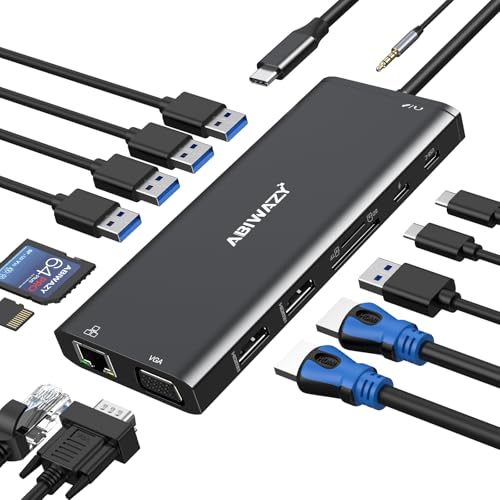
VVB 14-in-1 USB-C Triple Display Dock
Best for: Windows setups needing triple displays and VGA
- Display Support
- Triple Monitor (what this guide is about)
- Host Interface
- USB-C, Thunderbolt 3
- Max Resolution
- 4K@60Hz
- Power Delivery
- 87W
- Port Count
- 14
- Video Ports
- HDMI, VGA
This VVB 14-in-1 USB-C docking station expands your laptop into a full workstation. For display output, you get two HDMI ports and one VGA port, allowing triple-monitor setups on Windows. It delivers up to 87W of pass-through power to keep your laptop charged while routing Gigabit Ethernet, audio, SD cards, and six USB devices. It suits you if you run Windows and need multiple screens alongside everyday desktop accessories.
Pros
- Supports triple displays across two HDMI ports and one VGA port on Windows
- Provides up to 87W USB-C Power Delivery charging for host laptops
- Gigabit Ethernet port delivers wired network speeds up to 1Gbps
- Dual card slots support SD and TF cards simultaneously at up to 104MB/s
Cons
- Mac OS devices only support mirror mode on external displays
- Display resolution is limited to 1080p when VGA is used in multi-display setups
- Restricted to connecting only one external HDD or SSD at a time
Good fit if
- You use a Windows laptop and require a triple-monitor desktop setup.
- You need pass-through charging up to 87W alongside a legacy VGA connection.
- You want simultaneous SD and Micro SD card access with wired Gigabit networking.
Skip if
- You use a Mac laptop and require extended desktop mode across multiple monitors.
- You need 4K resolution on every display in a triple-monitor arrangement.
- You plan to connect multiple high-draw external drives simultaneously.
Verdict: VVB 14-in-1 Triple Display USB-C Dock provides a practical 14-port hub for Windows setups needing three displays, legacy VGA, and pass-through charging. It handles basic multi-screen productivity well, provided you do not require 4K output across all connected displays.

Plugable USB-C Triple HDMI Docking Station
Best for: MacBook users needing three extended HDMI displays
- Display Support
- Triple Monitor (what this guide is about)
- Host Interface
- USB-C, USB4, Thunderbolt
- Max Resolution
- 4K @ 30Hz
- Power Delivery
- 100W
- Port Count
- 12
- Video Ports
- HDMI
This 12-in-1 USB-C docking station adds three external HDMI displays to your laptop using USB-C Alt Mode and DisplayLink. You get one display at up to 4K resolution at 30Hz alongside two 1080p screens at 60Hz. It provides 100W Power Delivery to charge your laptop, six USB 3.0 ports, Gigabit Ethernet, and audio. It suits MacBook and Windows users needing three extended HDMI screens from a single USB-C cable.
Pros
- Supports three extended HDMI displays on Windows, macOS, and ChromeOS
- Supplies up to 100W USB-C Power Delivery host charging
- Includes six USB 3.0 ports and a Gigabit Ethernet port
- Uses DisplayLink to bypass native Apple Silicon single-monitor limits
Cons
- Maximum 4K resolution is capped at a 30Hz refresh rate
- Not compatible with Linux systems
- Lacks HDCP support for copy-protected media playback
Good fit if
- You need to run three extended HDMI monitors from an Apple Silicon Mac
- You need up to 100W host charging and multiple USB 3.0 accessory ports
Skip if
- You run a Linux operating system on your laptop
- You require 4K video output at 60Hz or higher
- You need HDCP compatibility to watch protected media streams
Verdict: Plugable Triple HDMI USB-C Docking Station pairs DisplayLink technology with 100W charging to run three HDMI displays across Windows and Mac machines. It handles daily multi-monitor setups reliably, provided you do not need 60Hz 4K output or HDCP video playback.

Acer 11-in-1 Triple Display Dock
Best for: Windows setups needing dual 4K display connectivity
- Display Support
- Triple Monitor (what this guide is about)
- Host Interface
- USB-C, Thunderbolt 3/4/5
- Max Resolution
- 8K@30Hz
- Power Delivery
- 85W
- Port Count
- 11
- Video Ports
- HDMI, DisplayPort
The Acer 11-in-1 USB-C Triple Display Dock connects your laptop to up to three external screens using two HDMI ports and one DisplayPort. It delivers up to 85W of pass-through power from a 100W input and supports 10Gbps transfers over two USB-C ports alongside Gigabit Ethernet. It suits you if you need a multi-monitor workstation with high-speed peripheral connections and card readers driven by a single cable.
Pros
- Supports triple displays up to dual 4K@60Hz plus 1080p@60Hz
- Dual 10Gbps USB-C and dual 5Gbps USB-A ports
- Pass-through charging delivers up to 85W to host laptops
- Includes dedicated SD and MicroSD card slots at 104Mbps
Cons
- Power adapter and charging cable are not included
- macOS is limited to mirrored display output only
- Third display drops to 1080p in triple-monitor setups
Good fit if
- You run Windows on a laptop with Thunderbolt or full-featured USB-C DP Alt Mode.
- You need 10Gbps data transfer speeds alongside legacy USB-A and SD card slots.
- You already have a 100W USB-C power brick to supply pass-through power.
Skip if
- You use a Mac and need extended desktops across multiple external monitors.
- You require three external 4K displays operating at the same time.
- You want an all-in-one package that includes a bundled power supply.
Verdict: Acer 11-in-1 USB-C Triple Display Dock delivers solid multi-display expansion with 10Gbps data speeds and 85W charging for Windows workstations. It requires your own power adapter and cannot drive independent extended monitors on macOS.

Selore 8-in-1 Triple Display USB-C Dock
Best for: budget Windows multi-monitor laptop setups
- Display Support
- Triple Monitor (what this guide is about)
- Host Interface
- USB-C
- Max Resolution
- 4K@60Hz
- Power Delivery
- 100W
- Video Ports
- HDMI, DP, VGA
- Connectivity
- USB-C, HDMI, DisplayPort, VGA
This compact 8-in-1 USB-C dock connects up to three external displays to your laptop using two HDMI ports, one DisplayPort, and one legacy VGA port. It delivers up to 100W Power Delivery passthrough to charge your host machine while you work. With video resolutions reaching 4K at 60Hz and a light 3.17-ounce footprint, it suits Windows users who want multi-monitor connectivity without bulky desktop hardware.
Pros
- Supports triple displays across HDMI, DisplayPort, and VGA connections
- Provides up to 100W USB-C Power Delivery passthrough
- Outputs up to 4K at 60Hz on supported DisplayPort and HDMI connections
- Compact 4.5-inch footprint weighing 3.17 ounces
Cons
- Integrated USB-A and USB-C data ports cap at USB 2.0 speeds of 480Mbps
- Connected macOS displays operate in mirror mode rather than extended desktop
- VGA port is limited to 1080p resolution
Good fit if
- You run a Windows laptop and need three external screens on a desk.
- You use an older VGA monitor alongside HDMI or DisplayPort displays.
- You want up to 100W Power Delivery charging through a single hub.
Skip if
- You use a Mac laptop and require multiple extended external screens.
- You rely on high-speed external storage drives needing faster than 480Mbps transfers.
Verdict: Selore 8-in-1 Triple Display USB-C Dock delivers triple-screen output and 100W charging in an ultra-portable format. Its primary tradeoff is reliance on USB 2.0 transfer speeds for connected accessories.

MOKiN 8-in-1 Triple Display Docking Station
Best for: mixed video setups needing legacy VGA connectivity
- Display Support
- Triple Monitor (what this guide is about)
- Host Interface
- USB-C
- Power Delivery
- 100W
- Port Count
- 8
- Video Ports
- HDMI, DisplayPort, VGA
- Max Data Speed
- 480Mbps
This MOKiN 8-in-1 hub gives you triple display support across two HDMI ports, one DisplayPort, and one legacy VGA port. It features 100W USB-C Power Delivery pass-through to keep your laptop charged during heavy workloads. Its data connections consist of two USB-A 2.0 ports and one USB-C 2.0 port at 480Mbps. It suits you if you need mixed video outputs without needing high-speed external storage drives.
Pros
- Four video ports: two HDMI, one DisplayPort, and one VGA
- 100W USB-C Power Delivery pass-through charging
- Supports triple monitor setups via USB-C or Thunderbolt
- Includes an 18-month warranty
Cons
- USB data transfer speeds limited to 480Mbps
- macOS mirrors external monitors to identical displays
- No Ethernet port included
Good fit if
- You need a dock with legacy VGA alongside modern HDMI and DisplayPort outputs.
- You want 100W USB-C Power Delivery pass-through for your laptop.
- You only connect basic USB peripherals like mice and keyboards that run at USB 2.0 speeds.
Skip if
- You use macOS and require extended desktop mode across distinct external monitors.
- You transfer large files and need USB 3.0 or faster data transfer ports.
- You require a wired Ethernet port for network connectivity.
Verdict: MOKiN 8-in-1 Triple Display USB-C Dock provides flexible video connectivity including legacy VGA and 100W power delivery. It works well if you prioritize multi-monitor options over high-speed USB data transfers.

ABIWAZY 15-in-1 Triple HDMI Docking Station
Best for: Windows users wanting triple HDMI monitor setups
- Display Support
- Triple Monitor (what this guide is about)
- Host Interface
- USB-C
- Max Resolution
- 4K@60Hz
- Power Delivery
- 87W
- Port Count
- 15
- Video Ports
- HDMI
This ABIWAZY 15-in-1 USB-C docking station expands your laptop setup with three HDMI ports supporting up to 4K at 60Hz. It provides 87W host power delivery, three 10Gbps USB data ports, and a dedicated screen switch button to power down external displays quickly. It suits Windows users who need three independent HDMI monitors alongside fast local data transfer without carrying a bulky desktop dock.
Pros
- Three HDMI ports supporting up to 4K at 60Hz
- Up to 87W laptop charging pass-through from 100W PD input
- Three 10Gbps data ports across two USB-C and one USB-A connection
- Dedicated hardware screen button to toggle external displays
Cons
- macOS laptops support mirroring mode only, not extended desktop
- USB-C ports do not support video output
- No DisplayPort connections provided
Good fit if
- You run a Windows laptop and require three extended HDMI monitors.
- You transfer files frequently using 10Gbps USB-C or USB-A storage drives.
- You want a dedicated physical button to turn off displays without unplugging cables.
Skip if
- You use a Mac laptop and need multiple extended external screens.
- You rely on DisplayPort cables or USB-C monitor connections.
Verdict: ABIWAZY 15-in-1 Triple HDMI USB-C Dock delivers triple-display HDMI support and 10Gbps data transfer for Windows workstations in a compact form factor. It gives you 15 ports and 87W charging without needing external DisplayPort adapters.

Anker 13-in-1 Triple Display USB-C Dock
Best for: Windows users wanting three 1080p external monitors
- Display Support
- Triple Monitor (what this guide is about)
- Host Interface
- USB-C, USB4, Thunderbolt 3/4/5
- Max Resolution
- 4K@60Hz
- Power Delivery
- 85W
- Port Count
- 13
- Video Ports
- HDMI, DisplayPort
This 13-in-1 USB-C docking station expands your laptop with two HDMI ports and one DisplayPort, allowing you to run three external displays at 1080p at 60Hz or a single screen at 4K at 60Hz. It delivers 85W of charging power to your laptop via an included 135W power adapter. It suits Windows or ChromeOS users who need multi-monitor expansion alongside 10Gbps data transfers and Gigabit Ethernet.
Pros
- Includes 135W power adapter supplying 85W host charging and 18W USB-C output
- Supports triple external displays at 1080p@60Hz or a single 4K@60Hz display
- Provides 10Gbps USB-C data speeds and 104 MB/s SD/microSD card slots
- Offers 13 ports including Gigabit Ethernet, 3.5mm audio, and three USB-A ports
Cons
- Triple display output tops out at 1080p resolution at 60Hz
- macOS systems are limited to mirror mode across external monitors
Good fit if
- You use a Windows or ChromeOS laptop with USB-C DP Alt Mode.
- You need three external 1080p monitors driven by HDMI and DisplayPort.
- You want an included 135W power adapter to charge your laptop at 85W.
Skip if
- You use macOS and require extended desktops across multiple external displays.
- You need triple monitors running at resolutions higher than 1080p.
Verdict: Anker 13-in-1 Triple Display USB-C Dock provides reliable three-screen 1080p output and 85W power delivery for Windows and ChromeOS setups. It packages high-speed 10Gbps ports and an included power brick into a space-saving vertical housing.
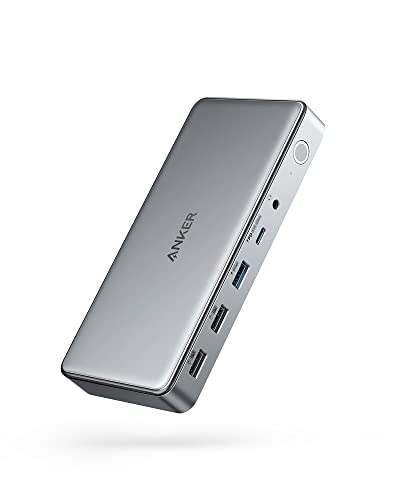
Anker 10-in-1 Triple Display USB-C Dock
Best for: MacBook triple display productivity setups
- Display Support
- Triple Monitor (what this guide is about)
- Host Interface
- USB-C
- Max Resolution
- 4K@30Hz
- Power Delivery
- 100W
- Port Count
- 10
- Video Ports
- HDMI, DisplayPort
This 10-in-1 USB-C docking station uses DisplayLink technology to drive three external monitors from your laptop using two HDMI ports and one DisplayPort. It delivers up to 100W Power Delivery to keep your host computer powered, alongside a secondary 30W USB-C charging port for mobile devices. It suits you if you need a multi-display workstation for general productivity, though video output maxes out at 4K at 30Hz.
Pros
- Up to 100W Power Delivery host laptop charging
- Triple display support across two HDMI ports and one DisplayPort
- Dedicated 30W USB-C Power Delivery port for charging accessories
- DisplayLink support allows three displays on MacBooks
Cons
- Main monitor output capped at 4K at 30Hz
- Second and third displays limited to 1080p at 60Hz
- Data transfer speeds max out at 5 Gbps
Good fit if
- You need triple monitor output on a MacBook via DisplayLink.
- You want 100W laptop charging plus an extra 30W port for phone fast charging.
- You run standard 1080p secondary displays alongside a 4K 30Hz main monitor.
Skip if
- You require 4K displays running at 60Hz or higher refresh rates.
- You transfer large files needing 10 Gbps or Thunderbolt speeds.
Verdict: Anker 10-in-1 Triple Display Docking Station delivers reliable three-screen expansion and 100W charging for everyday productivity. It is a capable hub if you do not need 60Hz 4K output or 10 Gbps transfer speeds.

Plugable 13-in-1 Triple HDMI Dock
Best for: MacBook multi-monitor office setups
- Display Support
- Triple Monitor (what this guide is about)
- Host Interface
- USB-C
- Max Resolution
- 4K @ 30Hz
- Power Delivery
- 100W
- Port Count
- 13
- Video Ports
- HDMI
This 13-in-1 USB-C docking station adds three external HDMI displays to your laptop using DisplayLink technology. It delivers up to 100W host charging alongside a 20W front USB-C port for mobile devices. Display outputs include one 4K 30Hz port and two 1200p ports. This setup suits you if you need multi-monitor expansion on base MacBooks or office laptops without high-refresh displays.
Pros
- Provides 100W host charging and secondary 20W front USB-C power
- Enables triple extended displays on base M1 through M5 MacBooks
- Offers 13 ports including SD reader, Gigabit Ethernet, and four USB-A ports
- Includes 3.3-foot USB-C host cable and power adapter
Cons
- HDMI 1 maxes out at 4K 30Hz while HDMI 2 and 3 reach 1920x1200 60Hz
- Does not support HDCP-protected streaming video such as Netflix or Hulu
- Requires DisplayLink driver installation for video output on secondary ports
Good fit if
- You use an Apple Silicon Mac restricted natively to one external display.
- You need 100W power delivery to charge your laptop under workload.
- You connect standard 1080p or 1200p office monitors through HDMI.
Skip if
- You stream HDCP-protected media like Netflix or Hulu across your dock.
- You require 4K resolution at 60Hz across external monitors.
- You cannot install third-party DisplayLink drivers on a managed machine.
Verdict: Plugable 13-in-1 Triple Display Dock expands Mac and Windows setups to three HDMI monitors while delivering 100W host power. Its resolution limits make it tailored for office multitasking rather than protected streaming or high-refresh workflows.

TobenONE 18-in-1 Triple Display Dock
Best for: Windows users needing extensive USB and HDMI ports
- Display Support
- Triple Monitor (what this guide is about)
- Host Interface
- USB-C
- Max Resolution
- 4K@60Hz
- Power Delivery
- 100W
- Port Count
- 18
- Video Ports
- HDMI
This Tobenone unit is an 18-in-1 USB-C docking station that drives up to three external displays at 4K resolution at 60Hz using three dedicated HDMI ports. It delivers up to 100W Power Delivery and provides nine USB ports for all your desktop accessories, alongside Ethernet, SD card slots, and audio. It fits you well if you operate a compatible Windows or Chrome OS laptop.
Pros
- Supports triple 4K displays at 60Hz via three HDMI ports
- Offers 18 total ports including nine USB connections
- Provides up to 100W Power Delivery pass-through charging
- Includes Gigabit Ethernet, SD, microSD, and audio ports
Cons
- Does not include an external power adapter
- Not recommended for use with macOS systems
- Lacks DisplayPort video outputs
Good fit if
- You use a Windows or Chrome OS laptop with a full-featured USB-C port.
- You want to connect up to three 4K monitors using HDMI cables.
- You need nine USB ports to connect multiple desktop peripherals.
Skip if
- You use an Apple Mac computer.
- You do not have a separate USB-C power supply rated over 65W.
- You need native DisplayPort connections for your monitors.
Verdict: Tobenone 18-in-1 Triple 4K HDMI Docking Station provides 18 ports and triple 4K HDMI support for Windows and Chrome OS laptops. It is a solid choice if you already own a 65W or higher USB-C power supply.

Plugable 13-in-1 Triple 4K USB-C Dock
Best for: triple 4K 60Hz office and productivity setups
- Display Support
- Triple Monitor (what this guide is about)
- Host Interface
- USB-C
- Max Resolution
- 4K @ 60Hz
- Power Delivery
- 100W
- Port Count
- 13
- Video Ports
- HDMI, DisplayPort
This Plugable docking station expands your workstation through a single 10Gbps USB-C connection into 13 ports. You can run up to three 4K monitors at 60Hz, choosing freely between three HDMI and three DisplayPort outputs. It provides up to 100W Power Delivery to charge your laptop, alongside front 20W accessory charging, Ethernet, audio, and SD card access. It suits professionals needing multi-monitor 4K workspaces across Windows, macOS, or ChromeOS.
Pros
- Drives three 4K monitors at 60Hz simultaneously
- Provides three HDMI and three DisplayPort outputs for flexible connections
- Supplies up to 100W Power Delivery to host laptop
- Includes front USB-C port with 10Gbps data and 20W charging
Cons
- Does not support HDCP for protected streaming video playback
- Requires DisplayLink drivers and screen recording permissions on macOS
- Front USB-C port is restricted to accessories only
Good fit if
- You need to drive three independent 4K monitors at 60Hz.
- You want flexible video connectivity using three HDMI and three DisplayPort ports.
- You require up to 100W Power Delivery to charge your host laptop.
Skip if
- You need to stream copy-protected HDCP content on external screens.
- You cannot install DisplayLink drivers on your managed macOS device.
Verdict: Plugable 13-in-1 Triple 4K USB-C Dock delivers triple 4K 60Hz display output and 100W host charging through a single connection. It provides extensive port versatility for productivity setups, provided you do not require HDCP playback.

Mukiya 10-in-1 Triple Display Laptop Stand Dock
Best for: portable setups needing an integrated laptop riser
- Display Support
- Triple Monitor (what this guide is about)
- Host Interface
- USB-C
- Max Resolution
- 4K@60Hz
- Power Delivery
- 100W
- Port Count
- 10
- Video Ports
- HDMI, DisplayPort
View on Amazon: Mukiya 10-in-1 Triple Display Laptop Stand Dock
The Mukiya 10-in-1 Laptop Stand Dock pairs a foldable, nine-level kickstand with a multiport hub. You get two HDMI ports and one DisplayPort capable of driving triple displays up to 4K at 60Hz on supported Windows systems. It also includes 85W laptop power delivery, three 5Gbps USB ports, and SD card slots. It suits you if you want an elevated laptop screen and multi-monitor connectivity without carrying a separate stand.
Pros
- Built-in aluminum stand with 9-level height adjustment
- Supports triple displays at up to 4K 60Hz via two HDMI and one DisplayPort
- 100W USB-C Power Delivery input delivers up to 85W to the host laptop
- Collapses down to 0.7 lbs and includes a travel storage pouch
Cons
- Lacks an RJ45 Ethernet port for wired networks
- macOS is limited to mirror mode due to operating system restrictions
- USB data speeds are limited to 5Gbps rather than 10Gbps
Good fit if
- You need an adjustable kickstand integrated directly into your docking station.
- You use a Windows laptop with DP 1.4 support to run triple extended displays.
- You want a lightweight, foldable unit for travel and compact desks.
Skip if
- You use a Mac laptop and require extended desktop mode across multiple monitors.
- You need a wired Ethernet connection without buying a separate adapter.
- Your laptop requires more than 85W of power delivery.
Verdict: Mukiya 10-in-1 Laptop Stand Dock combines an ergonomic nine-angle kickstand with triple 4K video outputs in a portable aluminum frame. It works well for Windows users who want an elevated display and broad connectivity without carrying separate desk accessories.

WAVLINK 12-in-1 Triple Monitor USB-C Dock
Best for: Windows setups using dual DisplayPort monitors
- Display Support
- Triple Monitor (what this guide is about)
- Host Interface
- USB-C, Thunderbolt 3/4
- Max Resolution
- 4K@60Hz
- Power Delivery
- 85W
- Port Count
- 12
- Video Ports
- HDMI, DisplayPort
This 12-port USB-C docking station adds one HDMI and two DisplayPort connections to your setup. When connected to a DP 1.4 host, it runs three displays at 1080p 60Hz or a single screen at 4K 60Hz. It provides 85W power delivery pass-through, Gigabit Ethernet, SD card slots, and four USB ports. It suits Windows users who need dual DisplayPort outputs for a triple-monitor workstation.
Pros
- Dual DisplayPort and single HDMI video outputs
- Supports 85W pass-through charging to the laptop
- Includes Gigabit Ethernet and SD/TF card slots
- Compact 5.82-ounce form factor
Cons
- Power adapter and USB-C charging cable not included
- Mac OS limits the three extended displays to mirrored images
- Triple display output resolution is limited to 1080p at 60Hz
Good fit if
- You use a Windows laptop with a DP 1.4 USB-C or Thunderbolt port
- You need dual DisplayPort ports alongside HDMI
- You already have a standalone USB-C power supply
Skip if
- You use macOS and need three independent extended displays
- You require 4K resolution across all three monitors
- You want a dock that includes a bundled power adapter
Verdict: WAVLINK 12-in-1 Triple Display Dock delivers versatile video options with dual DisplayPort and HDMI ports for Windows multi-monitor desks. It requires you to supply your own USB-C charger for pass-through power.

Baseus Spacemate 11-in-1 Triple Display Dock
Best for: Windows setups requiring compact triple-display connectivity
- Display Support
- Triple Monitor (what this guide is about)
- Port Count
- 11
- Dimensions
- 2.59 × 2.59 × 4.84 inches
- Weight
- 1.07 pounds
View on Amazon: Baseus Spacemate 11-in-1 Triple Display Dock
The Baseus Spacemate is an 11-in-1 docking station designed to drive a triple monitor setup for Windows systems. It measures 2.59 by 2.59 inches at the base, stands 4.84 inches tall, and weighs 1.07 pounds, providing a compact vertical profile for your workspace. You must supply a separate 100W power adapter, as no charger comes in the box. It suits Windows laptop users needing triple-screen connectivity.
Pros
- Supports triple monitor output on Windows systems
- 11 ports packed into a compact 2.59 by 2.59-inch base
- Vertical profile stands 4.84 inches tall and weighs 1.07 pounds
Cons
- Charger not included in the package
- Requires a separate 100W power adapter for full-load operation
Good fit if
- You run a Windows system requiring a triple monitor setup.
- You already own a 100W power adapter.
- You want a compact dock with a 2.59 by 2.59-inch footprint.
Skip if
- You do not have a separate 100W power adapter ready to use.
- You need a dock that includes its own charger out of the box.
Verdict: Baseus Spacemate 11-in-1 Triple Display Dock delivers triple-screen video output and 11 connectivity ports in a compact vertical form factor. You must supply your own 100W power adapter to operate the dock under full load.

Anker 14-in-1 Triple Display USB-C Hub
Best for: Windows multi-screen setups with HDMI and VGA
- Display Support
- Triple Monitor (what this guide is about)
- Host Interface
- USB-C, USB4, Thunderbolt
- Max Resolution
- 4K
- Power Delivery
- 80W
- Port Count
- 14
- Video Ports
- HDMI, VGA
This Anker 14-in-1 USB-C hub expands your laptop into a triple-display workstation using two 4K HDMI ports and one 1080p VGA output. It supports host connections over USB-C, USB4, or Thunderbolt while delivering up to 80W of pass-through charging when paired with a 100W power adapter. It suits Windows users who want multi-monitor productivity alongside five 5 Gbps USB-A ports, Gigabit Ethernet, and integrated SD card readers.
Pros
- Drives three external displays using two HDMI ports and one VGA port
- Supports up to 80W pass-through charging to your host laptop
- Includes five 5 Gbps USB-A ports and one 5 Gbps USB-C data port
- Integrated 1 Gbps Ethernet, SD, and microSD card slots
Cons
- Wall charger is not included in the box
- macOS mirrors identical content across all connected external monitors
- Does not support Linux operating systems
Good fit if
- You use a Windows or ChromeOS laptop with DP Alt Mode and need three external screens.
- You have legacy display hardware that requires a 1080p VGA connection alongside HDMI.
- You need multiple 5 Gbps USB-A ports for accessories and flash storage.
Skip if
- You use macOS and want extended independent desktops across three separate screens.
- You run a Linux laptop, which is explicitly unsupported.
- You want an included power supply rather than supplying your own 100W USB-C charger.
Verdict: Anker 14-in-1 USB-C Triple Display Dock provides extensive port expansion and triple-video support for Windows setups using VGA and dual HDMI displays. Note that macOS displays identical images across external screens and a power supply is not included.
Specifications side by side
| Spec | VVB 14-in-1 USB-C Triple Display Dock | Plugable USB-C Triple HDMI Docking Station | Acer 11-in-1 Triple Display Dock | Selore 8-in-1 Triple Display USB-C Dock | MOKiN 8-in-1 Triple Display Docking Station | ABIWAZY 15-in-1 Triple HDMI Docking Station | Anker 13-in-1 Triple Display USB-C Dock | Anker 10-in-1 Triple Display USB-C Dock | Plugable 13-in-1 Triple HDMI Dock | TobenONE 18-in-1 Triple Display Dock | Plugable 13-in-1 Triple 4K USB-C Dock | Mukiya 10-in-1 Triple Display Laptop Stand Dock | WAVLINK 12-in-1 Triple Monitor USB-C Dock | Baseus Spacemate 11-in-1 Triple Display Dock | Anker 14-in-1 Triple Display USB-C Hub |
|---|---|---|---|---|---|---|---|---|---|---|---|---|---|---|---|
| Host Interface | USB-C, Thunderbolt 3 | USB-C, USB4, Thunderbolt | USB-C, Thunderbolt 3/4/5 | USB-C | USB-C | USB-C | USB-C, USB4, Thunderbolt 3/4/5 | USB-C | USB-C | USB-C | USB-C | USB-C | USB-C, Thunderbolt 3/4 | not specified | USB-C, USB4, Thunderbolt |
| Display Support | Dual, Triple | Triple | Triple | Triple | Triple | Triple | Triple | Triple | Triple | Triple | Triple | Triple | Triple | Triple | Triple |
| Max Resolution | 4K@60Hz | 4K @ 30Hz | 8K@30Hz | 4K@60Hz | not specified | 4K@60Hz | 4K@60Hz | 4K@30Hz | 4K @ 30Hz | 4K@60Hz | 4K @ 60Hz | 4K@60Hz | 4K@60Hz | not specified | 4K |
| Power Delivery | 87W | 100W | 85W | 100W | 100W | 87W | 85W | 100W | 100W | 100W | 100W | 100W | 85W | not specified | 80W |
| Port Count | 14 | 12 | 11 | not specified | 8 | 15 | 13 | 10 | 13 | 18 | 13 | 10 | 12 | 11 | 14 |
| Video Ports | HDMI, VGA | HDMI | HDMI, DisplayPort | HDMI, DP, VGA | HDMI, DisplayPort, VGA | HDMI | HDMI, DisplayPort | HDMI, DisplayPort | HDMI | HDMI | HDMI, DisplayPort | HDMI, DisplayPort | HDMI, DisplayPort | not specified | HDMI, VGA |
| Max Data Speed | 5Gbps | not specified | 10Gbps | not specified | 480Mbps | 10Gbps | 10Gbps | 5 Gbps | 5Gbps | not specified | 10Gbps | 5Gbps | not specified | not specified | 5Gbps |
| Ethernet Speed | 1Gbps | Gigabit | 1Gbps | not specified | not specified | 1Gbps | Gigabit | not specified | Gigabit Ethernet | not specified | not specified | not specified | Gigabit | not specified | 1Gbps |
| Resolution | not specified | not specified | not specified | 4K UHD | not specified | not specified | not specified | not specified | not specified | 4K UHD | 4K UHD | 4K UHD | not specified | not specified | not specified |
| Connectivity | USB-C | USB-C, HDMI | USB-C | USB-C, HDMI, DisplayPort, VGA | USB-C, HDMI, DisplayPort, VGA | USB-C | USB-C | not specified | USB-C | USB-C, HDMI | USB-C | USB-C, HDMI, DisplayPort | HDMI, DisplayPort | not specified | USB-C |
| Features | not specified | not specified | not specified | not specified | not specified | not specified | not specified | DisplayLink | not specified | not specified | not specified | Kickstand | not specified | not specified | not specified |
| Dimensions | 5 × 0.5 × 1 inches | 7.87 × 3.54 × 1.18 inches | not specified | 4.5 × 2 × 0.62 inches | 5.47 × 3.19 × 0.75 inches | 6 × 2.8 × 0.5 inches | 4.95 × 3.49 × 1.64 inches | 6.7 × 3.15 × 0.96 inches | 4.7 × 2.6 × 6.9 inches | 4.9 × 3.5 × 1.6 inches | 4.72 × 2.64 × 6.89 inches | not specified | 6.22 × 1.61 × 0.63 inches | 2.59 × 2.59 × 4.84 inches | 5.91 × 2.13 × 0.67 inches |
| Weight | 1 ounces | 11.7 ounces | not specified | 3.17 ounces | not specified | 3.2 ounces | 13.1 ounces | 1.6 ounces | 14.1 ounces | 10.9 ounces | 1.07 pounds | not specified | 5.82 ounces | 1.07 pounds | 4.73 ounces |
| Color | Black | Black | Grey | Gray | 8 in 1 | Gray | Gray | Gray | Black | Grey-docking station for Windows | not specified | Silver | Silver | Space grey | Grey |
| Size | not specified | 7.9 x 3.3 x 1.2 inches | 11-in-1 | not specified | 2 HDMI+DP+VGA | not specified | Small | not specified | 6.9" | Without power supply | not specified | not specified | 100W | Triple Monitor for Windows | 14 in 1 USB C Hub |
| Model | not specified | UD-3900PDZ | ODK5A0 | Docking Station Dual HDMI Monitor | not specified | not specified | A83921A1 | A83951A1 | UD-ULTCDL | not specified | UD-ULTC4K | HUB-M94 | KR-RZUS-UMD303 | not specified | A8389 |
If you prefer a single screen over three panels, compare the best 165Hz ultrawide monitors by refresh rate and resolution specifications.
Choosing the Right Triple Monitor Dock
-
Target Display Resolution
Check the supported output resolution across all connected screens before buying. If you plan to connect three Ultra HD displays, look for docks specifying triple 4K at 60Hz output. Standard docks frequently drop external video to 1080p when you drive three panels simultaneously. The Plugable 13-in-1 Triple 4K USB-C Dock supports three 4K monitors at 60Hz for sharp spreadsheet and text multitasking. Review your monitors' native pixel counts to ensure the dock matches their required resolution.
-
Laptop Charging Capabilities
Examine the power delivery specifications and power supply requirements. Some multi-monitor hubs supply up to 100W pass-through charging directly to your laptop, while others cap delivery at 85W. Additionally, verify whether the dock includes its own wall brick. Models like the Baseus Spacemate 11-in-1 Triple Display Dock require you to supply a separate 100W USB-C power adapter to function under full connected load. Check your laptop wattage needs so your battery charges reliably during heavy multi-screen workloads.
-
Video Connector Selection
Check the specific video connector types on the dock to match your monitors. Most multi-display hubs provide standard HDMI sockets, but some workspaces rely on native DisplayPort cables. Buying a dock with mismatched video outputs forces you to purchase additional dongles. If your desk setup uses DisplayPort screens alongside HDMI hardware, choose a model like the WAVLINK 12-in-1 Triple Monitor USB-C Dock. It incorporates dual DisplayPort connections and HDMI to link your cables directly without converters.
-
Data Transfer Speeds
Inspect the transfer speed ratings on the peripheral USB ports. Basic docks often rely on USB 2.0 ports for mice and keyboards, which transfer data at minimal speeds. If you frequently transfer large media files or work from fast external storage drives, look for docks with 10Gbps USB ports. The Selore 8-in-1 Triple Display USB-C Dock prioritizes multi-screen video and 100W power delivery, but relies on USB 2.0 data channels. Match the port speed to your storage devices.
-
Total Port Expansion
Count the total number of connected accessories at your desk before choosing a hub. Compact models feature 8-in-1 layouts that cover core video and basic connections. Workstations with multiple wired peripherals, storage drives, and audio hardware need higher port densities. The TobenONE 18-in-1 Triple Display Dock offers 18 connection ports for setups demanding maximum desktop expansion. Verify how many dedicated USB ports, video jacks, and utility connections you use daily to select an appropriately sized unit.
-
Dock Orientation and Size
Consider the physical design and desk footprint of the docking station. Flat horizontal hubs lay directly on your desk surface, which works well for portable travel kits but consumes workspace. Vertical tower designs stand upright, reducing the surface area taken up by thick monitor cables and power cords. The Anker 13-in-1 Triple Display USB-C Dock utilizes a space-saving vertical housing to keep cable runs neat. Choose a vertical format if you have limited desk space.
Frequently asked questions
Do all triple monitor docking stations include a power supply?
No, many triple display docks require you to supply your own USB-C power charger. For example, models like the Acer 11-in-1, TobenONE 18-in-1, WAVLINK 12-in-1, and Baseus Spacemate 11-in-1 require external power bricks ranging from 65W to 100W. In contrast, the Anker 13-in-1 dock packages an included power brick directly in the box to handle host laptop charging.
Can you connect older VGA monitors to a modern triple display dock?
Yes, select docking stations include dedicated VGA ports alongside modern digital connections. The Selore 8-in-1, MOKiN 8-in-1, and Anker 14-in-1 docks all provide integrated VGA outputs alongside HDMI and DisplayPort options. These configurations allow you to integrate legacy monitors or meeting room projectors into your desk setup without needing separate display format converters.
What data transfer speeds do triple monitor docks support?
Transfer speeds depend entirely on the dock's internal port specifications. Certain models, including the Acer 11-in-1, ABIWAZY 15-in-1, and Anker 13-in-1, offer high-speed 10Gbps data ports for fast external storage access. Meanwhile, more compact or budget-oriented options like the Selore 8-in-1 rely on USB 2.0 transfer speeds for connected accessories while prioritizing multi-display video output.
How much charging power do triple display docks deliver to laptops?
Most triple monitor docks provide between 85W and 100W of power delivery to your host computer. For instance, the Plugable UD-3900PDZ, MOKiN 8-in-1, and Plugable UD-ULTC4K deliver 100W of charging. Meanwhile, docks like the Acer 11-in-1 and Anker 13-in-1 deliver 85W, and the ABIWAZY 15-in-1 provides 87W of charging power to keep your laptop running.
Can you run three HDMI monitors without using video adapters?
Yes, several docking stations feature three native HDMI ports to eliminate extra dongles. The Plugable UD-3900PDZ, Plugable UD-ULTCDL, and ABIWAZY 15-in-1 come with triple HDMI outputs built into the chassis. Similarly, the TobenONE 18-in-1 dock provides triple 4K HDMI support, allowing you to connect three standard HDMI cables straight from your displays into the hub.
Do triple display docking stations work with ChromeOS laptops?
Yes, several triple display docking stations explicitly support ChromeOS alongside Windows machines. For example, the Anker 13-in-1 Triple Display USB-C Dock and the TobenONE 18-in-1 dock both list compatibility for ChromeOS setups. Connecting your Chromebook to these docks gives you expanded display options, extra USB connectivity, and laptop charging through a single host cable.