Best Docking Stations with 130W: 15 Spec-Based Picks
As an Amazon Associate we earn from qualifying purchases. Links on this page are affiliate links.
A docking station with 130W power delivery provides the necessary wattage to run demanding laptops while powering external accessories. It streamlines your workspace by combining high-power charging with multi-display video connections over one cable. The Dell Pro Thunderbolt 4 Dock with 130W Charging leads the list because it delivers 130W power alongside 4K UHD output and Thunderbolt 4 connectivity.
This lineup compares 15 products based on the specifications published on the listings. The breakdown helps you decide which hub best matches your monitor requirements, port selections, and laptop setup.
Quick picks
The best fit for you
- You need Thunderbolt 4 with 4K UHD resolution Dell Pro Thunderbolt 4 Dock with 130W Charging It delivers 130W Power Delivery and provides 4K UHD video across Thunderbolt 4, DisplayPort, and HDMI.
- You need dual DisplayPort outputs using standard USB-C Dell USB-C Docking Station with 130W Power Delivery It includes DisplayPort and HDMI ports paired with 130W Power Delivery over USB-C.
- You need dedicated Thunderbolt 3 connectivity for your workstation Dell Thunderbolt 3 Dock 130W It pairs Thunderbolt 3 connectivity with 130W Power Delivery, DisplayPort, and HDMI video outputs.
- You want dual monitor support with HDMI connections Koncept Dual Monitor 130W USB-C Dock It offers dual monitor support via HDMI and USB-C while supplying 130W Power Delivery.
Our 15 picks

Dell Pro Thunderbolt 4 Dock with 130W Charging
Best for: Dell users running multi-monitor 4K workstations
- Power Delivery
- 130W (what this guide is about)
- Host Interface
- Thunderbolt 4
- Display Support
- Up to 4
- Max Resolution
- 4K
- Video Ports
- HDMI 2.1, DP 1.4, USB-C, Thunderbolt 4
- Ethernet Speed
- 2.5GbE
View on Amazon: Dell Pro Thunderbolt 4 Dock with 130W Charging
This Thunderbolt 4 docking station provides up to 130W of Power Delivery to compatible Dell systems and 96W to other laptops over USB-C. You can connect up to four 4K displays using its HDMI 2.1, DisplayPort 1.4, USB-C, and Thunderbolt 4 ports. It suits power users and multi-monitor setups needing high wattage charging along with daisy-chaining support for up to six devices.
Pros
- Supplies up to 130W Power Delivery to Dell laptops and 96W to other systems
- Supports up to four 4K displays via HDMI 2.1, DisplayPort 1.4, and Thunderbolt 4
- Thunderbolt 4 daisy-chaining allows linking up to six devices
- Enables PC-free remote Wi-Fi management via Dell Console and Intel AMT
Cons
- Non-Dell laptops are restricted to a maximum of 96W charging
- Footprint measures over 8 inches long and weighs 1.28 pounds
Good fit if
- You need 130W charging for a compatible Dell laptop.
- You intend to connect up to four 4K monitors.
- You require remote Wi-Fi management and enterprise security features.
Skip if
- You use a non-Dell laptop that requires more than 96W of power.
- You need a compact, ultra-light hub for travel.
Verdict: Dell Pro Thunderbolt 4 Dock delivers full 130W charging for Dell systems alongside expansive multi-display video support. It is an optimal centerpiece if you require four-monitor 4K output and high-speed Thunderbolt 4 expansion.

Dell USB-C Docking Station with 130W Power Delivery
Best for: 130W charging with dual DisplayPort setups
- Power Delivery
- 130W (what this guide is about)
- Host Interface
- USB-C
- Video Ports
- HDMI, DisplayPort
- Connectivity
- USB-C, HDMI, DisplayPort
- Dimensions
- 1.1 × 3.5 × 8.1 inches
- Weight
- 1.28 pounds
View on Amazon: Dell USB-C Docking Station with 130W Power Delivery
This Dell docking station connects to your setup using USB-C and supplies 130W Power Delivery to your laptop. It provides HDMI and dual DisplayPort outputs for external monitors, allowing multiple display connections on your desk. At 1.28 pounds and 8.1 by 3.5 by 1.1 inches, it keeps a compact footprint. It suits you if you need high-wattage charging alongside standard digital video connections.
Pros
- Supplies 130W Power Delivery over USB-C
- Equipped with HDMI and dual DisplayPort outputs
- Lightweight build at 1.28 pounds
- Compact profile measuring 8.1 by 3.5 by 1.1 inches
Cons
- No Thunderbolt support listed in specifications
- No audio jacks or Ethernet ports specified in data
Good fit if
- You need 130W Power Delivery for a compatible laptop.
- You run monitors using HDMI and DisplayPort connections.
- You want a compact dock weighing under 1.5 pounds.
Skip if
- You require dedicated Thunderbolt bandwidth.
- You need integrated audio ports directly on the dock.
Verdict: Dell WD19 130W USB-C Dock delivers 130W Power Delivery and dual DisplayPort and HDMI connectivity in a lightweight frame. It is a dependable choice when your workstation requires high-wattage laptop charging and multi-monitor video outputs.
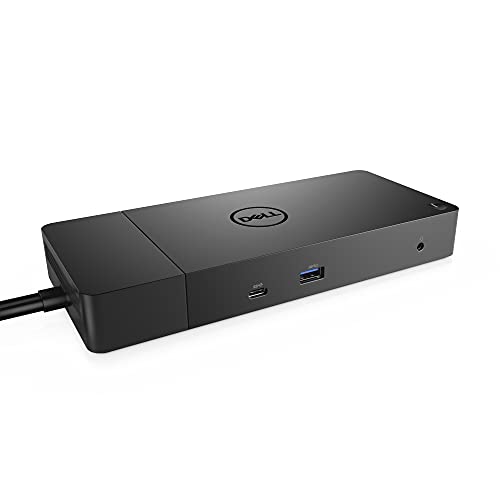
Dell 180W USB-C Docking Station
Best for: dual DisplayPort setups needing 130W power delivery
- Power Delivery
- 130W (what this guide is about)
- Host Interface
- USB-C
- Video Ports
- DisplayPort, HDMI, USB-C
- Ethernet Speed
- Gigabit Ethernet
- Dimensions
- 3.5 × 8.1 × 1.1 inches
- Weight
- 1.3 pounds
This Dell docking station provides up to 130W of power delivery to your system using the included 180W AC power adapter. Display outputs include two DisplayPort 1.4 ports, one HDMI port, and a multifunction USB-C DisplayPort connection. You also get Gigabit Ethernet, three USB-A ports, and two audio jacks. It fits your workspace if you need reliable high-wattage power and multiple display options over a single 3.3-foot USB-C cable.
Pros
- Provides up to 130W power delivery via a 180W AC adapter
- Includes two DisplayPort 1.4 ports, one HDMI port, and one USB-C DisplayPort
- Equipped with Gigabit Ethernet and separate headset and audio-out jacks
- Offers three USB-A 3.1 ports, including one with PowerShare support
Cons
- Does not include built-in SD or microSD card slots
- Operates on USB-C 3.1 Gen 2 rather than Thunderbolt
Good fit if
- You need 130W power delivery to charge your laptop over USB-C.
- You want to connect monitors using dual DisplayPort 1.4 or HDMI.
- You require wired Gigabit Ethernet and dedicated 3.5mm audio ports.
Skip if
- You need integrated memory card slots for media transfers.
- You require Thunderbolt transfer bandwidth for your workflow.
Verdict: Dell WD19 USB-C Docking Station supplies 130W power delivery alongside dual DisplayPort and HDMI outputs. It serves as a dependable desktop base with wired Gigabit Ethernet and dedicated audio connections.

Koncept Thunderbolt 4 Modular Dock 130W
Best for: dual 4K Thunderbolt 4 workstations
- Power Delivery
- 130W (what this guide is about)
- Host Interface
- Thunderbolt 4, USB-C
- Display Support
- Dual
- Max Resolution
- 4K
- Video Ports
- DisplayPort, HDMI, USB-C, Thunderbolt
- Max Data Speed
- 40 GB/s
This docking station connects via Thunderbolt 4 to supply up to 130W of power delivery using an included 180W power supply. It offers 40 Gbps data bandwidth, swappable modular capability, and multi-monitor output supporting dual 4K screens through HDMI 2.0 and DisplayPort 1.4. You will find it well suited if you need extensive peripheral connectivity across Windows, macOS, or Ubuntu systems without sacrificing charging speed.
Pros
- 130W power delivery with included 180W power supply
- Two Thunderbolt 4 ports with 40 Gbps data transfer
- Dual 4K display support via HDMI 2.0 and DisplayPort 1.4
- Ships with Thunderbolt, HDMI, and DisplayPort cables
Cons
- No integrated 3.5mm audio jack listed in specifications
- HDMI connection is limited to the HDMI 2.0 standard
Good fit if
- You need 130W charging alongside 40 Gbps Thunderbolt 4 bandwidth.
- You use dual 4K monitors on macOS, Windows, or Ubuntu.
Skip if
- You rely on a built-in 3.5mm headphone jack on your dock.
- You want a compact, bus-powered travel hub without a power supply.
Verdict: Koncept Thunderbolt 4 Docking Station provides 130W power delivery and dual 4K display support across high-bandwidth Thunderbolt 4 connections. It serves as a comprehensive hub if you manage multi-monitor desktop setups across diverse operating systems.

Dell Thunderbolt 3 Docking Station
Best for: workstations needing 130W charging and audio jacks
- Power Delivery
- 130W (what this guide is about)
- Host Interface
- Thunderbolt
- Video Ports
- DisplayPort, HDMI, USB-C, Thunderbolt 3
- Ethernet Speed
- Gigabit Ethernet
- Dimensions
- 3.5 × 8.1 × 1.1 inches
- Weight
- 3.15 pounds
This Dell docking station connects to your laptop via Thunderbolt 3 and delivers up to 130W of power using an included 180W power adapter. It features dual DisplayPort 1.4 outputs, an HDMI 2.0b port, dedicated audio connections, and Gigabit Ethernet. You get multiple USB-A and USB-C ports to link desktop accessories. It suits you if you need dedicated audio ports and high-wattage charging for compatible workstations.
Pros
- Supplies up to 130W power delivery with included 180W AC adapter
- Includes dual DisplayPort 1.4 and HDMI 2.0b video outputs
- Features both combo audio headset and dedicated audio out jacks
- Provides Thunderbolt 3 connectivity and Gigabit Ethernet
Cons
- Uses older Thunderbolt 3 standard instead of Thunderbolt 4
- USB-A ports are limited to 5 Gbps Gen 1 speeds
Good fit if
- You need 130W power delivery from an included 180W power adapter.
- You use multiple external monitors via DisplayPort 1.4 or HDMI 2.0b.
- You require separate 3.5mm audio-out and headset jacks.
Skip if
- You require newer Thunderbolt 4 peripheral connections.
- You need USB-A ports faster than 5 Gbps Gen 1.
Verdict: Dell Thunderbolt Dock with 130W Power Delivery provides dependable 130W laptop charging alongside broad display and audio connectivity. Its Thunderbolt 3 interface handles multi-monitor setups and core desktop peripherals without extra power bricks.

Dell Thunderbolt Dock 130W Power Delivery
Best for: multi-monitor setups needing 130W Thunderbolt charging
- Power Delivery
- 130W (what this guide is about)
- Host Interface
- Thunderbolt
- Max Resolution
- 5K
- Dimensions
- 2.5 × 11.4 × 12 inches
- Weight
- 3.1 pounds
This black Dell docking station supplies 130W Power Delivery to compatible laptops over Thunderbolt. You can drive up to three displays, including a single 5K screen or dual 4K monitors. It features an integrated 0.8-meter cable and network manageability tools like PXE Boot and MAC Address pass-through. It suits you if you need high-wattage charging alongside high-resolution multi-monitor output for Dell, HP, or Lenovo systems.
Pros
- Provides 130W Power Delivery over Thunderbolt
- Supports up to three displays, including single 5K or dual 4K setups
- Enterprise features include PXE Boot, Wake-on-LAN, and MAC Address pass-thru
- Compatible with Dell, HP, and Lenovo Thunderbolt laptops
Cons
- Built-in cable length is limited to 0.8 meters
- VESA mounting bracket is optional rather than included
- Relatively heavy desktop footprint at 3.1 pounds
Good fit if
- You need 130W Power Delivery for a Dell, HP, or Lenovo laptop.
- You plan to connect a single 5K display or dual 4K monitors.
- You manage enterprise workstations using PXE Boot and MAC Address pass-thru.
Skip if
- You need a host connection cable longer than 0.8 meters.
- You want a lightweight, compact portable dock instead of a 3.1-pound unit.
Verdict: Dell Thunderbolt Dock with 130W Power Delivery provides multi-display video support up to 5K and high-wattage host charging. It is a solid choice for commercial setups requiring standard remote manageability features.

Koncept Dual Monitor 130W USB-C Dock
Best for: dual-screen Dell laptop desk setups
- Power Delivery
- 130W (what this guide is about)
- Host Interface
- USB-C
- Display Support
- Dual
- Video Ports
- HDMI, mini-DisplayPort
- Connectivity
- USB-C, HDMI
- Dimensions
- 7 × 6.5 × 1 inches
This docking station delivers 130W power delivery to keep your compatible laptop charged during intensive workloads. You get dual monitor support through HDMI and mini-DisplayPort video outputs, alongside two USB-C ports, three USB-A 3.0 ports, and an RJ-45 ethernet jack. Measuring 6.5 by 7 inches and weighing 2.5 pounds, it suits you if you need reliable desk connectivity and standard display outputs for compatible Dell systems.
Pros
- Supplies 130W power delivery to connected laptops
- Dual monitor support via HDMI and mini-DisplayPort
- Includes two USB-C and three USB-A 3.0 ports
- Built-in RJ-45 ethernet port for wired networking
Cons
- No full-size DisplayPort connector included
- No 3.5mm audio jack listed in specifications
- Limited to a maximum of two displays
Good fit if
- You need 130W charging over USB-C for your laptop
- You run a dual-monitor setup using HDMI and mini-DisplayPort
- You require wired RJ-45 ethernet connectivity at your desk
Skip if
- You need to connect three or more external monitors
- You require full-size DisplayPort connections without adapters
- You rely on a built-in 3.5mm headphone jack on the dock
Verdict: Koncept Dual Monitor 130W USB-C Dock provides 130W power delivery and dual-display video connections for compatible laptops. It consolidates five USB ports and wired ethernet into a compact desktop hub.
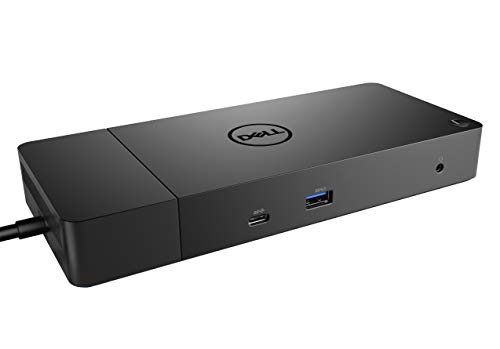
Dell WD19 180W USB-C Docking Station
Best for: multi-display workstations needing 130W laptop charging
- Power Delivery
- 130W (what this guide is about)
- Host Interface
- USB-C
- Video Ports
- DisplayPort, HDMI, USB-C
- Ethernet Speed
- Gigabit
- Dimensions
- 8.1 × 3.5 × 1.1 inches
- Weight
- 1.29 pounds
The Dell WD19 180W is a USB-C docking station that provides 130W power delivery to supported laptops using its included 180W AC adapter. For display setups, you get two DisplayPort 1.4 outputs, one HDMI port, and a multifunction USB-C DisplayPort connection. It also adds three USB-A ports, dedicated audio jacks, and Gigabit Ethernet. This unit suits you if you need reliable power and multiple video connections across your workstation.
Pros
- 130W power delivery via 180W AC power adapter
- Dual DisplayPort 1.4, one HDMI, and one multifunction USB-C video output
- Includes 3.3-foot SuperSpeed USB-C host cable
- Dedicated combo headset jack plus audio-out port
Cons
- USB-A ports limited to Gen 1 speeds
- Uses USB-C host connection rather than Thunderbolt
Good fit if
- You need 130W power delivery for your USB-C laptop.
- You connect external monitors using DisplayPort 1.4 or HDMI.
- You want dedicated analog audio ports on your desk.
Skip if
- You require Thunderbolt connectivity for higher data throughput.
- You need USB-A ports faster than USB 3.1 Gen 1.
Verdict: Dell WD19 180W USB-C Dock delivers 130W charging alongside dual DisplayPort and HDMI video outputs for multi-screen setups. It provides an effective workstation hub when you need solid display versatility and audio connections over standard USB-C.

Dell 130W USB-C Docking Station
Best for: dual-display setups requiring 130W Power Delivery
- Power Delivery
- 130W (what this guide is about)
- Host Interface
- USB-C
- Video Ports
- HDMI, DisplayPort
- Connectivity
- USB-C, HDMI, DisplayPort
- Dimensions
- 3.5 × 8.1 × 1.1 inches
- Weight
- 1.29 pounds
This Dell unit provides 130W Power Delivery over USB-C to charge your laptop during operation. Video connections include one HDMI port and two DisplayPort outputs. The chassis measures 3.5 by 8.1 by 1.1 inches and weighs 1.29 pounds, fitting tight workspaces. You gain multi-monitor connectivity alongside charging through a single connection. It suits you if you need standard digital video outputs and high-wattage power delivery.
Pros
- Delivers 130W Power Delivery via USB-C
- Includes HDMI and Dual DisplayPort outputs
- Compact 3.5 x 8.1 x 1.1 inch dimensions at 1.29 pounds
Cons
- No Thunderbolt data protocol listed in specifications
- No 3.5mm audio jack specified in product data
Good fit if
- You need 130W Power Delivery over a USB-C link.
- You run monitors using DisplayPort or HDMI inputs.
Skip if
- You require high-speed Thunderbolt data connections.
- You need integrated 3.5mm audio input or output.
Verdict: Dell 130W USB-C Docking Station provides 130W charging alongside HDMI and dual DisplayPort connections. It gives you functional display expansion in a compact 1.29-pound chassis.
Dell Thunderbolt 3 Dock 130W
Best for: Thunderbolt 3 laptops needing 130W power delivery
- Power Delivery
- 130W (what this guide is about)
- Host Interface
- Thunderbolt 3, USB-C
- Display Support
- Up to 3
- Max Resolution
- 5K
- Video Ports
- Dual DisplayPort, HDMI
- Connectivity
- USB-C, HDMI, DisplayPort, Thunderbolt 3
This Dell Thunderbolt 3 docking station supplies up to 130W of power delivery to compatible laptops while handling video, data, and peripheral connections over a single built-in 0.8-meter cable. It supports up to three displays, including dual 4K or a single 5K screen via HDMI, DisplayPort, and USB-C. This dock suits you if you need high-power charging alongside high-resolution multi-monitor bandwidth for Dell or standard Thunderbolt notebooks.
Pros
- Provides up to 130W power delivery over Thunderbolt 3
- Drives up to three displays, including dual 4K or a single 5K monitor
- Offers HDMI, DisplayPort, USB-C, and Thunderbolt 3 connectivity
- Supports enterprise manageability like PXE Boot and MAC Address pass-thru
Cons
- Lacks 3.5mm audio ports
- Restricted to a built-in 0.8-meter host cable
Good fit if
- You require 130W power delivery for your Dell or Thunderbolt-compatible notebook.
- You want to connect dual 4K monitors or a single 5K display.
- You rely on corporate manageability tools like PXE Boot and Wake-on-LAN.
Skip if
- You need built-in 3.5mm audio jacks for headphones or external speakers.
- You require a detachable or longer host cable than 0.8 meters.
Verdict: Dell Thunderbolt 3 Dock 130W delivers high-wattage power and multi-display bandwidth for compatible workstations. It is a capable choice if you require 130W charging and dual 4K output without needing integrated analog audio jacks.

Koncept Dell WD19 Dual-Display Dock
Best for: mixed-port dual-monitor Dell laptop setups
- Power Delivery
- 130W (what this guide is about)
- Host Interface
- USB-C
- Display Support
- Dual
- Video Ports
- VGA, HDMI, mini-DisplayPort
- Connectivity
- USB-C, HDMI
- Dimensions
- 9 × 6 × 4 inches
This renewed Dell WD19 docking station bundle delivers 130W of power to compatible laptops over USB-C. You get dual-monitor support alongside legacy and modern video outputs, including HDMI, mini-DisplayPort, and VGA. It also expands your peripheral setup with five USB ports, RJ-45 Ethernet, and audio. It suits you if you need reliable high-wattage charging paired with varied display connections for an Inspiron, XPS, Latitude, or Precision laptop.
Pros
- Delivers 130W of Power Delivery over USB-C
- Offers HDMI, mini-DisplayPort, and legacy VGA video outputs
- Provides five USB ports, RJ-45 Ethernet, and a combo audio jack
- Includes a bundled HDMI cable and cleaning cloth
Cons
- Uses mini-DisplayPort and VGA rather than full-size DisplayPort
- Includes two older USB 2.0 ports alongside the three USB 3.0 ports
- Comes as a renewed hardware unit
Good fit if
- You use a compatible Dell laptop that charges via 130W USB-C or Thunderbolt 3.
- You connect two screens using a combination of VGA, mini-DisplayPort, or HDMI.
- You want an included HDMI cable packed with the dock.
Skip if
- You require full-size DisplayPort connections for your external monitors.
- You need every USB port on the dock to support USB 3.0 speeds.
- You prefer a factory-new docking station rather than a renewed model.
Verdict: Koncept Dell WD19 Dual-Display Dock delivers 130W charging and versatile display connectivity for compatible laptops. It provides legacy VGA and modern HDMI ports in a complete desktop bundle.

Dell USB-C Dual Monitor Dock
Best for: Dell laptops needing 130W dual-display setups
- Power Delivery
- 130W (what this guide is about)
- Host Interface
- USB-C
- Display Support
- Dual
- Ethernet Speed
- Gigabit Ethernet
- Connectivity
- USB-C, HDMI, DisplayPort
- Dimensions
- 3.5 × 1.1 × 8.1 inches
This Dell docking station connects to your laptop via USB-C to supply 130W Power Delivery while driving dual external displays. It includes two DisplayPort 1.4 outputs, one HDMI port, a Gigabit Ethernet jack, and multiple USB 3.1 ports for accessories. A 3.3-foot USB-C cable comes in the box alongside an HDMI cable. It suits you if you need reliable power and multi-monitor video connectivity for compatible Dell laptops.
Pros
- Supplies 130W Power Delivery over USB-C
- Features two DisplayPort 1.4 outputs and one HDMI port
- Includes Gigabit Ethernet and dual audio jacks
- Comes with a 3.3-foot USB-C cable and an HDMI cable
Cons
- Limited to dual monitor display support
- USB-A ports are limited to USB 3.1 Gen 1 speeds
Good fit if
- You need 130W power delivery for a compatible Dell laptop
- You plan to connect up to two external monitors via DisplayPort or HDMI
- You want wired Gigabit Ethernet alongside dedicated 3.5mm audio ports
Skip if
- You require native support for more than two external displays
- You need faster USB transfer speeds across all USB-A ports
Verdict: Dell USB-C Dual Monitor Dock with 130W Delivery delivers dedicated high-wattage power and versatile display outputs for compatible workstations. It anchors a dual-screen desk setup while providing essential legacy and USB-C connectivity.

FKA 130W USB-C Docking Station
Best for: dual 4K setups needing 130W power
- Power Delivery
- 130W (what this guide is about)
- Display Support
- Dual
- Max Resolution
- 4K@60Hz
- Video Ports
- DisplayPort 1.4, HDMI, USB-C
- Ethernet Speed
- Gigabit Ethernet
This docking station pairs a 180W power adapter with 130W Power Delivery to charge your laptop over a single USB-C connection. It outputs video to two 4K displays at 60Hz using its two DisplayPort 1.4 ports and one HDMI port. It suits you if you need reliable dual-monitor video, Gigabit Ethernet, and bundled HDMI and DisplayPort cables for an office desk setup.
Pros
- Supplies up to 130W Power Delivery using the included 180W power adapter
- Supports dual 4K display output at 60Hz
- Includes HDMI and DisplayPort cables in the box
- Offers three USB-A 3.1 ports and two USB-C ports
- Includes an integrated 3.5mm audio out port and Gigabit Ethernet
Cons
- Limited to dual monitor output
- Does not include Thunderbolt 4 specifications
Good fit if
- You need 130W Power Delivery for your compatible laptop.
- You run dual 4K external monitors at 60Hz.
- You want HDMI and DisplayPort cables included in the package.
Skip if
- You need to drive three or more external monitors.
- You require Thunderbolt 4 data transfer speeds.
Verdict: FKA 130W USB-C Docking Station delivers 130W charging and dual 4K video output over a single cable with essential display leads included.

Dell WD19 Dual Display USB-C Dock
Best for: dual 1080p desk setups needing 90W charging
- Power Delivery
- 130W (what this guide is about)
- Host Interface
- USB-C
- Display Support
- Dual
- Max Resolution
- 4K@30Hz
- Video Ports
- DisplayPort 1.4, HDMI 2.0, USB-C
- Ethernet Speed
- Gigabit Ethernet
This USB-C docking station supplies power and peripheral expansion through a single cable using DisplayPort Alt Mode. The included 130W adapter provides up to 90W of laptop charging while running connected accessories. You can output video to dual 1080p monitors at 60Hz or a single 4K screen at 30Hz via DisplayPort, HDMI, or USB-C. It suits you if you run standard office displays on Windows or Linux laptops.
Pros
- Includes a 130W AC adapter delivering up to 90W laptop charging
- Provides dual DisplayPort 1.4, HDMI 2.0, and USB-C video outputs
- Supports dual Full HD displays at 60Hz
- Features integrated Gigabit Ethernet and audio ports
Cons
- Limits 4K resolution to a 30Hz refresh rate
- Supplies 90W to the host laptop rather than full 130W output
Good fit if
- You want up to 90W charging from an included 130W power brick.
- You use dual 1080p monitors at 60Hz for office multitasking.
- You connect a system running Windows 10, Ubuntu, or Red Hat Enterprise Linux.
Skip if
- You require 4K resolution at 60Hz.
- You need more than 90W of USB-C Power Delivery for your laptop.
Verdict: Dell WD19 Dual Display USB-C Dock pairs an included 130W power brick with broad port selection for standard dual-monitor workstations. It reliably handles routine office workflows but caps laptop charging at 90W.

FKA WD19 180W USB-C Dock
Best for: dual Full HD setups needing 130W charging
- Power Delivery
- 130W (what this guide is about)
- Host Interface
- USB-C
- Max Resolution
- Full HD
- Video Ports
- DisplayPort, HDMI
- Max Data Speed
- 10 Gbps
- Ethernet Speed
- Gigabit
This docking station connects via USB-C to supply 130W Power Delivery to your laptop using an included 180W AC power adapter. It features two DisplayPort outputs and one HDMI port to run up to two Full HD displays. You also get five USB ports reaching up to 10 Gbps speeds, Gigabit Ethernet, and two audio jacks. It suits you if you need reliable high-wattage charging and dual-screen connectivity.
Pros
- Delivers 130W Power Delivery via included 180W AC power adapter
- Three display outputs with two DisplayPort and one HDMI port
- Supports data transfer speeds up to 10 Gbps via USB-C 3.1 Gen 2
- Includes Gigabit Ethernet along with combo audio and audio-out jacks
Cons
- Display output is specified for up to two Full HD monitors
- Does not include Thunderbolt connectivity
Good fit if
- You need 130W Power Delivery to charge your laptop over USB-C.
- You want to connect up to two Full HD displays via DisplayPort or HDMI.
- You require wired Gigabit Ethernet and dedicated 3.5mm audio ports.
Skip if
- You require monitor resolutions higher than Full HD.
- You need native Thunderbolt data throughput.
Verdict: FKA WD19 180W USB-C Dock delivers 130W Power Delivery alongside multiple display and peripheral connections for your desk setup. It provides steady power and dual Full HD monitor support over a single USB-C cable.
Specifications side by side
| Spec | Dell Pro Thunderbolt 4 Dock with 130W Charging | Dell USB-C Docking Station with 130W Power Delivery | Dell 180W USB-C Docking Station | Koncept Thunderbolt 4 Modular Dock 130W | Dell Thunderbolt 3 Docking Station | Dell Thunderbolt Dock 130W Power Delivery | Koncept Dual Monitor 130W USB-C Dock | Dell WD19 180W USB-C Docking Station | Dell 130W USB-C Docking Station | Dell Thunderbolt 3 Dock 130W | Koncept Dell WD19 Dual-Display Dock | Dell USB-C Dual Monitor Dock | FKA 130W USB-C Docking Station | Dell WD19 Dual Display USB-C Dock | FKA WD19 180W USB-C Dock |
|---|---|---|---|---|---|---|---|---|---|---|---|---|---|---|---|
| Host Interface | Thunderbolt 4 | USB-C | USB-C | Thunderbolt 4, USB-C | Thunderbolt | Thunderbolt | USB-C | USB-C | USB-C | Thunderbolt 3, USB-C | USB-C | USB-C | not specified | USB-C | USB-C |
| Display Support | Up to 4 | not specified | not specified | Dual | not specified | not specified | Dual | not specified | not specified | Up to 3 | Dual | Dual | Dual | Dual | not specified |
| Max Resolution | 4K | not specified | not specified | 4K | not specified | 5K | not specified | not specified | not specified | 5K | not specified | not specified | 4K@60Hz | 4K@30Hz | Full HD |
| Power Delivery | Up to 130W | 130W | 130W | 130W | 130W | 130W | not specified | 130W | 130W | 130W | not specified | 130W | 130W | 90W | 130W |
| Video Ports | HDMI 2.1, DP 1.4, USB-C, Thunderbolt 4 | HDMI, DisplayPort | DisplayPort, HDMI, USB-C | DisplayPort, HDMI, USB-C, Thunderbolt | DisplayPort, HDMI, USB-C, Thunderbolt 3 | not specified | HDMI, mini-DisplayPort | DisplayPort, HDMI, USB-C | HDMI, DisplayPort | Dual DisplayPort, HDMI | VGA, HDMI, mini-DisplayPort | not specified | DisplayPort 1.4, HDMI, USB-C | DisplayPort 1.4, HDMI 2.0, USB-C | DisplayPort, HDMI |
| Max Data Speed | not specified | not specified | not specified | 40 GB/s | not specified | not specified | not specified | not specified | not specified | not specified | not specified | not specified | not specified | not specified | 10 Gbps |
| Ethernet Speed | 2.5GbE | not specified | Gigabit Ethernet | Gigabit Ethernet | Gigabit Ethernet | not specified | not specified | Gigabit | not specified | not specified | not specified | Gigabit Ethernet | Gigabit Ethernet | Gigabit Ethernet | Gigabit |
| Resolution | 4K UHD | not specified | not specified | 4K UHD | not specified | not specified | not specified | not specified | not specified | not specified | not specified | not specified | not specified | not specified | not specified |
| Connectivity | USB-C, HDMI, DisplayPort, Thunderbolt 4 | USB-C, HDMI, DisplayPort | USB-C, HDMI, DisplayPort | USB-C, Thunderbolt 4 | not specified | not specified | USB-C, HDMI | USB-C, HDMI, DisplayPort | USB-C, HDMI, DisplayPort | USB-C, HDMI, DisplayPort, Thunderbolt 3 | USB-C, HDMI | USB-C, HDMI, DisplayPort | HDMI, DisplayPort | USB-C | HDMI, DisplayPort |
| Dimensions | 8.07 × 3.54 × 1.39 inches | 1.1 × 3.5 × 8.1 inches | 3.5 × 8.1 × 1.1 inches | 8.07 × 3.54 × 1.39 inches | 3.5 × 8.1 × 1.1 inches | 2.5 × 11.4 × 12 inches | 7 × 6.5 × 1 inches | 8.1 × 3.5 × 1.1 inches | 3.5 × 8.1 × 1.1 inches | 3.5 × 11.2 × 1.1 inches | 9 × 6 × 4 inches | 3.5 × 1.1 × 8.1 inches | not specified | 8.1 × 3.5 × 1.1 inches | 8.6 × 4 × 1.2 inches |
| Weight | 1.28 pounds | 1.28 pounds | 1.3 pounds | 1.28 pounds | 3.15 pounds | 3.1 pounds | 2.5 pounds | 1.29 pounds | 1.29 pounds | 3 pounds | not specified | 2 pounds | not specified | 3.05 pounds | 1.29 pounds |
| Size | Talla única | not specified | not specified | not specified | not specified | not specified | WD19S 130W RENEWED DOCKING | 8.1 x 3.5 x 1.1 inches | 3.5 x 8.1 x 1.1 inches | not specified | WD19 130W RENEWED DOCKING | not specified | not specified | not specified | Dell WD19 - 180W |
| Color | Black/White | Black | black | Black | Black | black | Black | black | black | Black | Black | black | Black | black | black |
| Model | SD25TB4 | WD19 | DELL DOCK-WD19 180W | SD25TB4 | WD19TB | WD19TBS | WD19S 130W RENEWED DOCKING | WD19 180W | WD19 | WD19TBS-cr | WD19 130W RENEWED DOCKING | not specified | not specified | WD19 130W | FH19180 |
When planning your overall desk setup, you can compare the best GTPLAYER blue gaming chairs by ergonomic adjustments, weight capacity, and frame materials.
How to Choose a 130W Docking Station
-
Check Laptop Power Delivery Specs
Review the exact charging wattage delivered directly to your laptop rather than the total power supply size. Some docks bundle a high-wattage power adapter but deliver less power to the connected host system. For example, the Dell WD19 Dual Display USB-C Dock pairs with a 130W power brick but caps laptop charging at 90W. If your workstation laptop requires full 130W input under heavy workloads, confirm that the dock specifications explicitly state 130W Power Delivery to the host laptop to avoid battery drain during intense processing tasks.
-
Verify Integrated Audio Port Needs
Check whether your desktop audio setup relies on a 3.5mm analog connection directly on the dock. Several commercial docking stations omit analog audio jacks entirely from their design. For instance, the Dell Thunderbolt 3 Dock 130W handles multi-display video and charging without including integrated analog audio ports. If you connect external wired speakers or standard wired headsets directly through your hub, verify that 3.5mm audio jacks are listed in the physical specifications. Otherwise, you must route your audio devices through dedicated USB ports or external audio adapters.
-
Account for Legacy Video Connectors
Examine your existing monitors to ensure the dock matches their input ports without requiring extra adapters. Most modern docking stations focus exclusively on DisplayPort and HDMI video outputs for digital connections. However, if your workstation uses older monitors or office projectors, look for docks offering dedicated legacy video ports. The Koncept Dell WD19 Dual-Display Dock includes a built-in VGA port alongside an HDMI connection. Matching your dock video outputs to your current monitor cables prevents the clutter and signal instability of using third-party display conversion dongles on your desk.
-
Plan for Ultra-High Resolution Displays
Identify whether your workflow requires video resolutions above standard dual 4K. While basic USB-C docking stations handle standard dual 1080p or single 4K screens, high-end creative setups often demand greater video throughput. A model like the Dell Thunderbolt Dock 130W Power Delivery provides multi-display video support capable of handling screens up to 5K resolution. Check your display specifications for native resolution before selecting a dock. Choosing an interface capable of 5K output ensures your docking station accommodates demanding visual workflows without reducing refresh rates or lowering screen clarity.
-
Evaluate Physical Dimensions and Weight
Consider the chassis dimensions and overall weight if desk real estate or portability matters. Compact hubs in this category weigh around 1.28 pounds and measure roughly 8.1 inches long by 3.5 inches wide. In contrast, heavy-duty commercial stations like the Dell Thunderbolt 3 Docking Station reach 3.15 pounds. A heavier dock stays firmly planted when plugging in heavy display cords or USB cables, preventing movement on your desk. However, if you occasionally move your hub between home and office desks, check the weight specification to keep your bag light.
Frequently asked questions
Can a 130W docking station drive 5K monitors?
Yes, specific models with high-bandwidth connections support single displays beyond 4K. The Dell Thunderbolt Dock with 130W Power Delivery (model WD19TBS) provides video support up to 5K alongside its high-wattage charging. In contrast, standard USB-C options like the FKA WD19 180W dock target dual Full HD setups. Always verify whether your monitor requires DisplayPort, HDMI, or Thunderbolt connections to hit top resolutions.
What is the difference between WD19TB and WD19TBS docks?
The primary functional distinction lies in onboard analog audio support. The Dell WD19TB includes integrated audio jacks alongside its Thunderbolt 3 connectivity and 130W Power Delivery. The Dell WD19TBS omits analog audio jacks while maintaining the same 130W host charging and video output capabilities. If your desk audio relies on USB headsets or monitor speakers, the WD19TBS fits your workspace without unused audio ports.
Can you connect legacy VGA monitors to a 130W docking station?
Yes, certain docking stations include dedicated analog legacy video outputs alongside digital connectors. The Koncept Dell WD19 Dual-Display Dock provides a legacy VGA port alongside modern HDMI ports, allowing you to run older office monitors without buying separate dongles. Most modern 130W docks rely exclusively on digital HDMI, DisplayPort, or Thunderbolt outputs, so check your display inputs before finalizing your setup.
Do 130W docking stations include wired Ethernet connectivity?
Many models feature built-in wired network connections, but available port configurations vary. The Dell 180W USB-C Docking Station includes a dedicated Gigabit Ethernet jack alongside display and audio connections. Similarly, the Koncept Dual Monitor 130W USB-C Dock provides wired Ethernet to stabilize your internet connection. Checking the physical port layout confirms whether a dock supports wired local networking out of the box.
Why do some 130W docks only supply 90W to the laptop?
The power supply wattage is shared between laptop charging and onboard peripheral ports. For instance, the Dell WD19 Dual Display USB-C Dock utilizes a 130W adapter but caps laptop charging at 90W. The remaining wattage powers internal dock controllers, connected USB accessories, and video outputs. If your workstation requires full 130W charging, ensure the dock explicitly provides 130W Power Delivery to the host.
How much do 130W docking stations typically weigh?
Physical weights range from just over 1 pound to more than 3 pounds depending on internal architecture. Compact USB-C units like the Dell WD19 weigh approximately 1.28 to 1.3 pounds, making them easy to rearrange on your desk. Larger options, such as the Dell WD19TB and WD19TBS Thunderbolt docks, weigh between 3.05 and 3.15 pounds. This added heft helps prevent the dock from sliding.
What display resolutions do dual-monitor 130W docks support?
Display resolution support ranges from Full HD up to dual 4K UHD depending on the dock model. The FKA WD19 180W dock targets dual Full HD monitors, whereas models like the Koncept Thunderbolt 4 Modular Dock and FKA 130W USB-C Docking Station support dual 4K displays. Match the dock display specifications directly to your screen resolutions to ensure your setup runs at native sharpness.